

Remote Desktop Manager for Windows Download – Centralized Remote Connection Management
Remote Desktop Manager for Windows is an advanced remote connection management tool designed to help IT professionals, system administrators, and businesses centralize and organize their remote access to servers, computers, and network devices. By consolidating all your remote connection tools into a single platform, Remote Desktop Manager helps enhance productivity, improve security, and streamline management. With support for various remote desktop protocols, password management, and encryption, this software is perfect for users who need a secure, organized, and efficient way to manage their remote connections.
Simplify your remote access with Remote Desktop Manager!
Unified Platform for Remote Connections
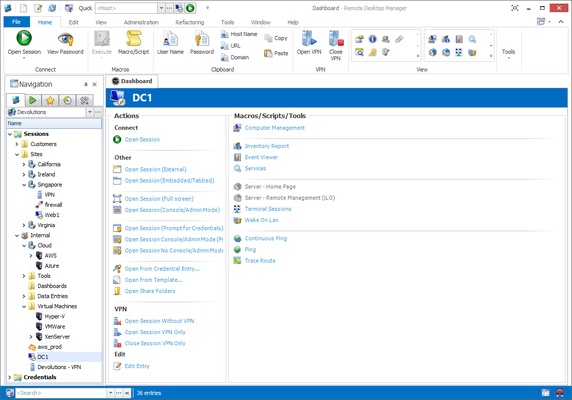
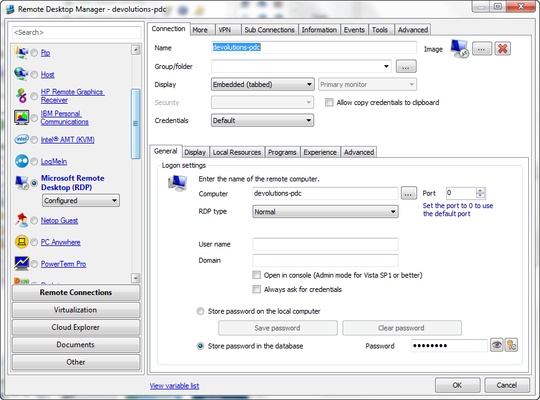
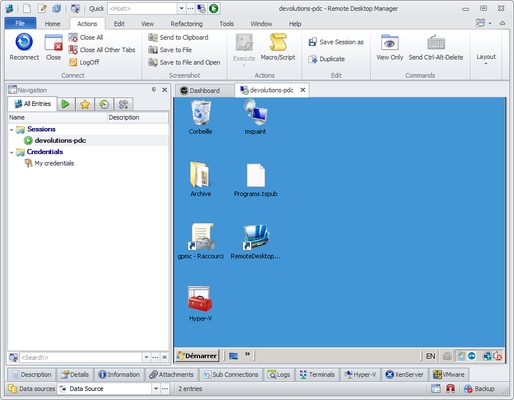
Remote Desktop Manager centralizes all your remote connection types into a single application. Whether you're using RDP, VNC, SSH, FTP, Telnet, or other remote protocols, you can manage them from a unified interface. This makes it easy to organize, access, and monitor your remote connections without needing to switch between multiple applications.
Secure Password and Credential Management
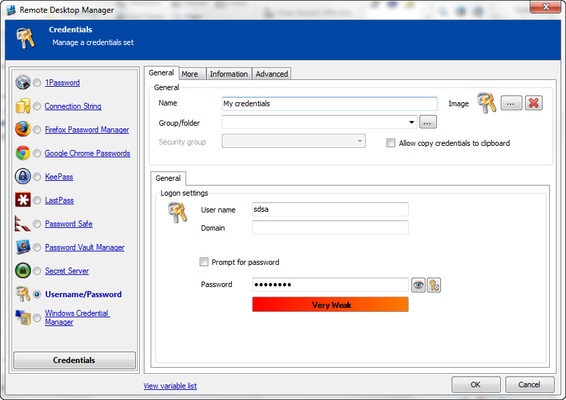
Security is a top priority with Remote Desktop Manager. The software provides advanced password management and supports encryption for sensitive information, ensuring that your login credentials and other secure data are protected. You can securely store passwords, usernames, and other credentials associated with each remote connection, preventing unauthorized access and simplifying the login process for each connection.
Centralized Remote Access for Teams
Remote Desktop Manager is ideal for team collaboration, allowing multiple users to access and manage remote connections within an organization. You can easily share and assign credentials, ensuring that your team members have the necessary access to remote systems while maintaining control over permissions and security. The software also supports role-based access, allowing admins to restrict access to certain connections based on user roles and responsibilities.
Advanced Remote Connection Features
The software includes a variety of advanced features to enhance your remote connection experience. You can organize your connections by folders and groups, making it easy to find and manage your remote access points. Additionally, session recording and connection logging provide detailed insights into remote sessions, making it easier to track activity and troubleshoot issues.
Seamless Integration with Other Tools
Remote Desktop Manager integrates seamlessly with a variety of third-party tools, including password managers, ticketing systems, and network monitoring software. This ensures that your remote connection workflow is streamlined and that all necessary tools are available in a single platform. Whether you're managing multiple client accounts or handling server maintenance tasks, the integration with other business tools makes Remote Desktop Manager a central hub for all your remote work.
Efficient and User-Friendly Interface
Remote Desktop Manager is designed with ease of use in mind. Its intuitive interface makes it simple to add, edit, and organize your remote connections. Whether you're an individual user managing your personal connections or a business managing hundreds of devices, Remote Desktop Manager helps you stay organized and efficient. The software also supports customizable templates, so you can quickly configure new connections based on pre-defined settings.
Final Overview
Remote Desktop Manager for Windows is an essential tool for anyone who needs to manage remote connections securely and efficiently. With its unified platform, advanced password management, team collaboration features, and support for a wide range of remote protocols, Remote Desktop Manager simplifies remote access and improves security for individuals and organizations alike. Whether you're managing a few devices or overseeing a large network, Remote Desktop Manager offers the features and flexibility you need to manage remote connections effectively. Download Remote Desktop Manager today and streamline your remote access!