


Thunderbird is a free and open-source email client developed by Mozilla. It helps users manage multiple email accounts, calendars, contacts, and tasks in one desktop application.
Designed for Windows users, Thunderbird provides powerful email management tools, strong privacy protection, and extensive customization options through extensions.
It supports popular email services including Gmail, Outlook, Yahoo Mail, and any provider using IMAP, POP, or SMTP protocols.
Key Features
Multiple Email Account Management
Manage multiple email accounts from a single interface with support for unified inbox, folders, and message organization.
Advanced Search
Quickly find emails using filters such as sender, recipient, keywords, attachments, and date ranges.
Spam Protection
Built-in junk mail filtering learns from user actions and helps reduce unwanted emails.
Calendar and Task Management
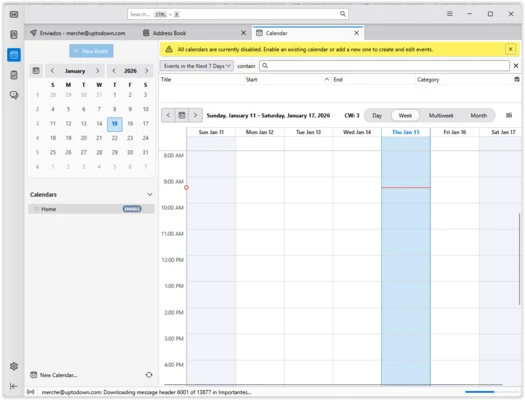
Integrated calendar tools allow users to create events, manage schedules, and organize tasks.
Email Encryption
Supports security features including S/MIME, OpenPGP encryption, and digital signatures for safer communication.
Extensions and Themes
Customize Thunderbird with add-ons that add new features, improve productivity, and change the interface appearance.
Tabbed Email Interface
Open multiple emails in separate tabs for easier multitasking.
Smart Folders
Automatically organize important folders such as Inbox, Sent, Drafts, and Archives.
What's New
Thunderbird Supernova
The latest Thunderbird release introduces a redesigned interface with improved performance and productivity features.
- Modernized user interface
- Faster email loading and navigation
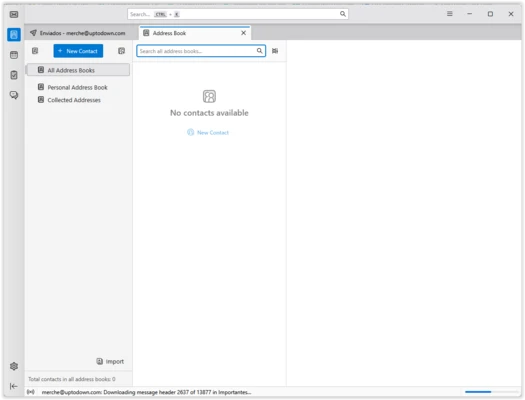
- Improved calendar and contacts management
- Better account organization
- Enhanced customization options
- Improved security and privacy controls
User Interface
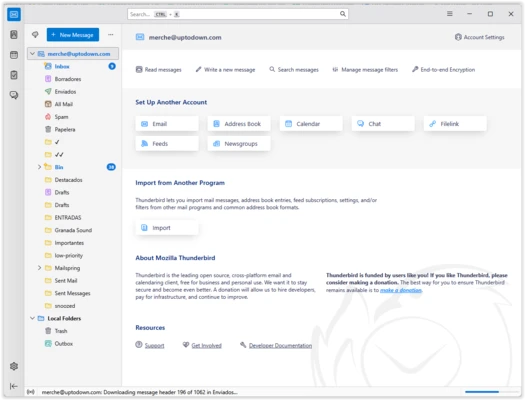
Thunderbird uses a classic three-panel layout:
- Left panel: Email accounts and folders
- Center panel: Message list
- Right panel: Email preview
The interface can be customized with themes, layouts, toolbars, and extensions to match different workflows.
Installation and Setup
- Download Thunderbird installer.
- Run the setup program.
- Add your email account.
- Thunderbird automatically detects common providers.
- Configure folders, extensions, and preferences.
How to Use
Add Email Account
Open Thunderbird and select account setup, then enter your email address and password.
Send and Receive Emails
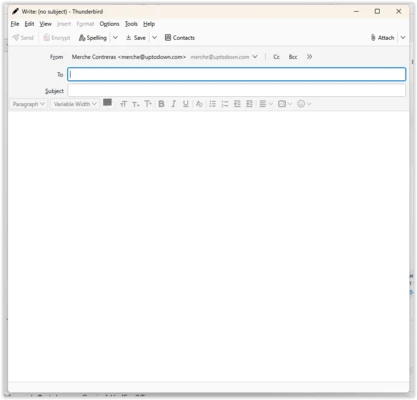
Use the Write button to compose messages and Get Messages to check new emails.
Organize Emails
Create folders, apply filters, and use tags to manage messages efficiently.
Manage Calendar
Create events, reminders, and tasks directly inside Thunderbird.
Install Extensions
Open Add-ons Manager to install themes and productivity tools.
Supported Platforms
- Windows 11
- Windows 10
- macOS
- Linux
Alternatives
Microsoft Outlook
Professional email client with Office integration and advanced business features.
Mailbird
Simple and modern email client focused on productivity.
Mailspring
Fast email application with customizable interface and advanced features.
Pricing
Thunderbird is completely free and open-source.
System Requirements
- Operating System: Windows 10 / Windows 11
- RAM: 1GB minimum
- Storage: 200MB available space
PROS
- Free and open-source
- Supports multiple email accounts
- Strong privacy and security features
- Extensive extension support
- Cross-platform availability
CONS
- No official mobile version
- Interface may feel less modern compared with some competitors
- Limited cloud integration
Conclusion
Thunderbird is one of the best free email clients for Windows users.
With powerful account management, encryption support, calendar integration, and extensive customization options, it provides a reliable alternative to commercial email software.
For users who want full control over their email data and prefer an open-source solution, Thunderbird remains an excellent choice.