Go to Windows platform Display platforms icon
Go to Windows platform Go to Mac platform Go to Android platform
VidCoder icon

VidCoder

11.11
RandomEngy
3
43.29 MB size

Rip your DVDs and Blu-Rays without losing quality

VidCoder is an open-source DVD and Blu-Ray video transcoding and ripping tool for copying your non-copyright protected media. Thanks to this tools copying system, you can store your personal videos digitally and leave the outdated digital formats in the past.

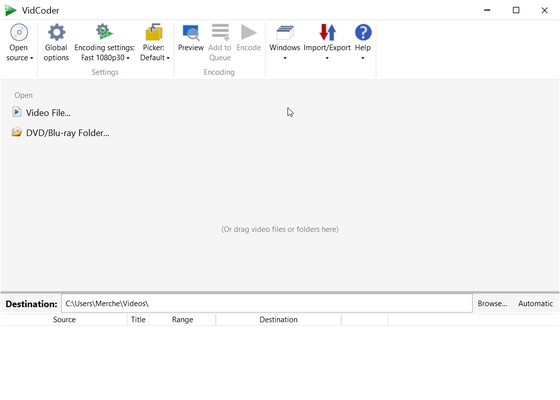
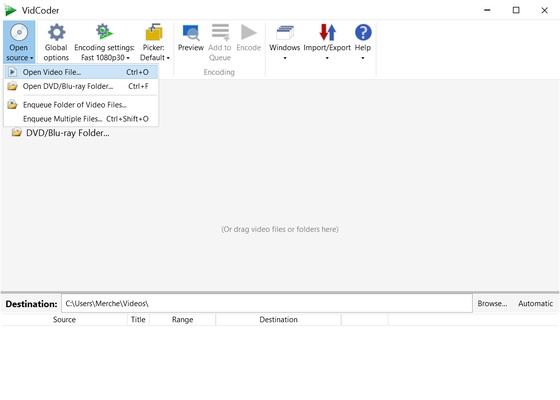
This tool has a very simple and intuitive interface that saves you a lot of time by concentrating all the important tools in the same window. One of the main advantages of VidCoder is that you can make copies from the disc itself or through an ISO copy of the original video. Whichever option you choose, you must select where the images you are going to convert are located using the drop-down folder tree.

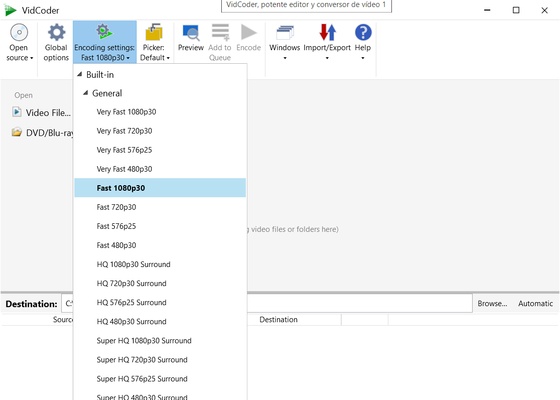
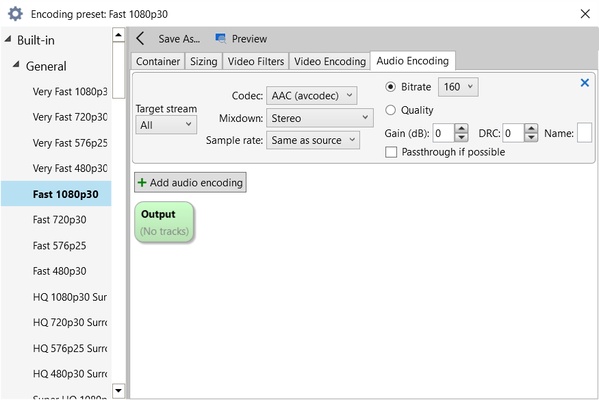
Once you have chosen the DVD or Blu-Ray you're going to work with, VidCoder will show you all the video, audio and even subtitle-editing tools. Each section has a special function to help you select your movie length, the audio track you're going to store, or the type of subtitle you want to play, among many other options. The combinations that this tool offers are so extensive that you'll be able to create your own settings and apply them to other future works to save time.

Additionally, you can use this program to convert to MP4, MKV, H.264, MPEG-4 or MPEG-2, among other options. It supports H.264 and x264 encoding, lets you create short encoded clips, deinterlace, rotate or use filters and other features, making it a great tool for copying your DVDs and Blu-Ray discs.

Information about VidCoder

License Free
Op. System Windows
Category Video
Language English 47 more
Author RandomEngy
permission icon Permissions Not applicable
Date 2026-06-02
Size 43.29 MB
File type EXE

Apps recommended for you

AVS Video Editor icon
Powerful multitask application to edit video
Replay Radio 2026.8.16.36 icon
Automatically Record your Favorite Radio Shows and Listen on your PC!
HyperCam icon
Record anything you're doing on your PC
VideoScribe 1.20.1 icon
Easy drag and drop animated video maker for beginners to professionals!
YTGrabber icon
YTGrabber for Windows is a simple tool that lets users download YouTube videos and playlists quickly in various formats.
OBS Studio icon
OBS Studio is a free, open-source software for video recording and live streaming, offering powerful features and customization options.
XviD4PSP 8.2.16 icon
Addapt your videos and view them in your PSP
Movavi Video Converter icon
Good choice to convert videos to iPod or PSP format
XviD4PSP 8.2.16 icon
Addapt your videos and view them in your PSP
K-Lite Codec Pack (Full) 20.2.0 icon
Unlimited playback with this complete codec pack
AVS Media Player 26.0.3.6 icon
How to play your video and audio
Camtasia 26.2.5.21144 icon
Video recording and editing toolkit
Movies & TV 2019.26091.10016.0 icon
Buy or rent movies and series without ads
KinoFlux Editor 0.1.2 icon
Convert, compress, edit, etc - videos, audio, images, pdf's - Offline.
Kinoflux Player 1.2.0 icon
The sleek, fast, minimal, free video player for your movies.
Orbit Video Downloader icon
Orbit Video Downloader for Windows is a fast and easy-to-use tool for downloading videos from various websites and saving them in different formats.
PotPlayer Portable icon
A portable version of this excellent media player
Vidyard for Chrome icon
Vidyard for Chrome is a video recording and sharing extension that allows users to create, share, and track videos directly from their browser.
Shotcut 26.8.1 icon
A free, open source, cross-platform video editor for Windows
MP4 Player 6.4.11 icon
Play MP4, FLV, and WebM video files that downloaded from video sites!
Winxvideo AI icon
Enhance, upscale, compress, and convert videos with Winxvideo AI for Windows, the AI-powered video processing software for high-quality media editing.
LosslessCut icon
Slice up your videos with max precision
Aiseesoft Screen Recorder icon
A powerful screen recording program for your Windows PC!