


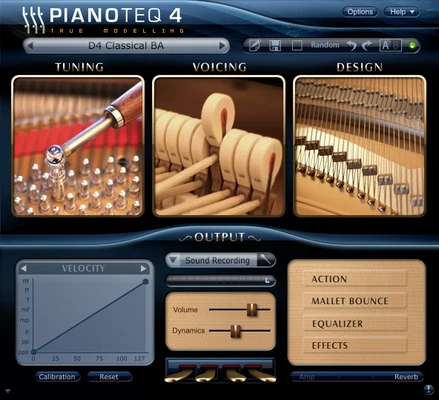
Pianoteq is an award-winning physically modeled virtual instrument for macOS that simulates acoustic and electric instruments without using samples. It runs as a standalone app or as a plugin in VST, AU, and AAX formats, offering extremely low disk usage and high performance while maintaining realistic sound and playability.
Unlike sample-based instruments, Pianoteq uses physical modeling to recreate instrument behavior in real time, resulting in a highly responsive and expressive playing experience. It includes a wide range of instruments such as acoustic pianos, electric pianos, historical instruments, and chromatic percussion.
The software is available in three editions—Stage, Standard, and Pro—each offering different levels of sound customization and advanced control. From basic performance use to full studio-grade sound design, Pianoteq covers both casual musicians and professional producers.
Key Features
- Physically modeled instrument engine (no sample libraries required)
- Standalone application and plugin support (VST, AU, AAX)
- Ultra-small installation size (under 50 MB)
- Highly realistic acoustic and electric piano modeling
- Adjustable physical parameters (hammer hardness, string length, unison width, etc.)
- Multiple microphone positioning options (up to 5 virtual mics)
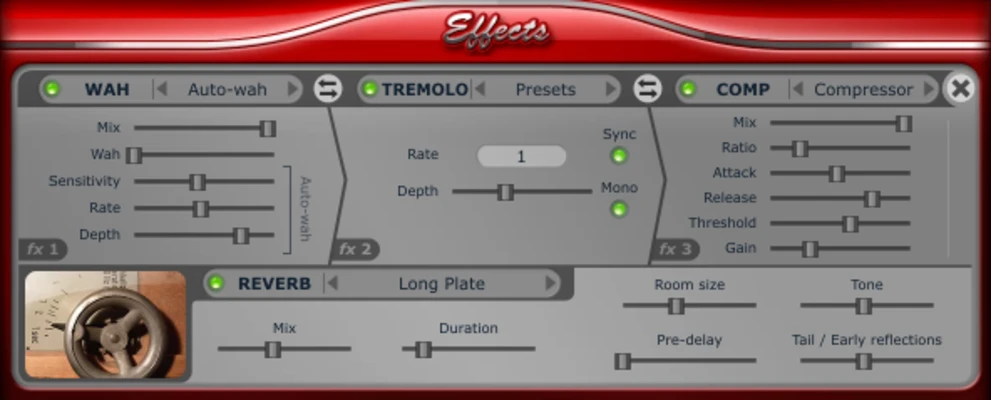
- Convolution reverb and built-in effects (EQ, chorus, delay, phaser, etc.)
- Supports microtuning (Scala format)
- Progressive pedal response (half-pedal support)
- Wide MIDI velocity response for expressive dynamics
- Extended key range support (up to 105 keys on select models)
- Built-in tuning and calibration tools
- High-resolution audio rendering (up to 192 kHz in PRO version)
Versions
- Pianoteq Stage – Entry-level version with ready-to-play instruments and no deep sound editing
- Pianoteq Standard – Adds advanced sound shaping tools and parameter controls
- Pianoteq PRO – Full studio version with per-note editing and advanced audio engineering features
Included Instrument Types
- Acoustic grand pianos (Steinway, Bechstein, Blüthner, Petrof, Grotrian, etc.)
- Upright pianos
- Electric pianos
- Historical keyboard instruments
- Chromatic percussion (vibraphone, marimba, etc.)
Why Choose Pianoteq
Pianoteq stands out for its realism, extremely small file size, and deep customization capabilities. It is widely used by musicians, composers, and sound designers who need expressive instruments without the heavy storage demands of sample libraries.
Best For
- Pianists and keyboard players
- Music producers and composers
- Studio engineers
- Film/game scoring
- Live performance setups
Pros
- Extremely lightweight compared to sample libraries
- Highly expressive and responsive playability
- Deep sound customization (especially Standard/PRO)
- Professional-quality instrument modeling
- Runs efficiently on laptops and mobile setups
Cons
- Learning curve for advanced sound shaping
- Requires paid license for full instrument library access
- Less “plug-and-play” realism compared to high-end sampled pianos for some users
System Requirements
- macOS (modern versions supported)
- Intel or Apple Silicon Mac
- Audio plugin host (for VST/AU/AAX use)
- 4 GB RAM minimum (recommended higher for studio work)
- Low storage requirement (< 100 MB typical installation)
Conclusion
Pianoteq is a powerful and lightweight virtual instrument that delivers realistic piano and instrument modeling through advanced physical synthesis. With flexible editions, deep customization options, and studio-grade sound quality, it is a strong choice for musicians who want professional performance without heavy sample libraries.