


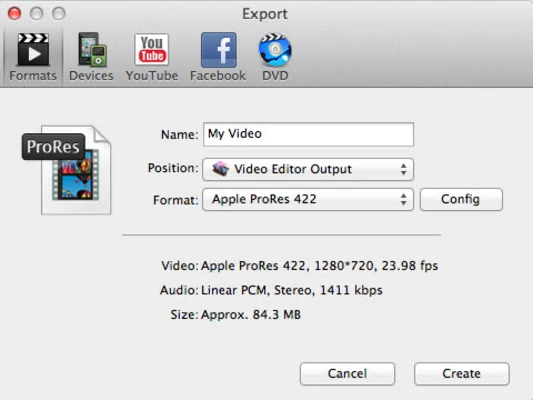
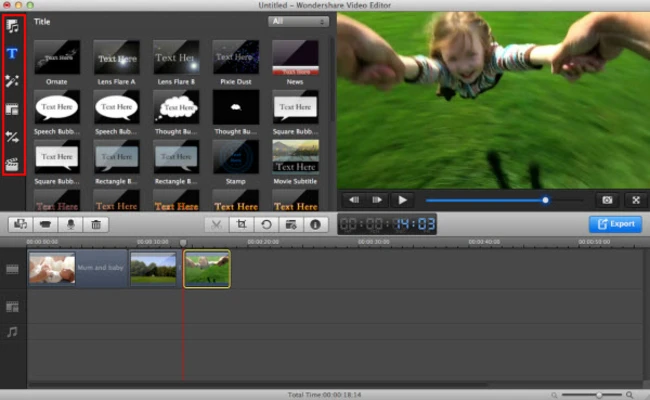
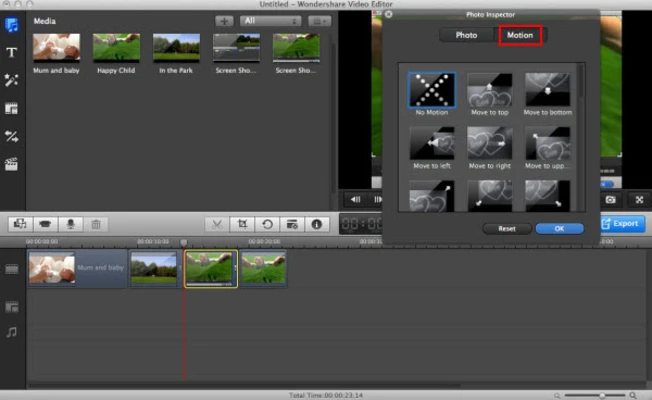
Wondershare Filmora for Mac is a powerful yet easy-to-use video editing software designed for content creators, marketers, educators, and businesses. Combining traditional editing tools with advanced AI-powered features, Filmora helps users create professional-quality videos quickly without requiring extensive editing experience.
Whether you're producing YouTube videos, social media content, promotional materials, tutorials, or business presentations, Filmora offers a streamlined workflow with hundreds of templates, effects, transitions, and royalty-free assets.
Optimized for modern macOS systems, including Apple Silicon Macs, Filmora delivers smooth performance and accelerated rendering for efficient video production.
Key Features
AI-Powered Video Editing
Utilize intelligent editing tools to automate complex tasks and speed up video production.
AI Text-to-Video
Generate complete video projects from simple text prompts using built-in AI technology.
Professional Templates
Access a large collection of ready-made templates for social media videos, marketing campaigns, presentations, and more.
Extensive Effects Library
Enhance videos with transitions, filters, overlays, titles, stickers, and motion graphics.
Audio Enhancement Tools
Improve sound quality with AI audio processing, background noise removal, and music generation features.
Royalty-Free Content
Gain access to stock videos, music tracks, sound effects, and creative assets for commercial and personal projects.
Social Media Optimization
Create content specifically designed for YouTube, TikTok, Instagram Reels, Facebook, and other platforms.
Collaboration Support
Share projects easily and streamline team-based video production workflows.
Apple Silicon Optimization
Fully optimized for modern Mac hardware, providing faster rendering and smoother editing performance.
Why Choose Wondershare Filmora?
Filmora strikes an excellent balance between simplicity and functionality. Unlike complex professional editing suites, it offers an intuitive interface while still providing advanced editing capabilities and AI-powered automation.
The software is particularly appealing to creators who want professional-looking results without spending countless hours learning advanced editing techniques.
Best For
- Content creators
- YouTubers and streamers
- Social media marketers
- Small businesses
- Online educators
- Video production beginners
- Marketing teams
- Freelance creators
Pros
- Beginner-friendly interface
- Powerful AI-assisted editing tools
- Fast video creation workflow
- Large library of templates and effects
- Royalty-free media resources included
- Excellent social media content support
- Optimized for Apple Silicon Macs
- Regular feature updates
Cons
- Some premium assets require additional subscription
- Advanced professionals may prefer more complex editors
- AI features may require internet connectivity
- Watermark appears in the free version
- Resource-intensive when working with large projects
System Requirements
Minimum Requirements
- macOS 11 Big Sur or later
- Intel or Apple Silicon processor
- 8 GB RAM
- 10 GB available storage
- Internet connection for activation and AI features
Recommended Requirements
- Apple Silicon (M1/M2/M3/M4) Mac
- 16 GB RAM or higher
- SSD storage
- Dedicated space for media files and project assets
Conclusion
Wondershare Filmora for Mac is an excellent video editing solution for users who want professional results without the complexity of traditional editing software. Its combination of AI-powered tools, extensive creative resources, and user-friendly interface makes it a strong choice for content creation, marketing, education, and social media production.
Whether you're editing your first video or producing content regularly, Filmora provides a fast and efficient workflow that helps bring creative ideas to life.