

WavePad Sound Editor for Mac is a professional audio editing software designed for recording, editing, and enhancing music, voice, and other audio files. It supports a wide range of formats and is suitable for both beginners and advanced users.
It allows users to cut, copy, paste, and apply effects such as echo, amplification, noise reduction, and equalization, making it ideal for podcasts, music editing, and audio restoration.
Key Features
- Audio editing tools: cut, copy, paste, trim, delete, and silence audio
- Supports multiple formats: MP3, WAV, FLAC, AAC, WMA, OGG, and more
- Audio effects: echo, reverb, equalizer, amplify, normalize, and noise reduction
- Batch processing for multiple files
- Audio restoration tools (hiss and click removal)
- Spectral analysis (FFT) support
- VST plugin support for advanced effects
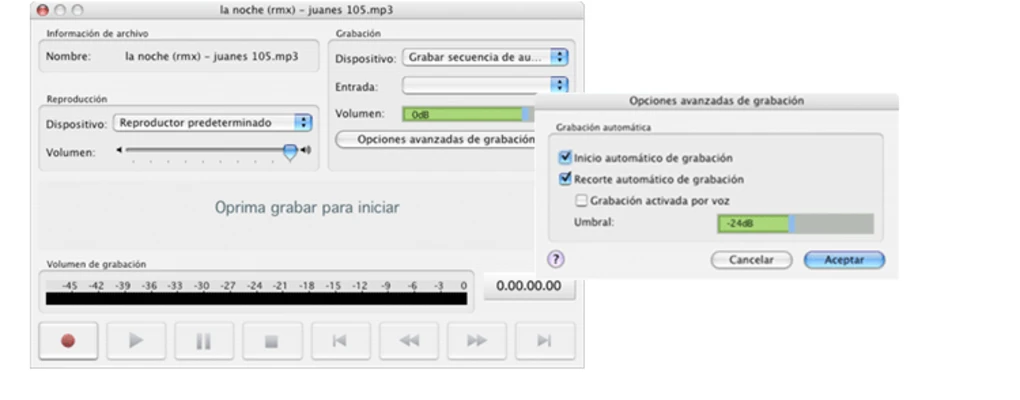
- Built-in voice recording
- File conversion between formats
How to Use
- Install and launch WavePad on your Mac
- Import audio files into the editor
- Use editing tools to cut, trim, or modify audio
- Apply effects such as noise reduction or echo
- Preview changes in real time
- Export the final audio file in your preferred format
Pros
- Easy-to-use interface
- Supports many audio formats
- Includes professional editing tools
- Batch processing support
- Lightweight and stable
Cons
- Some features require paid version
- Not a full multitrack DAW
- Limited advanced production tools in free version
System Requirements
- macOS 10.5 or later
- Compatible with Intel and Apple Silicon Macs
- Minimum 2 GB RAM recommended
Note
Free version includes limited features. Full functionality requires upgrade.