

Plex Media Server is a media server application that lets you organize, manage, and stream your personal media collection from your Mac. It can organize movies, TV shows, music, photos, and home videos into a centralized library and make them available on compatible devices.
Plex Media Server supports streaming across computers, smartphones, tablets, smart TVs, streaming devices, and other supported platforms. It also provides features such as automatic metadata management, transcoding, remote access, and media sharing.
What's New
Recent Plex Media Server updates focus on improved media management, streaming performance, device compatibility, server stability, and support for modern macOS and hardware.
Key Features
-
Organize movies, TV shows, music, photos, and home videos
-
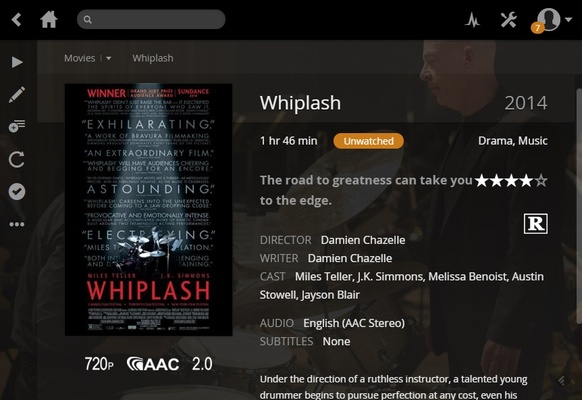
Automatically download posters, descriptions, artwork, and other metadata
-
Continue watching movies and TV shows from where you left off
-
Stream media to compatible devices on your home network
-
Support remote media streaming
-
Transcode media for devices that do not support the original format
-
Create and manage playlists
-
Share selected media libraries with friends and family
-
Support a wide range of smart TVs and streaming devices
-
Built-in DLNA support for compatible devices
-
Manage multiple users and media libraries
-
Support Intel and Apple Silicon Macs
User Interface
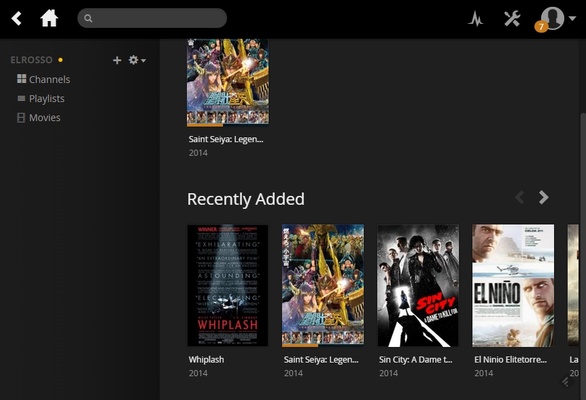
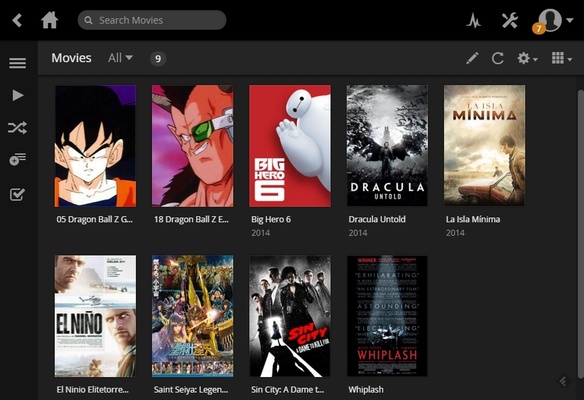
Plex provides a clean and centralized interface for browsing and managing your media library. Movies, TV shows, music, and other content are automatically organized into categories with artwork and metadata, making it easy to find and play content.
The Plex web dashboard also provides access to server settings, libraries, users, remote access, transcoding, and other management options.
Installation and Setup
-
Download and install Plex Media Server on your Mac.
-
Launch Plex Media Server and sign in to your Plex account.
-
Open the Plex web dashboard.
-
Create libraries for movies, TV shows, music, photos, or other media.
-
Select the folders containing your media files.
-
Allow Plex to scan and organize your media.
-
Review the metadata and adjust library settings if necessary.
-
Install the Plex app on supported devices to access your media.
How to Use
-
Open the Plex web dashboard to manage your server.
-
Add or remove media folders from your libraries.
-
Let Plex automatically scan new media files.
-
Browse your library from the Plex app or web interface.
-
Stream media to supported devices on your local network.
-
Enable remote access if you want to access your server outside your home.
-
Adjust transcoding and bandwidth settings based on your hardware and network.
-
Create playlists and share selected libraries with other users.
FAQ
Is Plex Media Server free?
Yes. Plex Media Server can be used for free, although some advanced features require a Plex Pass subscription.
Can Plex run on Mac?
Yes. Plex Media Server can be installed and run on compatible Mac computers.
Can Plex stream movies and music?
Yes. Plex can organize and stream movies, TV shows, music, photos, and other supported media files.
Can I access my Plex server remotely?
Yes. Plex supports remote access, allowing you to access your media library when you are away from your home network. Some remote features may require additional configuration or a Plex Pass subscription.
Does Plex support Apple Silicon Macs?
Yes. Plex Media Server supports modern Apple Silicon Macs, although specific features and performance can vary depending on the Mac model and installed software.
Alternatives
Popular alternatives to Plex include Jellyfin, Emby, and Kodi. Plex is a good choice for users who want an easy-to-use media server with automatic library organization and broad device support.
Pricing
Plex Media Server offers free core functionality. Plex Pass is available as a paid subscription and provides additional features such as enhanced remote streaming, hardware-accelerated transcoding, downloads, and other premium features.
System Requirements
-
macOS 10.13 High Sierra or later
-
Compatible Intel or Apple Silicon Mac
-
64-bit processor
-
At least 2 GB of RAM
-
4 GB RAM or more recommended
-
Sufficient storage for media files and metadata
-
Internet connection for metadata, account services, and remote access
Pros
-
Easy media library management
-
Automatic metadata and artwork
-
Supports many media formats
-
Broad device compatibility
-
Remote streaming support
-
Transcoding support
-
Free core features
-
Supports Apple Silicon Macs
Cons
-
Some features require Plex Pass
-
Transcoding can use significant system resources
-
Remote access may require additional configuration
-
Metadata may occasionally need manual correction
-
Advanced features are limited in the free version
Conclusion
Plex Media Server is a convenient solution for turning a Mac into a centralized home media server. It makes it easy to organize movies, TV shows, music, photos, and other media and stream them to a wide range of compatible devices. Its automatic metadata management and broad platform support make it a practical choice for users building a personal media library.