


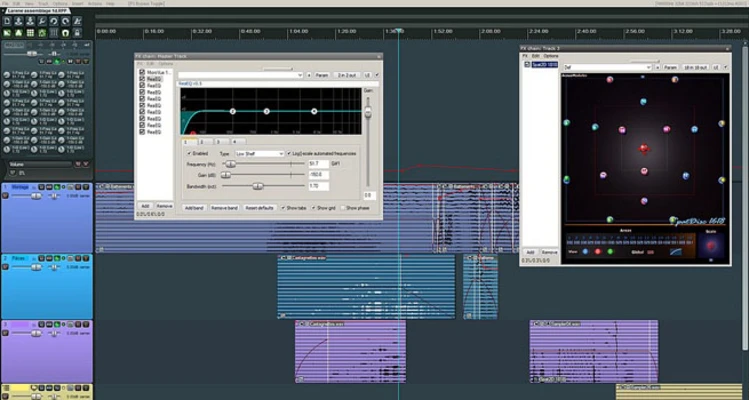
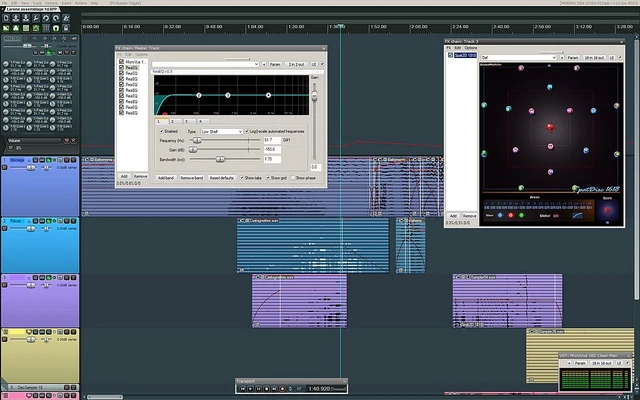
REAPER for Mac is a professional digital audio production software for macOS that provides multitrack audio and MIDI recording, editing, mixing, and mastering tools. It supports a wide range of audio formats, plugins, and hardware, making it suitable for both home and professional studio environments.
The software is widely used in music production, broadcasting, sound design, education, and game development due to its flexibility, stability, and lightweight performance.
Key Features
Multitrack Audio and MIDI Recording
Record and edit multiple audio and MIDI tracks with full routing flexibility and low latency performance.
Audio and MIDI Editing
Provides tools for cutting, splitting, trimming, stretching, and arranging audio and MIDI clips.
Plugin Support
Supports VST, VST3, AU, DX, and JS plugins, allowing integration with thousands of third-party instruments and effects.
Audio Processing
Includes 64-bit internal audio processing with support for high-quality mixing and mastering workflows.
Automation and Modulation
Advanced automation tools for volume, effects, and parameter control across tracks.
Flexible Routing System
Supports complex routing setups, multichannel audio, and advanced signal flow configurations.
Scripting and Customization
Fully extensible with scripting, macros, custom layouts, and user interface modifications.
User Interface
REAPER features a highly customizable interface designed for workflow efficiency. While the default layout is minimal, users can fully adjust toolbars, track views, and panels to match their production needs. It is optimized for speed and low resource usage.
How to Use
- Install REAPER by dragging it into Applications
- Launch the software and configure audio settings
- Create a new project and add tracks
- Import audio or MIDI files
- Apply effects and plugins
- Record and edit audio or MIDI
- Mix using automation and routing tools
- Export the final audio file
System Requirements
- OS: macOS 10.5 or later
- CPU: Intel or Apple Silicon processor
- RAM: 2 GB minimum (4 GB recommended)
- Storage: 100 MB free space
- Audio Interface: CoreAudio compatible recommended
Pros
- Lightweight and fast performance
- Highly customizable workflow
- Strong plugin compatibility
- Stable and frequent updates
- Full professional feature set
Cons
- Default interface looks outdated
- No built-in advanced instruments
- No traditional notation score editor
- Requires manual configuration for advanced use
Conclusion
REAPER for Mac is a powerful and flexible digital audio workstation designed for users who need professional recording, editing, and mixing capabilities without heavy system overhead. It is suitable for both beginners willing to learn and professionals requiring advanced audio production tools.