

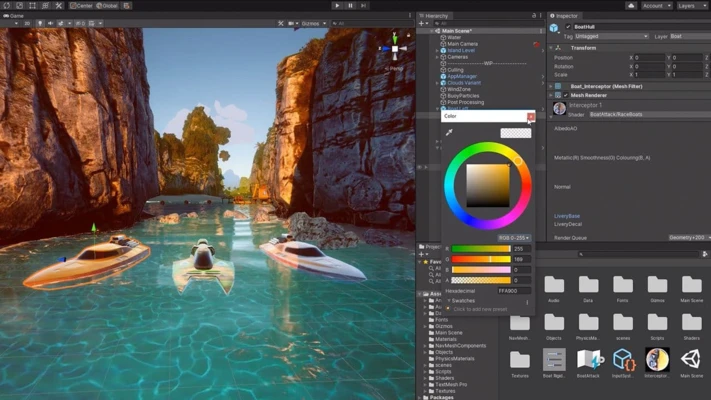
Unity is a powerful game development platform for creating interactive 2D and 3D games and applications. It provides a complete development environment with tools for graphics, animation, physics, scripting, audio, testing, and publishing.
Unity supports development for multiple platforms, making it suitable for independent developers, studios, educators, and teams working on games, simulations, interactive experiences, and other real-time 3D applications.
What's New
Unity 6 introduces improvements to rendering performance, multiplayer development, multiplatform workflows, graphics quality, productivity, and runtime capabilities. Newer releases also continue to improve the Editor, platform support, and overall development workflow.
Key Features
-
Develop 2D and 3D games and applications
-
Powerful Unity Editor for scene and project management
-
Advanced rendering and graphics tools
-
Animation and physics systems
-
C# scripting support
-
Visual scripting tools
-
Cross-platform development and deployment
-
Build Profiles for managing different target platforms
-
Large Asset Store with ready-made assets and packages
-
Integrated profiling and performance tools
-
Multiplayer and networking development tools
-
Extensive documentation and learning resources
-
Support for real-time 3D applications beyond games
User Interface
Unity uses a multi-panel Editor interface that provides access to scenes, game views, project assets, hierarchy, inspector settings, animation, console output, and other development tools.
The workspace can be customized to suit different development workflows. Developers can create scenes, edit GameObjects, configure components, write scripts, test projects, and manage assets from the same environment.
Installation and Setup
-
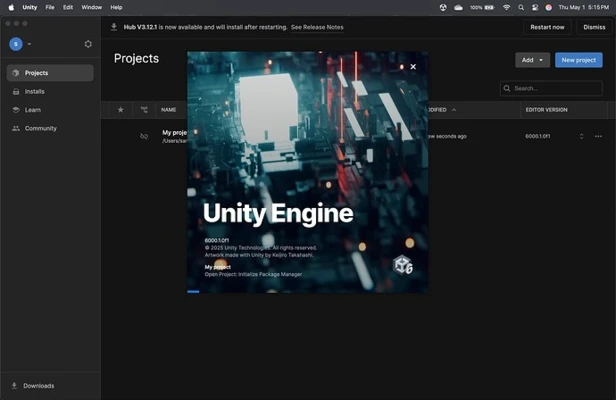
Download and install Unity Hub on your Mac.
-
Launch Unity Hub and sign in with your Unity account.
-
Install the required Unity Editor version.
-
Select the modules and platform development tools you need.
-
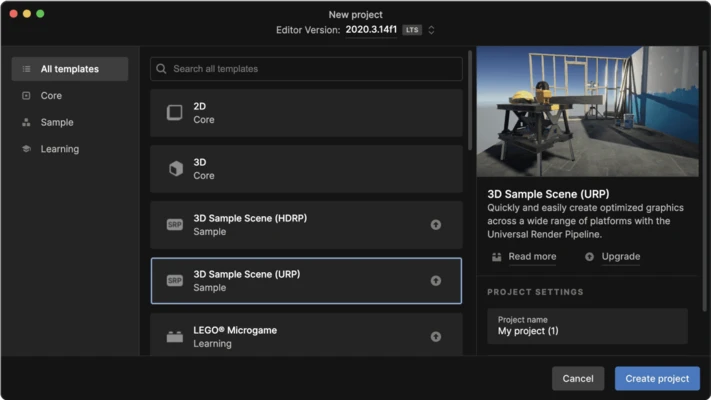
Create a new 2D or 3D project.
-
Choose a project template and location.
-
Open the project in the Unity Editor.
-
Start creating scenes, adding assets, writing scripts, and testing your project.
How to Use
-
Create a new Unity project or open an existing project.
-
Build scenes using GameObjects and components.
-
Import assets from your computer or the Asset Store.
-
Create materials, lighting, animations, and other visual elements.
-
Write C# scripts to control game logic and interactions.
-
Use the Inspector to configure objects and components.
-
Press Play to test the project inside the Editor.
-
Use the Profiler to identify performance issues.
-
Configure the target platform and build settings.
-
Build and export the project when development is complete.
FAQ
Is Unity free?
Unity offers a free Personal plan for eligible users. Paid plans are available for users and organizations that exceed the applicable eligibility requirements or need additional features and services.
What programming language does Unity use?
Unity primarily uses C# for scripting game logic and application behavior.
Can Unity create 2D games?
Yes. Unity includes dedicated 2D tools for creating sprites, animations, physics-based gameplay, and other 2D content.
Can Unity create 3D games?
Yes. Unity provides a complete set of tools for developing 3D games and real-time interactive applications.
Can Unity run on Apple Silicon Macs?
Yes. Current Unity Editor versions support Apple Silicon Macs, although individual packages, plugins, and development workflows may have their own hardware or compatibility requirements.
What is Unity Hub?
Unity Hub is the application used to install and manage Unity Editor versions, projects, modules, and Unity account settings.
Alternatives
Popular alternatives to Unity include Unreal Engine, Godot, and GameMaker. Unity is particularly suitable for developers who want a flexible cross-platform engine with extensive asset and development tools.
Pricing
Unity Personal is available for eligible users at no cost. Paid plans are available for professional and larger-scale development. Pricing, eligibility requirements, and included features may change over time.
System Requirements
-
Compatible Mac running a supported version of macOS
-
Intel or Apple Silicon processor
-
8 GB RAM recommended for general development
-
Additional RAM recommended for large 3D projects
-
Sufficient free storage for the Unity Editor, modules, projects, and assets
-
Dedicated or integrated graphics compatible with the required Unity version
Pros
-
Powerful 2D and 3D development tools
-
Cross-platform deployment
-
Large Asset Store
-
Extensive documentation and learning resources
-
Flexible scripting with C#
-
Strong community support
-
Suitable for games and other real-time 3D applications
-
Free Personal plan for eligible users
Cons
-
Can require substantial system resources
-
Large projects need powerful hardware
-
Advanced features can have a steep learning curve
-
Project and package management can become complex
-
Some professional features require paid plans
Conclusion
Unity is a versatile development platform for creating 2D and 3D games, interactive applications, simulations, and real-time experiences. Its powerful Editor, cross-platform capabilities, extensive asset ecosystem, and C# scripting support make it a popular choice for both independent developers and professional studios.