


Visual Studio for Mac was a full-featured integrated development environment (IDE) from Microsoft designed for developing applications and web projects on macOS.
The Mac version provided tools for .NET, C#, ASP.NET, Xamarin, Unity, and other development workflows. However, Visual Studio for Mac was retired on August 31, 2024 and is no longer supported by Microsoft. It does not receive further security updates, bug fixes, or compatibility updates for newer versions of macOS.
For current Mac development, Microsoft recommends using Visual Studio Code or other supported development tools.
What's New
There are no new feature updates for Visual Studio for Mac because the product was retired on August 31, 2024.
The final version remains available for existing users, but it should not be considered a supported development environment for current macOS systems.
Key Features
-
Full-featured IDE for macOS
-
C# and .NET development tools
-
Integrated code editor
-
IntelliSense code completion
-
Code navigation and refactoring
-
Integrated debugging tools
-
Git and version control support
-
Project and solution management
-
ASP.NET development support
-
Xamarin development tools
-
Unity development support
-
Integrated NuGet package management
-
Extensions for additional development workflows
User Interface
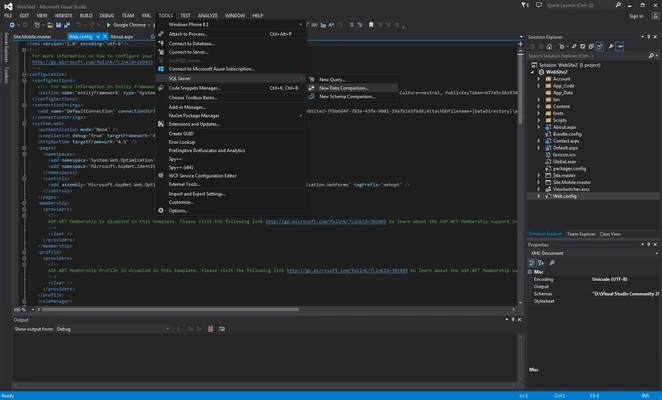
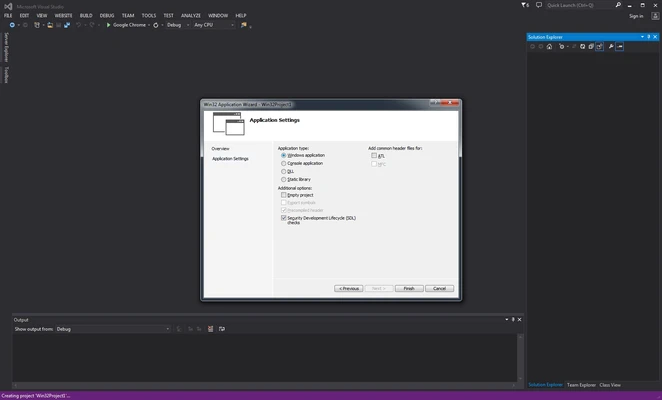
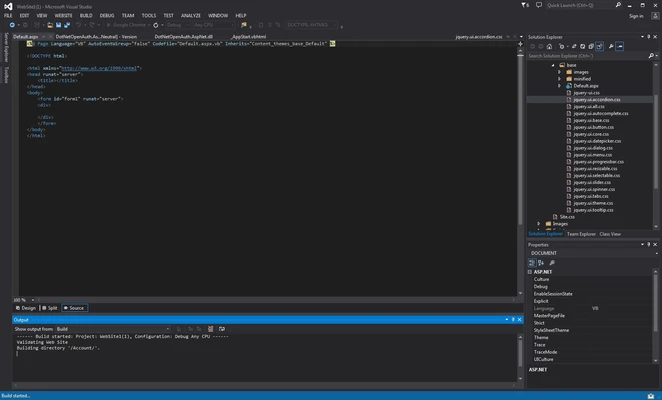
Visual Studio for Mac provided a traditional IDE interface with a code editor, project explorer, debugger, output console, integrated tools, and customizable workspaces.
The interface was designed to bring common Visual Studio development workflows to macOS, particularly for developers working with C# and .NET projects.
Installation and Setup
-
Download the available Visual Studio for Mac installer if you need the retired application.
-
Open the installer package.
-
Follow the on-screen installation instructions.
-
Select the required development components.
-
Launch Visual Studio for Mac.
-
Sign in with a Microsoft account if required.
-
Open an existing project or create a new supported project.
Important: Visual Studio for Mac is retired and is no longer recommended for new development projects.
How to Use
-
Open an existing supported project or solution.
-
Use the code editor to write and modify source code.
-
Use IntelliSense for code completion and navigation.
-
Build the project using the integrated build tools.
-
Start the debugger to test and troubleshoot applications.
-
Use Git tools to manage source code changes.
-
Install supported extensions when additional functionality is required.
Because the product is no longer supported, developers starting new projects should consider a current alternative such as Visual Studio Code.
FAQ
Is Visual Studio for Mac still supported?
No. Microsoft retired Visual Studio for Mac on August 31, 2024. It no longer receives servicing, security updates, or platform compatibility updates.
Can I still use Visual Studio for Mac?
Existing installations may continue to work, but compatibility with newer versions of macOS and development platforms is not guaranteed.
Is Visual Studio for Mac free?
The retired Visual Studio for Mac Community edition was available free of charge for eligible individual developers and certain other users.
What should I use instead of Visual Studio for Mac?
Microsoft recommends Visual Studio Code for Mac users who need a modern, actively supported development environment. Developers who specifically need the full Visual Studio IDE can use Visual Studio on Windows.
Can Visual Studio for Mac develop .NET applications?
Yes. .NET and C# development were among its primary use cases, but the retired IDE is no longer the recommended environment for current .NET development.
Alternatives
Visual Studio Code is Microsoft's current cross-platform code editor for macOS and supports a wide range of programming languages and development workflows through extensions.
JetBrains Rider is a cross-platform IDE designed for .NET and C# development and provides advanced coding, debugging, and project management features.
Xcode is Apple's official development environment for creating applications for macOS, iOS, iPadOS, watchOS, and other Apple platforms.
Pricing
Visual Studio for Mac Community was available free for eligible users. However, the product has been retired and is no longer an actively supported Microsoft product.
System Requirements
-
macOS-compatible Mac
-
Intel processor or compatible Apple Silicon Mac depending on the installed version
-
Sufficient RAM and storage for development projects
-
Supported version of macOS for the installed Visual Studio for Mac release
Because the software is discontinued, compatibility with current macOS versions is not guaranteed.
Pros
-
Full-featured development environment
-
Strong C# and .NET support
-
Integrated debugging tools
-
IntelliSense and code navigation
-
Git integration
-
Support for Xamarin and Unity workflows
-
Familiar Visual Studio development experience on Mac
Cons
-
Discontinued since August 31, 2024
-
No longer receives security updates
-
No compatibility updates for newer macOS versions
-
Not recommended for new projects
-
Some modern development platforms may not work correctly
-
Older project dependencies may require additional configuration
Conclusion
Visual Studio for Mac was a capable IDE for C#, .NET, Xamarin, Unity, and web development, but it is now a discontinued product. Microsoft officially retired it on August 31, 2024, and no further updates or security fixes are provided.
Users who need a supported development environment on Mac should consider Visual Studio Code, JetBrains Rider, Xcode, or another actively maintained IDE instead.