

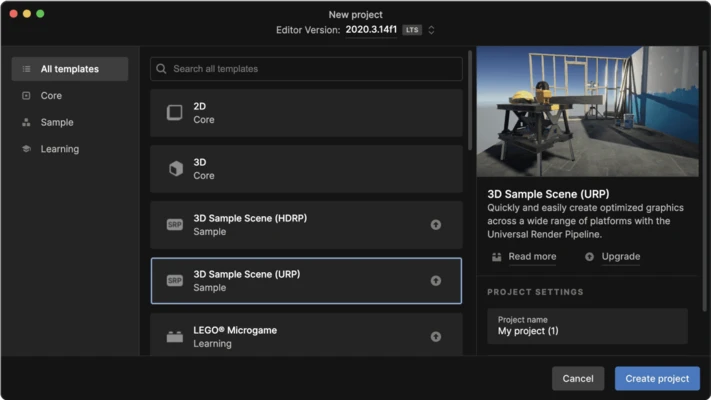
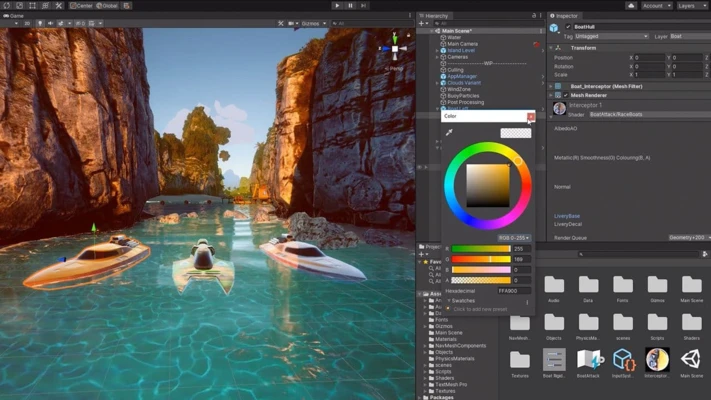
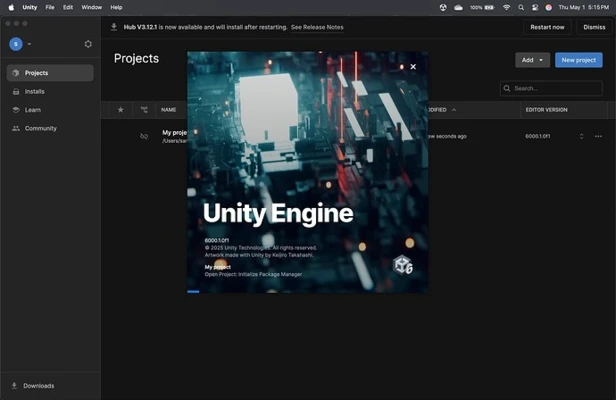
Unity for Mac is a powerful cross-platform game development engine used to create 2D, 3D, AR, and VR interactive experiences. It provides a complete development ecosystem that combines a high-performance rendering engine with a full suite of tools for design, animation, physics, and deployment.
It is widely used by indie developers, studios, and large game companies to build games and interactive applications for multiple platforms.
Overview
Unity is an all-in-one development platform that allows creators to design, build, and publish games from a single environment.
With its flexible architecture and large asset ecosystem, it significantly reduces development time while supporting both small projects and large-scale productions.
Game Development Workflow
Unity offers a streamlined workflow designed for fast iteration and efficient development:
- Scene building with visual editor
- Real-time play and testing
- Drag-and-drop asset workflow
- Script-based logic development
- Integrated project management tools
Developers can instantly test changes and refine gameplay without long build cycles.
2D & 3D Development
Unity supports both 2D and 3D game creation with dedicated toolsets:
- 2D sprite and tilemap tools
- 3D modeling and scene rendering
- Physics-based interactions
- Lighting and shading systems
- Cross-dimensional workflows
This makes it suitable for everything from mobile 2D games to high-end 3D experiences.
Animation System
Unity includes a flexible animation system that supports:
- Character rigging and skeletal animation
- Timeline-based animation editing
- Smooth transitions and blending
- Real-time animation preview
- Physics-driven motion
It allows developers to bring characters and environments to life with natural movement.
Performance & Optimization
Unity is optimized for multi-platform performance, offering:
- Stable frame rates across devices
- Scalable graphics settings
- GPU and CPU optimization tools
- Performance profiling tools
- Memory management features
This ensures games run smoothly on desktop, mobile, and consoles.
Multi-Platform Publishing
Unity supports deployment to a wide range of platforms, including:
- Windows
- macOS
- iOS and Android
- WebGL
- Consoles
- AR/VR devices
Developers can build once and deploy across multiple platforms with minimal changes.
Unity Asset Store
Unity provides access to a large Asset Store where developers can download:
- 3D models and environments
- Animation packs
- Audio effects
- Scripts and plugins
- UI kits
This helps speed up development and reduces production cost.
Unity Cloud Build
Unity Cloud Build automates the build process by:
- Detecting project changes automatically
- Generating builds in the cloud
- Delivering ready-to-test versions
- Supporting team collaboration
This improves workflow efficiency for distributed teams.
Key Features
- Real-time 2D and 3D development tools
- Powerful rendering engine
- Cross-platform deployment support
- Integrated animation system
- Large Asset Store ecosystem
- Physics and lighting systems
- Cloud build automation
- Active developer community
What’s New in Unity 6
- Improved rendering performance and stability
- Enhanced multiplayer development tools
- Expanded multiplatform support system
- New Build Profiles and Platform Browser
- Improved visual fidelity and lighting system
- Runtime AI integration features
- Faster iteration and productivity improvements
- Updated learning resources and documentation
Pros
- Easy-to-learn development workflow
- Strong cross-platform support
- Massive asset and plugin ecosystem
- Excellent community and documentation
- Flexible for both 2D and 3D projects
Cons
- Performance overhead in large projects
- Complex learning curve for advanced features
- Licensing costs for Pro versions
- High system requirements for AAA development
Licensing Note
Unity Personal is free to use for individuals and small studios with annual revenue below the official threshold. Larger studios require Unity Pro or Enterprise licenses, which include additional tools, support, and services.
Conclusion
Unity for Mac is one of the most widely used game engines in the industry. It provides a complete development environment for creating interactive 2D and 3D content, with strong cross-platform support and a mature ecosystem.
It is an excellent choice for indie developers, studios, and professionals building games or interactive applications across multiple platforms.