

WhatSize for Mac is a powerful disk space analyzer and storage management tool that helps users quickly find large files, analyze disk usage, and free up valuable storage space on macOS.
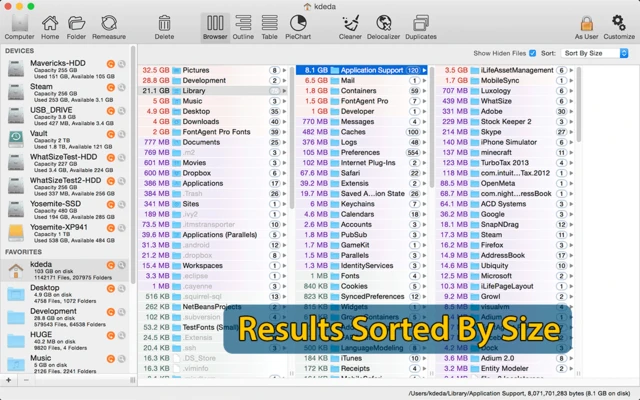
The application scans your hard drive and displays detailed information about files, folders, caches, hidden files, and system data. Items are automatically sorted by size, allowing users to easily identify unnecessary files and reclaim disk space.
With built-in cleanup tools and duplicate file detection, WhatSize for macOS provides an easy way to organize storage and keep your Mac running efficiently.
Features and Highlights
Disk Space Analyzer
Analyze your Mac storage and quickly discover what is taking up disk space.
- Scan folders and drives
- View detailed file sizes
- Sort files by size
- Display hidden files and system data
- Explore folder structures
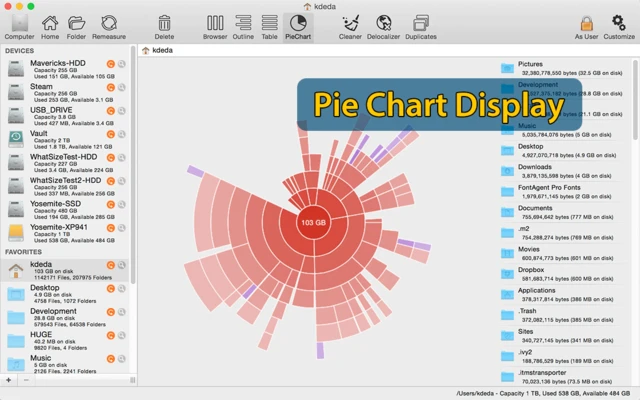
Visual Storage Map
A graphical overview makes it easier to understand how your disk space is being used.
- Quickly locate large files
- Browse storage distribution
- Drill down into folders
- Identify unnecessary data
Cleaning Tools
Remove unnecessary files and recover storage space.
Supports cleaning:
- Cache files
- Log files
- Temporary files
- Download leftovers
- Unused localization files
Duplicate File Finder
Find and manage duplicate files stored on your Mac.
Features include:
- Detect identical files
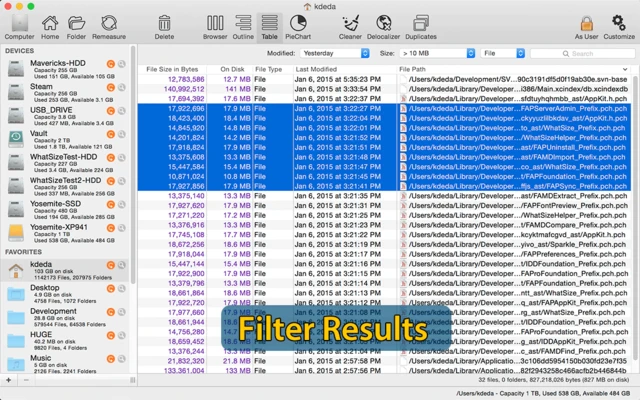
- Filter duplicates by size
- Move unwanted files to Trash
- Remove unnecessary copies
How to Use
- Launch WhatSize for Mac.
- Select a disk or folder to scan.
- Wait for the storage analysis to complete.
- Browse files sorted by size.
- Select unwanted files and remove them.
- Repeat scans regularly to maintain free storage space.
System Requirements
- macOS 10.15 Catalina or later
- Intel or Apple Silicon processor
- 100 MB free disk space
- Administrator privileges for full disk access
- Internet connection for activation and updates
PROS
- Quickly identifies large files
- Detailed disk usage analysis
- Visual storage reports
- Built-in cleanup features
- Supports external drives
CONS
- Initial scans may take some time
- Limited cloud storage support
- No real-time monitoring
Conclusion
WhatSize for Mac is a useful storage management application for users who want better control over their Mac disk space.
With powerful scanning, visual analysis, duplicate file detection, and cleanup features, it helps users quickly find unnecessary files and optimize storage usage.