


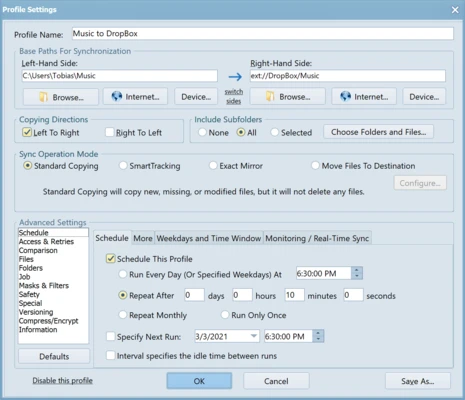
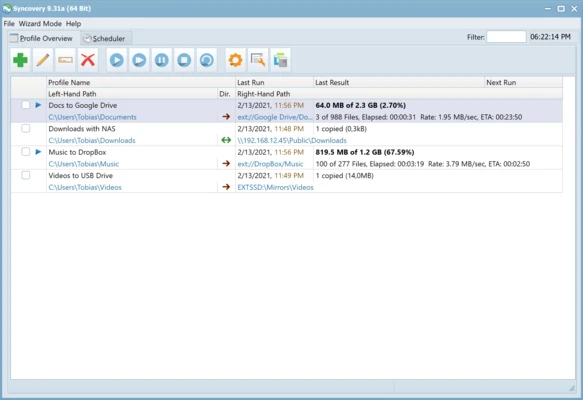
Syncovery for Mac is a powerful file synchronization and backup software that helps users sync files, folders, and backups between local drives, external storage, servers, and cloud services.
It supports advanced synchronization methods, scheduled backups, version control, and automatic file management, making it suitable for both personal and professional users.
Features
- File Synchronization
Sync files and folders between Macs, PCs, external drives, servers, and cloud storage. - Automatic Backup
Create scheduled backups and protect important data from loss. - Multiple Sync Modes
Supports Mirror, SmartTracking, and other flexible synchronization methods. - Scheduled Tasks
Automatically run backup and sync jobs at specific times. - Versioned Backups
Keep multiple versions of files to restore previous data when needed. - Cloud Storage Support
Works with various online storage services. - Advanced File Filters
Include or exclude specific files and folders using custom rules. - Large File Support
Supports files larger than 4GB with 64-bit file handling. - Detailed Logs
Provides reports and logs for monitoring synchronization tasks.
How to Use
- Install Syncovery on your Mac
- Create a new synchronization profile
- Select source and destination folders
- Choose synchronization mode
- Configure schedules and filters
- Run the sync task manually or automatically
System Requirements
- macOS 10.12 or later
- Intel or Apple Silicon processor
- 2 GB RAM or more
- 100 MB free disk space
- Internet connection for activation and updates
Pricing
Syncovery offers a trial version with full functionality.
A paid license is required for continued use after the trial period.
PROS
- Powerful synchronization and backup features
- Supports local, network, and cloud storage
- Flexible scheduling options
- Detailed logs and reports
- Suitable for personal and business users
CONS
- Interface design is somewhat outdated
- Advanced features may require learning
- No mobile companion app
Conclusion
Syncovery for Mac is a reliable file synchronization and backup solution for users who need advanced control over their data. With flexible sync options, scheduled backups, and support for multiple storage locations, it is a practical tool for protecting and managing important files.