

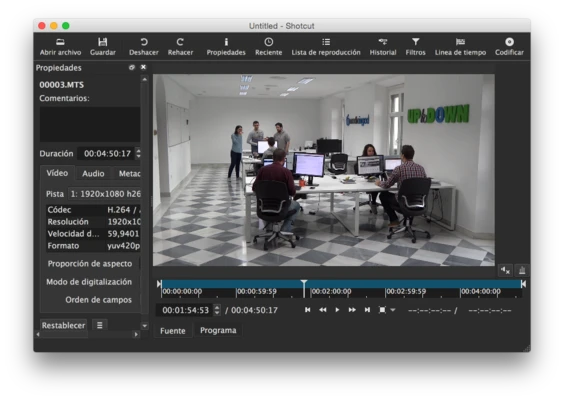
Shotcut for Mac is a free, open-source, and cross-platform video editing application designed for macOS, Windows, and Linux.
It provides powerful video editing features, including native timeline editing, support for hundreds of media formats, 4K video processing, audio tools, filters, and professional-level editing capabilities.
Unlike many beginner-focused editors, Shotcut does not require importing files before editing. Users can directly work with different video formats on the timeline, making it a flexible solution for content creators, YouTubers, and video enthusiasts.
Features
Wide Format Support
Shotcut supports a large number of audio and video formats through FFmpeg integration.
Key advantages include:
- Native timeline editing without conversion
- Multi-format timeline support
- Flexible resolution and frame-rate settings
- Frame-accurate video seeking
- Support for popular codecs and media formats
Professional Video Editing Tools
Shotcut provides a complete set of editing features, including:
- Cut, trim, and merge video clips
- Multi-track timeline editing
- Video transitions
- Text overlays
- Color adjustment
- Video filters
- Audio mixing
4K Video Support
The software supports high-resolution video editing, including 4K projects, making it suitable for modern cameras and high-quality video production.
Audio Editing
Shotcut includes built-in audio tools for improving sound quality:
- Volume adjustment
- Audio filters
- Equalizer
- Compressor
- Mixing controls
Capture and Device Support
Shotcut supports multiple input sources, including:
- Webcam capture
- Screen recording
- Audio recording
- Network streams
- Blackmagic Design SDI and HDMI devices
Customizable Interface
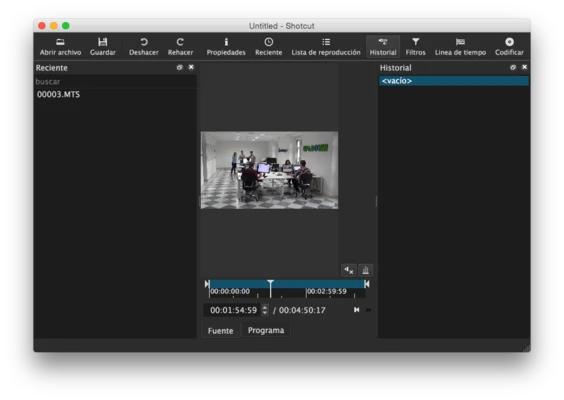
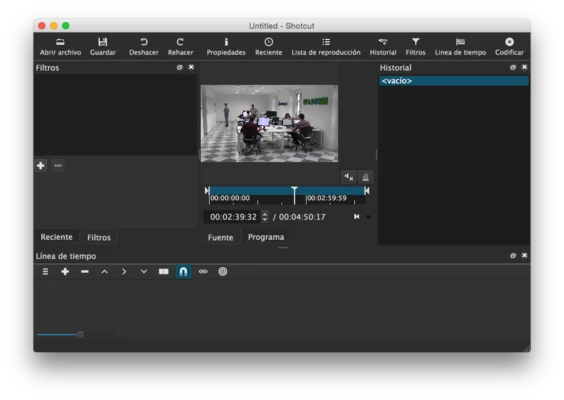
The user interface includes flexible panels that can be arranged according to personal workflow.
Available panels include:
- Media properties
- Playlist
- Filters
- History
- Export settings
- Jobs queue
Files can also be added easily through drag and drop.
Installation and Setup
- Download Shotcut for Mac.
- Open the downloaded file.
- Drag Shotcut into the Applications folder.
- Launch the application.
- Select video resolution and project settings.
- Start editing your videos.
How to Use
- Open Shotcut and create a new project.
- Import media files through drag-and-drop or the Open File option.
- Add clips to the timeline.
- Cut, trim, and rearrange video segments.
- Apply filters, transitions, and effects.
- Adjust audio settings.
- Export the finished video using the Export panel.
User Interface
Shotcut features a clean and customizable editing interface.
The layout includes a timeline, preview window, media browser, filters, and export controls. Users can move, hide, or rearrange panels to create a workflow that matches their editing style.
Although beginners may need some time to learn the interface, the software provides advanced tools without the complexity of expensive professional editors.
Alternatives
- Movavi Video Editor – Easy-to-use video editor with built-in effects and templates.
- Filmora – Beginner-friendly editor with creative effects and transitions.
- Adobe Premiere Pro – Professional video editing software widely used in the industry.
- iMovie – Free video editor included with macOS, ideal for beginners.
- Final Cut Pro – Professional editing software optimized for Mac.
- DaVinci Resolve – Advanced editor with professional color grading and visual effects.
- HitFilm – Video editing and visual effects software.
- Lightworks – Professional editor with a free version available.
System Requirements
- Operating System: macOS 10.14 Mojave or later
- Processor: 64-bit Intel or Apple Silicon processor
- RAM: Minimum 4 GB (8 GB recommended)
- GPU: OpenGL 2.0 compatible graphics processor
- Storage: At least 500 MB free disk space
Pros
- Completely free and open-source
- Supports many video and audio formats
- No file conversion required before editing
- Cross-platform availability
- Supports 4K video editing
- Highly customizable interface
Cons
- Interface may be overwhelming for beginners
- Limited built-in templates and animations
- Advanced motion graphics features are limited
- Large projects may require powerful hardware
Conclusion
Shotcut for Mac is a powerful free video editor that provides professional-level features without requiring a paid subscription.
With extensive format support, 4K editing capabilities, customizable tools, and cross-platform compatibility, Shotcut is a great choice for creators who need a flexible and open-source video editing solution.
Note: Requires a 64-bit processor.