


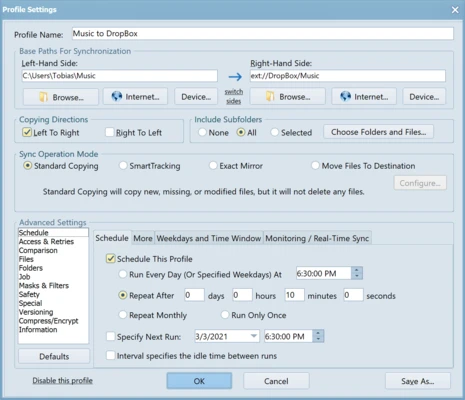
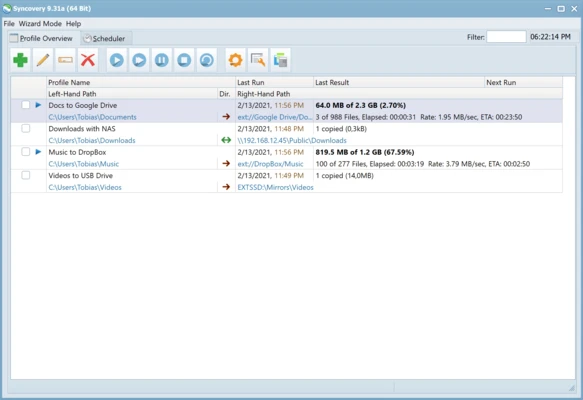
Syncovery for Mac is a powerful file synchronization and backup software designed for macOS. It allows users to copy, synchronize, and back up files across multiple devices, including Macs, PCs, servers, notebooks, and cloud storage.
The software is suitable for both personal and business users who need reliable data management and flexible backup solutions.
Features and Highlights
- Synchronize files and complete folder structures between different locations
- Support for large files over 4GB with 64-bit I/O architecture
- Save multiple synchronization profiles for different tasks
- Run multiple profiles with a single command
- Smart detection of moved files to avoid unnecessary copying
- Built-in scheduler for automated backups and sync tasks
- Continue copying even if some files are locked, with automatic retry system
- Keep multiple backup versions of files for data protection
- Recycle bin support for recovering overwritten files
- Flexible inclusion and exclusion file filters
- Selective folder synchronization for advanced control
- Time difference handling for cross-system compatibility
- Resume transfer when disk space becomes available
- Unattended mode for fully automated operation
- Create exact mirror backups when needed
How to Use
- Install Syncovery by dragging it into the Applications folder
- Launch the application and activate your license
- Create a new profile for synchronization or backup
- Select source and destination folders
- Choose sync mode (Mirror, SmartTracking, etc.)
- Configure filters and scheduling options if needed
- Save the profile and run manually or automatically
- Monitor progress and review logs for status and errors
System Requirements
- macOS 10.12 (Sierra) or later
- Intel or Apple Silicon (M1/M2/M3) Mac
- Minimum 2 GB RAM
- At least 100 MB of free disk space
- Internet connection required for activation and updates
Pros
- Highly flexible synchronization engine
- Supports local drives and cloud storage
- Advanced scheduling and automation
- Detailed logs and error tracking
- Suitable for professional backup workflows
Cons
- Interface feels slightly outdated
- Paid software with limited trial period
- No mobile companion app
- May be complex for casual users
Conclusion
Syncovery for Mac is a professional-grade file synchronization and backup tool that offers strong flexibility, automation, and reliability. It is ideal for users who need precise control over data synchronization across multiple systems and storage locations.