
Go to Windows platform Display platforms icon
Go to Windows platform Go to Mac platform Go to Android platform
3uTools icon

3uTools

3.21.008
3uTools
4.5
184.98 MB size

The best way to manage your iOS device

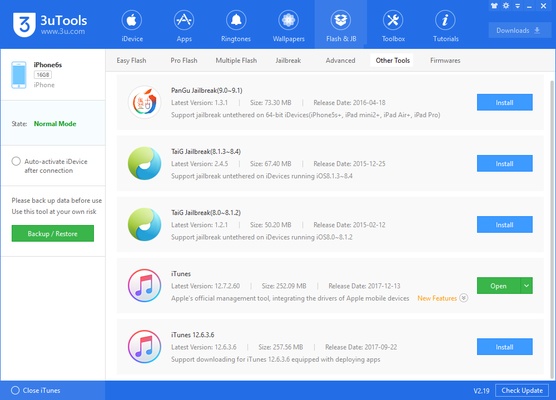
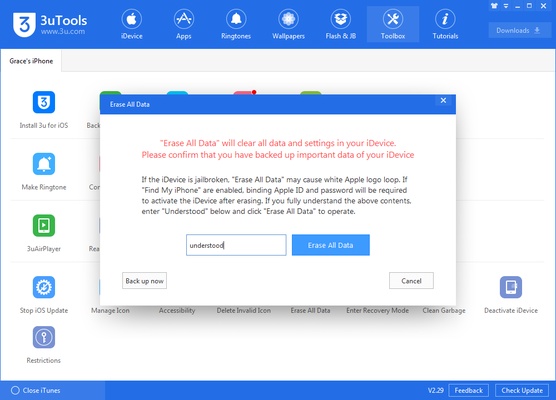
3uTools is a program that allows you to manage your iOS device on Windows easily. You can easily manage your photo gallery, videos, audio, installed apps, ringtones, etc. You can even quickly check your device's status, seeing if it has a jailbreak or a bad battery. All the information you need about your iPhone or iPad is at your fingertips.

Convenient and easy-to-use software

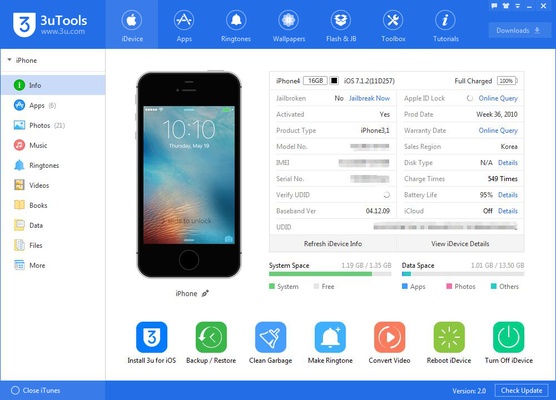
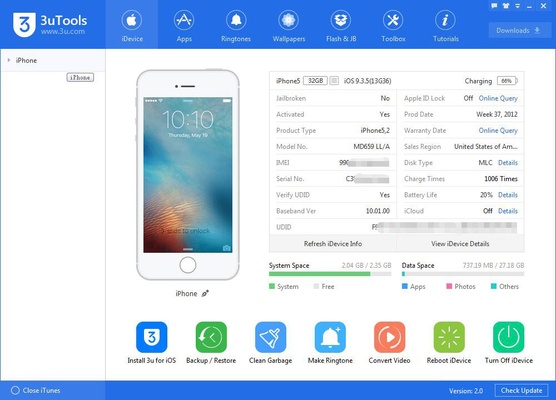
To start using 3uTools, you just need to connect your iOS device to your PC with a USB cable. As soon as you do this, the program will recognize the connected iPhone or iPad model and display a complete summary of all its features. Here, you can see the model, battery level, IMEI, if it has been jailbroken or activated, whether it has an Apple ID Lock, and the number of times it has been charged. You can find out all this information by simply connecting your device.

An impressive list of services

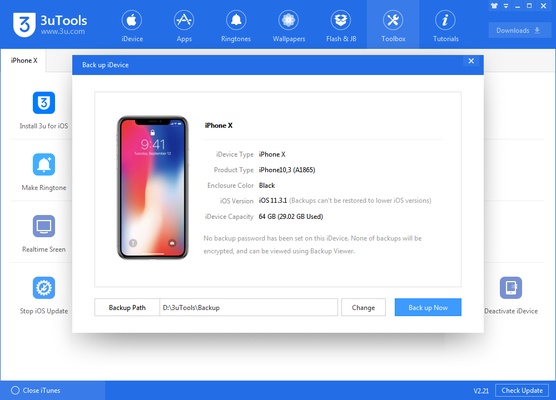
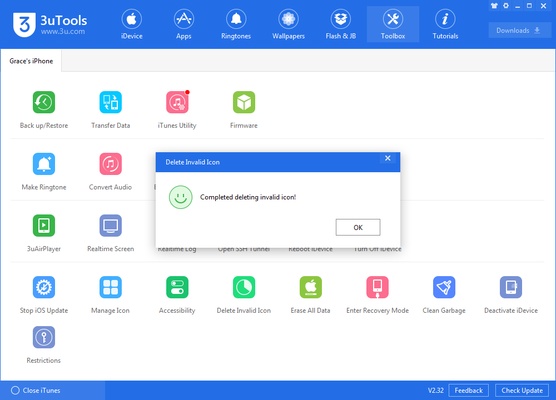
In addition to displaying all this data, 3uTools boasts a huge list of features. You can easily create backup copies of your iOS device. Of course, you can also restore these backups just as easily. If you're creative, you can create your own ringtones in just a few seconds by simply importing an audio file. Another interesting feature lets you save memory by deleting all the residual files on your device. You can even view your iOS device screen in the app in real-time.

The best iOS toolbox for Windows

Download 3uTools to get the most out of your iOS device. Thanks to this software, you can easily and securely make the most of your iPhone, many of whose advantages are not accessible by default. The program provides you with many features, so you can manage your Apple devices however you like.

Information about 3uTools

License Free
Op. System Windows
Category Personal
Language English 47 more
Author 3uTools
permission icon Permissions Not applicable
Date 2026-06-02
Size 184.98 MB
File type EXE

Apps recommended for you

EssentialPIM Free Portable icon
Portable version of this full-featured professional agenda
ueli icon
oliverschwendener
Logi Options+ icon
Logi Options+ is a customization and device management software that allows users to configure buttons, gestures, and settings for Logitech mice and keyboards to enhance productivity.
12-ants icon
Fill your desktop with ants - and play with them
iMazing icon
Use your iPhone as if it was an external HDD
Windows Notepad icon
Official Windows Notepad app
ActivityWatch icon
Analyze how you spend your time in front of the PC
HomeBank icon
Manage and stay on top of your personal budget
FocusMe icon
FocusMe is a productivity tool that helps users block distractions and improve focus by restricting apps and websites.
MuseScore icon
MuseScore (Windows) – Create, play, and print sheet music with ease.
TomTom MyDrive Connect icon
Use and update your TomTom GPS from Windows
ArsClip icon
Manage your clipboard in a simple way
Ambie icon
Sounds to boost your concentration in front of the PC
Metalith icon
A. A. Semyonov
C-Organizer icon
A well-designed and practical planner
GUIPropView icon
NirSoft
My Family Tree icon
Chronoplex Software
WizTree Portable icon
Use WizTree without installing a thing
GARMIN Express icon
GARMIN Express for Windows is a management tool that updates Garmin devices, backs up data, and syncs maps and software easily.
Singularity App icon
Singularity App is a cross-platform task management and productivity tool designed to help users organize tasks, set priorities, and manage daily workflows efficiently.
FlexiHub icon
Electronic Team, Inc.
Metalith icon
A. A. Semyonov
Gaia Sky icon
Powerful 3D simulator of the universe
Expedition icon
Expedition for Windows is a project management tool designed for the construction industry, offering features for tracking and managing project timelines, resources, and tasks.