

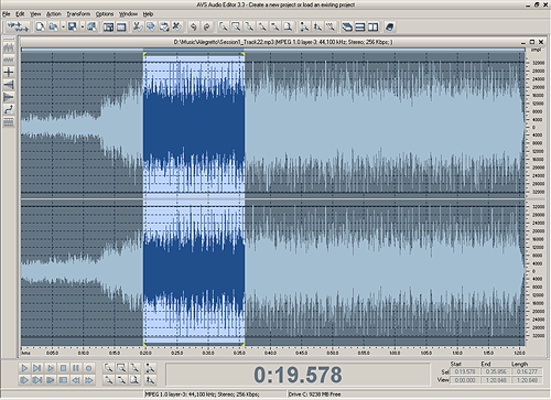
AVS Audio Editor is an audio editing program that lets you record, edit, mix, and convert audio files. It supports a wide range of audio formats and includes tools for trimming recordings, removing unwanted sections, applying effects, and extracting sound from video files.
Edit and Save Audio in Multiple Formats
AVS Audio Editor supports popular audio formats, including MP3, WAV, WMA, AAC, M4A, FLAC, ALAC, OGG, and AIFF. You can import audio files, edit them, and save the results in a suitable format.
Cut, Trim, Join, and Mix Audio
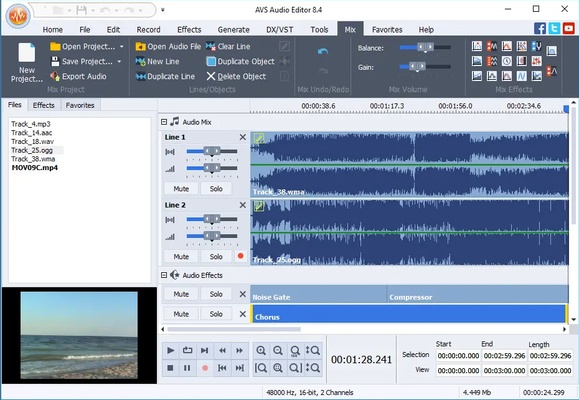
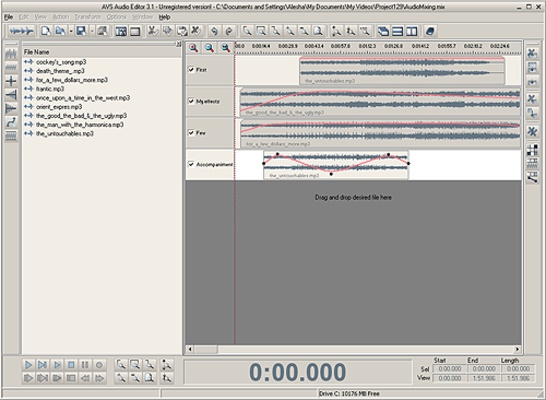
The program provides basic editing tools for cutting, trimming, joining, splitting, and mixing audio files. Its timeline allows you to make precise edits, while built-in filters help reduce unwanted sounds such as hiss, crackling, and background noise.
Apply Audio Effects and Filters
AVS Audio Editor includes more than 20 built-in effects and filters, including delay, flanger, chorus, and reverb. You can also combine multiple audio tracks and adjust your recordings to achieve the desired sound.
Record Audio from Different Sources
You can record audio from a microphone, vinyl records, and other input sources connected to your sound card. Recorded audio can then be edited, enhanced with effects, and saved in a supported format.
Extract Audio from Video
The program can extract audio tracks from video files, allowing you to edit and save the sound separately. You can store the resulting files on your computer or external storage devices.
Create iPhone Ringtones
AVS Audio Editor lets you edit audio clips and save them in M4R format for use as iPhone ringtones.
Multilingual Interface
The interface is available in several languages, including English, French, German, Spanish, Italian, Japanese, Dutch, Polish, and Russian.