Go to Windows platform Display platforms icon
Go to Windows platform Go to Mac platform Go to Android platform
BleachBit 6.0.4 icon

BleachBit 6.0.4

6.0.4
Andrew Ziem
5.0
16.37 MB size

BleachBit quickly frees disk space and tirelessly guards your privacy

BleachBit is a free and open-source system cleaning utility for Windows and Linux. It helps free disk space by removing cache, cookies, temporary files, logs, and other unnecessary data from the operating system and supported applications.

It also includes secure deletion features for users who want to permanently remove sensitive files and make previously deleted data harder to recover.


Key Features

  • Junk File Cleaning: Remove temporary files, caches, cookies, logs, and other unnecessary data.

  • Application Cleaning: Supports cleaning data from many popular web browsers and applications.

  • Privacy Protection: Clear browser history, cookies, and other usage traces.

  • File Shredding: Securely delete selected files to make recovery more difficult.

  • Free Space Wiping: Overwrite unused disk space to reduce the possibility of recovering previously deleted files.

  • Preview Mode: Review the data selected for removal before cleaning.

  • Portable Version: The Windows version can run without installation.

  • Command-Line Support: Provides command-line options for scripting and automation.

  • Open Source: Free to use, modify, and distribute under its open-source license.


User Interface

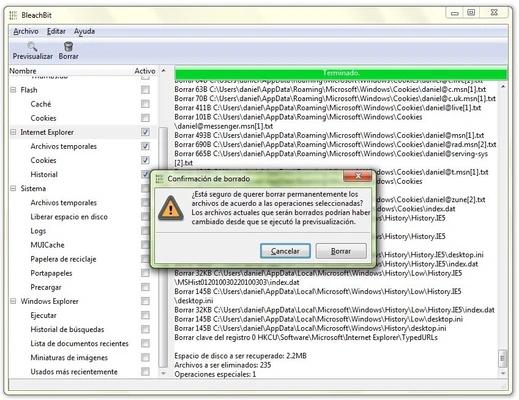
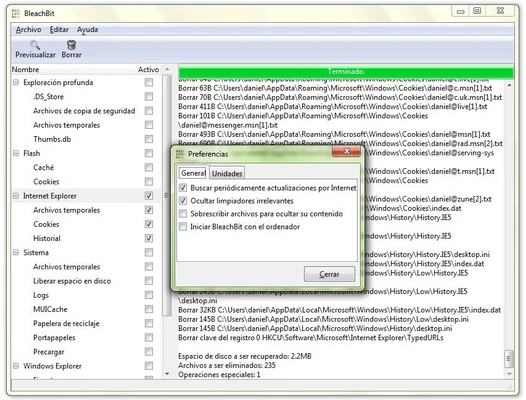
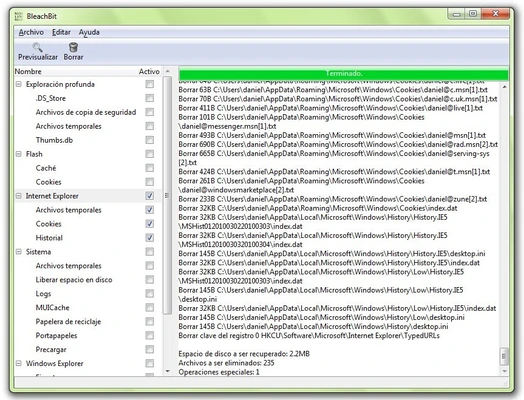
The BleachBit interface uses a simple list-based design. Cleaning options are organized by application and system category, with descriptions provided for individual items. Users can preview the selected data before deleting it.


Installation and Setup

Install BleachBit on Windows or Linux, then launch the application. Administrative privileges may be required to access certain system files and cleaning options.


How to Use

  1. Launch BleachBit.

  2. Select the applications and system areas you want to clean.

  3. Click Preview to review the selected data.

  4. Adjust the selections if necessary.

  5. Click Clean to remove the selected files.

  6. Use Shred Files when securely deleting specific files.

Carefully review the selected items before cleaning, as some data may not be recoverable after deletion.


System Requirements

  • Operating System: Windows 7 or later, or supported Linux distributions

  • RAM: 512 MB minimum

  • Storage: Approximately 100 MB

  • Permissions: Administrator privileges may be required for some functions


Pros

  • Free and open source

  • Cleans junk and temporary files

  • Supports many applications

  • Secure file deletion

  • Preview before cleaning

  • Portable Windows version

  • Command-line support


Cons

  • Some advanced features require caution

  • Incorrect selections can remove useful data

  • No built-in backup or restore functionality

  • Interface is functional rather than modern


Conclusion

BleachBit is a lightweight system cleaning and privacy utility for Windows and Linux. It provides straightforward tools for removing unnecessary files, clearing application data, and securely deleting sensitive files, making it a useful alternative to commercial system-cleaning software.

Information about BleachBit 6.0.4

License Open Source
Op. System Windows
Category Utilities
Language English + more
Author Andrew Ziem
permission icon Permissions Not applicable
Date 2026-09-09
Size 16.37 MB
File type Official Website

Apps recommended for you

USB Safely Remove icon
USB Safely Remove for Windows is a tool that helps users safely and quickly eject USB drives and manage connected devices.
AOMEI Partition Assistant icon
Manage, resize, and optimize your Windows disk partitions easily with AOMEI Partition Assistant, the reliable all-in-one partition management software.
Tenorshare iCareFone icon
Tenorshare iCareFone for Windows is a versatile iOS management tool that helps users transfer, back up, and repair iPhone data without iTunes.
pdfFactory icon
Create PDF files easily, as if you were printing
WinRAR icon
WinRAR for Windows is a powerful file compression tool that supports various formats, allowing users to compress, extract, and manage archives efficiently.
Sandboxie Plus icon
Sandboxie Plus for Windows is a security tool that runs applications in isolated environments to prevent system changes and protect against malware.
NVIDIA PhysX 9.26.0703 icon
PhysX taps into the GPU for complex physics calculations
UserBenchmark icon
Check the status of your PC in less than a minute
HERI Editor 3.26.2 icon
Herisoft Writer - Simple and Convenient Document Editing
Readest 0.12.10 icon
A lightweight, powerful and elegant e-book reader
DocuFreezer 7.0 icon
Convert Office documents into PDF and image formats
Fixyfier 9.1.0.0 icon
Fix common Windows problems with just one click
NovaBench 6.2.0 icon
A modern benchmark suite that quickly and accurately tests your entire system
balenaEtcher 2.1.7 icon
Burn images to SD cards & USB drives, safe & easy for PC
OCCT 17.1.3 icon
Let you benchmark and overclock your PC system components
BurnAware Free 19.4 icon
Free burning software and various CD, DVD, Blu-ray tools
IsoBuster icon
IsoBuster (Windows) – Recover data from CDs, DVDs, Blu-ray discs, and damaged media easily.
Drawboard PDF icon
Multiple options for editing PDFs
SARDU icon
Create multiboot USB drives and recovery disks with SARDU for Windows, the all-in-one bootable media creation tool for system installation, rescue, and diagnostics.
Xperia Companion 26.6.1 icon
A new software for your PC to help manage your Sony Xperia device
BackUp Maker icon
BackUp Maker is a backup utility that lets users easily create automated backups of files and folders to protect data.
SyncFolders icon
Gert-Jan Weerheim
MyRadar 10.11.1005 icon
The most powerful and accurate radar + weather prediction app
Epubor Ultimate icon
Convert eBooks and remove DRM protection with Epubor Ultimate for Windows, the all-in-one eBook converter supporting Kindle, Kobo, EPUB, PDF, and AZW formats.