Calibre is a free, open-source e-book management software for Windows that helps users organize, edit, convert, and read digital books. It supports a wide range of e-book formats and works with popular e-readers such as Kindle and Kobo.
Key Features
-
E-Book Library Management – Organize books with metadata, tags, categories, and custom sorting.
-
Format Conversion – Convert e-books between formats such as EPUB, MOBI, PDF, and AZW3.
-
E-Book Editing – Edit and refine EPUB and AZW3 books with built-in editing tools.
-
Metadata Management – Download and edit book information, covers, authors, and descriptions.
-
E-Reader Support – Transfer books to compatible Kindle, Kobo, Nook, and other devices.
-
Built-in E-Book Reader – Read books directly in Calibre with customizable fonts and display settings.
-
News Downloading – Convert supported online news sources and RSS feeds into readable e-books.
-
Content Server – Access and manage your library remotely through a web browser.
-
Plugin Support – Extend Calibre with third-party plugins and additional tools.
User Interface
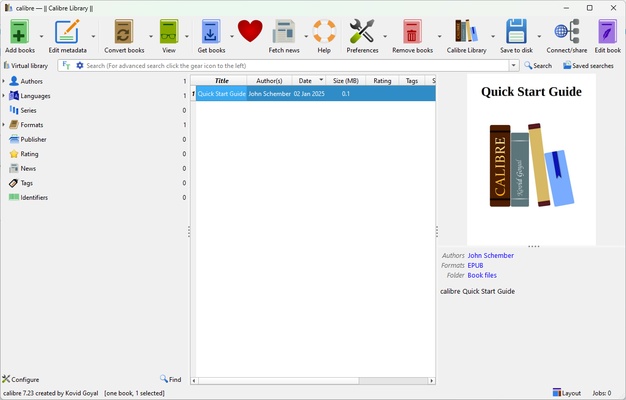
Calibre uses a functional desktop interface centered around the main library view. Books can be displayed in list or cover view, while toolbar controls provide quick access to importing, metadata editing, conversion, device management, and other common tasks.
The built-in reader provides navigation, font, and display controls for comfortable reading.
Installation and Setup
-
Download and install Calibre on Windows.
-
Choose a folder for your e-book library.
-
Add existing e-books using the Add Books function or drag and drop.
-
Connect a compatible e-reader if you want to transfer books.
-
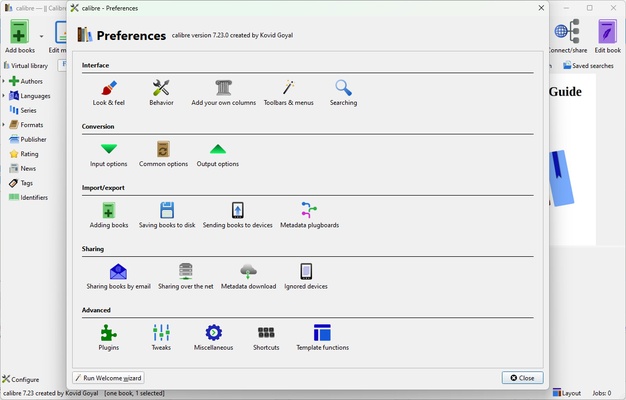
Customize library and reader settings as needed.
How to Use
Add Books – Import e-books into your library using the Add Books button or drag and drop.
Organize Your Library – Edit metadata, add tags, and sort books to keep your collection organized.
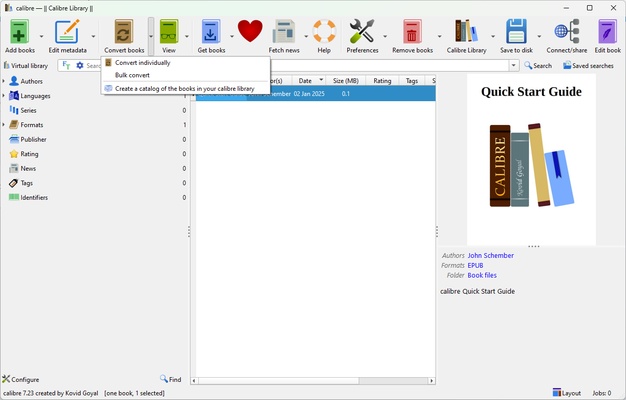
Convert E-Books – Select a book, choose Convert Books, select an output format, and adjust available options.
Transfer Books – Connect an e-reader and use Calibre's device management tools to transfer compatible books.
Read E-Books – Open a book in the built-in viewer and customize the reading display.
Fetch News – Use the news feature to download supported online content and convert it into an e-book.
Pros
-
Free and open-source
-
Supports many e-book formats
-
Powerful library management
-
Advanced format conversion
-
Supports multiple e-readers
-
Extensive plugin ecosystem
-
Built-in e-book reader and content server
Cons
-
Interface can feel complex for new users
-
Large libraries may require more system resources
-
No native cloud synchronization
-
Audiobooks are not a primary focus
Conclusion
Calibre is a versatile e-book management solution for users who need more than a basic e-book reader. Its combination of library organization, format conversion, metadata management, device support, editing tools, and plugins makes it suitable for managing large digital collections on Windows.