Go to Windows platform Display platforms icon
Go to Windows platform Go to Mac platform Go to Android platform
dbForge Studio for PostgreSQL icon

dbForge Studio for PostgreSQL

2026.1.31
Devart
5
size

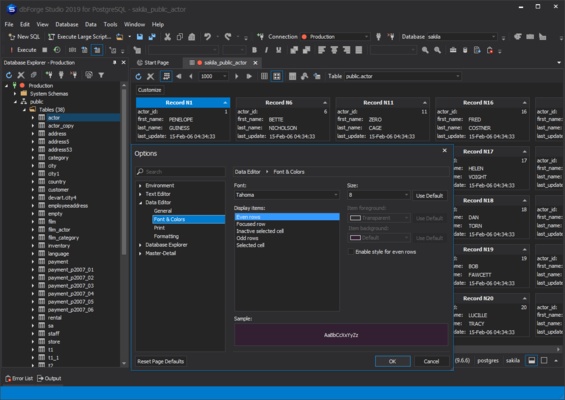
dbForge Studio for PostgreSQL for Windows is a powerful IDE that enables users to design, manage, and administer PostgreSQL databases efficiently.

dbForge Studio for PostgreSQL for Windows Download – Complete PostgreSQL Management Tool

dbForge Studio for PostgreSQL for Windows is a powerful and versatile IDE designed to help database developers, administrators, and analysts manage, develop, and optimize PostgreSQL databases efficiently. It offers a full suite of tools for database design, querying, and administration in a single, user-friendly environment.

Simplify PostgreSQL database management and development with dbForge Studio for PostgreSQL!


Efficient Database Management

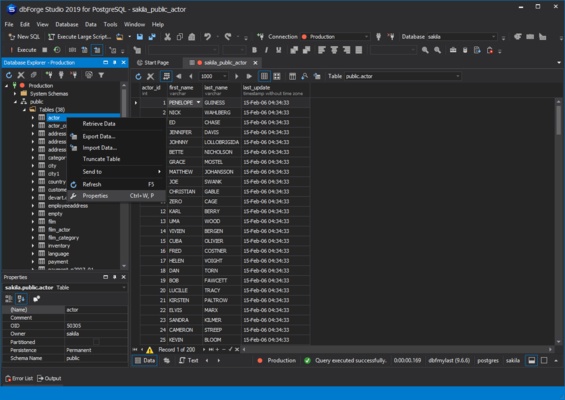
dbForge Studio allows users to create, edit, and maintain PostgreSQL databases effortlessly. It provides visual database design, table editing, schema comparison, and management tools, ensuring your databases are well-organized and properly maintained.


Advanced Query and Development Tools

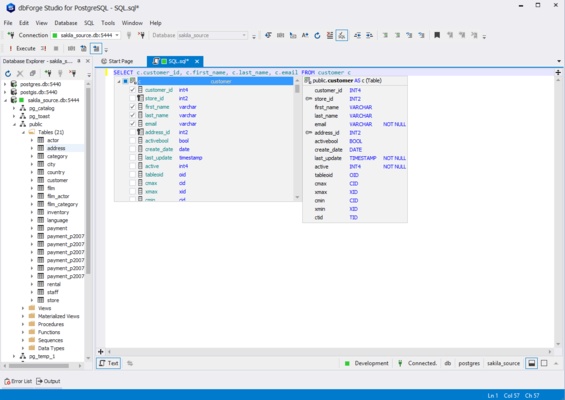
The software includes a robust SQL editor with code completion, syntax highlighting, and debugging support, helping users write, optimize, and execute queries quickly and accurately.


Data Analysis and Reporting

dbForge Studio provides tools for data comparison, query profiling, and report generation, enabling users to analyze database content, identify issues, and make data-driven decisions efficiently.


User-Friendly Interface

With a clean and intuitive interface, dbForge Studio helps users navigate database objects, manage scripts, and monitor database activity effectively, suitable for both beginners and advanced users.


Backup, Restore, and Deployment

The software supports database backup, restore, and deployment, ensuring that your critical PostgreSQL data is secure, portable, and easy to maintain across environments.


Final Overview

dbForge Studio for PostgreSQL for Windows is a complete and reliable PostgreSQL IDE for developers, DBAs, and analysts who want to manage, develop, and optimize databases efficiently. With features like advanced SQL tools, visual database management, data analysis, reporting, and backup/restore capabilities, dbForge Studio helps you maximize productivity and maintain a stable PostgreSQL environment. Download dbForge Studio for PostgreSQL today and take full control of your databases!

Information about dbForge Studio for PostgreSQL

License Trial
Op. System Windows
Category Development
Language English
Author Devart
permission icon Permissions Not applicable
Date 2026-05-12
Size
File type

Apps recommended for you

Python icon
Python for Windows is a versatile programming language that allows users to write, run, and develop applications across a wide range of domains.
Hoodie Survivor icon
Auto shooter survival game
MongoDB Compass 1.49.10 icon
Amazing and Free GUI (Graphical User Interface) for MongoDB
Notepad++ icon
Notepad++ is a free and open-source text and code editor for Windows that supports multiple languages, syntax highlighting, and powerful editing features for developers.
Insomnia Core 13.1.0 icon
Debug APIs like a human, not a robot! Cross-platform app for PC
EditPlus icon
EditPlus for Windows is a powerful text editor that supports multiple programming languages, with features like syntax highlighting and code folding for efficient coding.
Duva H2O icon
Cottongrass
Flutter 3.44.8 icon
Google`s UI toolkit for crafting beautiful, natively compiled applications!
Codex 26.1103.4239.0 icon
OpenAI's official companion for programming with ChatGPT
Beekeeper Studio 6.2.1 icon
A modern, elegant, and open source SQL client
InnoExtractor 12.2.0.187 icon
Complete GUI for Inno Setup.
Orca 1.4.246 icon
An environment for coordinating multiple AI agents
cc-switch 4.0.4 icon
Manage multiple AI models from one place
Twine 2.12.1 icon
A tool to create non-linear interactive stories
Codex 26.930.3930.0 icon
OpenAI's official companion for programming with ChatGPT
Python 3.14.8150.0 icon
Accessible multi-paradigmatic programming language
Beyond Compare 5.2.5 Build 32528 icon
Windows utility that combines directory compare and file compare
Scala icon
Develop scalable applications and run functional programming projects with Scala for Windows, the powerful language combining object-oriented and functional programming.
App Builder 2026.26 icon
Create powerful modern desktop and mobile apps. No coding needed!
Notepad++ icon
Notepad++ is a free and open-source text and code editor for Windows that supports multiple languages, syntax highlighting, and powerful editing features for developers.
JxBrowser icon
JxBrowse for Windows is a simple and fast file manager that allows users to easily browse, search, and organize files and folders on their computer.
dotConnect for MySQL Professional 10.2.192 icon
Development framework with a number of innovative technologies
FMSLogo Files icon
FMSLogo Files for Windows is a simple logo programming environment designed for learning basic programming concepts through visual graphics and commands.
Artifactory 7.161.17 icon
Amazing Artifact Repository Manager for PC on the Market!