


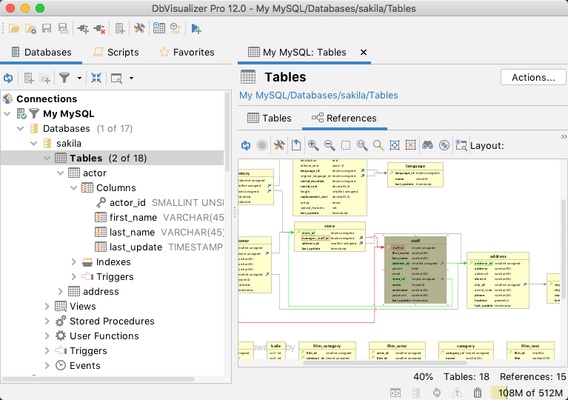
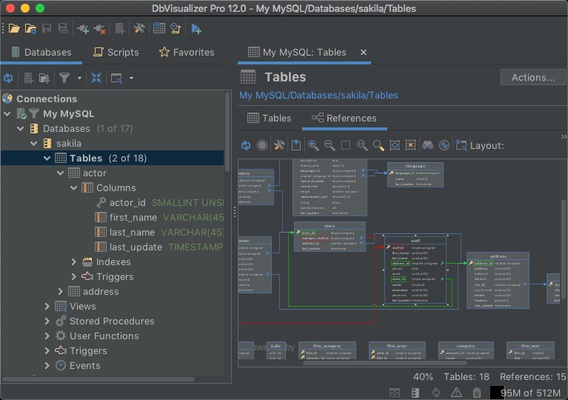
DbVisualizer is a database management and SQL development tool for Windows designed for developers, database administrators, and data analysts. It supports a wide range of databases through JDBC drivers and provides tools for querying, editing, browsing, and analyzing database data.
Key Features
-
Multi-Database Support – Connect to MySQL, PostgreSQL, Oracle, SQL Server, SQLite, DB2, and other JDBC-compatible databases.
-
SQL Editor – Write and execute SQL with syntax highlighting, code completion, and formatting.
-
Query Builder – Build and explore database queries using a visual interface.
-
Database Object Management – Browse and manage tables, views, procedures, schemas, and other objects.
-
Data Editing – View and modify database records through an integrated data grid.
-
Execution Plans – Analyze query execution plans to identify potential performance issues.
-
Data Visualization – Display query results in tables and graphical views.
-
Data Export – Export database results in commonly used formats such as CSV, Excel, and JSON.
-
Secure Connections – Supports SSH tunneling and various database authentication methods.
-
Customizable Workspace – Organize multiple database connections and SQL editors within a flexible interface.
User Interface
DbVisualizer uses a tab-based interface for managing database connections, SQL editors, database objects, and query results. The workspace can be customized to suit different workflows, while context menus and drag-and-drop operations make common database tasks easier to access.
Installation and Setup
Download and install DbVisualizer on Windows, then launch the application and create a database connection. Select the appropriate JDBC driver and enter the required server, database, username, and authentication information. Once connected, database objects can be accessed from the main workspace.
How to Use
Create a database connection and open the database browser to explore schemas and objects. Use the SQL editor to write and execute queries, then review the results in the data grid or visualization tools. Tables and records can be managed directly from the interface, while execution plans can be used to investigate query performance. Export query results when the data needs to be saved or shared.
Pros
-
Supports many database platforms through JDBC
-
Feature-rich SQL editor
-
Database browsing and editing tools
-
Query execution plan analysis
-
Data visualization and export options
-
Customizable interface
Cons
-
Some advanced features require the paid edition
-
Database-specific functionality may be more limited than native tools
-
Large databases and complex projects can require significant system resources
Conclusion
DbVisualizer provides a unified environment for working with multiple database systems from a single application. Its SQL editor, database management tools, execution plans, visualization, and data export features make it suitable for developers, database administrators, and analysts who regularly work with different database platforms.