

RStudio is an integrated development environment (IDE) designed for R programming, statistical computing, and data analysis. It provides a complete workspace for writing and running R code, analyzing data, creating visualizations, developing packages, and producing reproducible reports.
The application combines a source code editor, R console, workspace manager, data viewer, plotting tools, debugger, and documentation in a single interface. It is widely used by data scientists, statisticians, researchers, students, and developers.
RStudio is available for Windows, macOS, and Linux and can also be used through browser-based environments such as RStudio Server.
Features
- Code Editor – Write R scripts with syntax highlighting, code completion, smart indentation, and error checking.
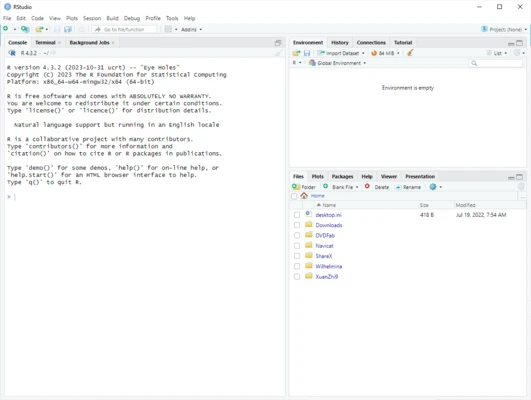
- R Console – Execute R commands and view results directly within the IDE.
- Data Viewer – Browse and inspect data frames in a convenient table format.
- Data Visualization – Create charts and graphs using R packages such as ggplot2 and other visualization libraries.
- Package Management – Install, update, and manage R packages from the interface or console.
- Project Management – Organize scripts, datasets, and other files into separate R projects.
- Integrated Debugger – Identify and troubleshoot problems in R code.
- Git Integration – Manage source code and track changes with Git.
- R Markdown – Combine code, text, tables, and visualizations to create reproducible reports and documents.
- Shiny Support – Develop interactive web applications using the Shiny framework.
- Integrated Documentation – Access R help files and package documentation without leaving the application.
- Customizable Interface – Configure themes, editor layouts, keyboard shortcuts, and other workspace settings.
RStudio Interface
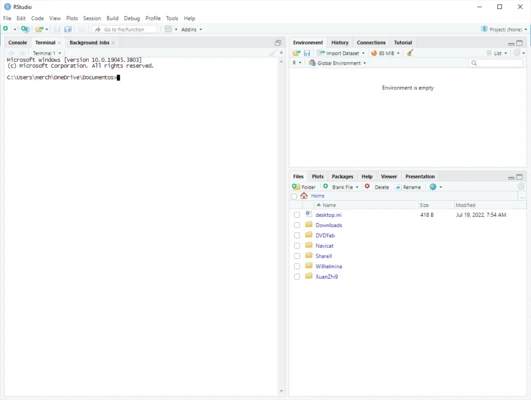
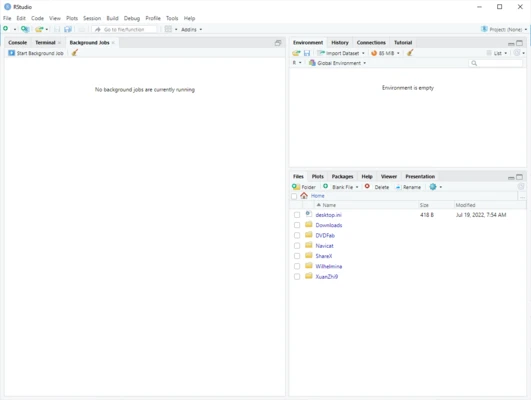
The default interface is divided into several panels for efficient development. The source editor is used to write scripts, while the console provides direct access to the R environment.
Additional panels provide access to files, plots, packages, help documentation, environment variables, and command history. This layout allows users to write code, analyze data, and review results without switching between multiple applications.
R Markdown and Reporting
RStudio includes extensive support for R Markdown, allowing users to combine R code with text and visualizations in a single document. This is useful for creating research reports, data analysis documents, presentations, and other reproducible content.
Package and Project Management
RStudio makes it easier to manage R projects and their dependencies. Projects can keep scripts, datasets, reports, and other resources organized in a dedicated working environment.
The built-in package tools also simplify installing and updating R libraries used for statistical analysis, visualization, machine learning, and other tasks.
Pricing
The RStudio IDE open-source edition is free to use under the AGPL v3 license.
A commercial RStudio Desktop Pro edition is also available with additional professional features, licensing options, and priority support.
System Requirements
- Operating System: Windows 10 or Windows 11
- Processor: 1 GHz or faster
- RAM: 1 GB minimum
- Storage: Approximately 1.5 GB of available disk space
- Additional Software: R must be installed separately
PROS
- Free and open-source edition
- Excellent environment for R programming
- Strong data analysis and visualization support
- Integrated debugging and documentation
- Git and version control integration
- R Markdown and Shiny support
- Available across multiple platforms
CONS
- Requires R to be installed separately
- Can be overwhelming for users new to R
- Large datasets and complex projects can require significant system resources
- Some professional features are available only in the commercial edition
Conclusion
RStudio is one of the most comprehensive development environments for R programming and data analysis. Its combination of code editing, data visualization, package management, debugging, version control, and reporting tools makes it suitable for both beginners and experienced R users.
The free open-source edition provides everything needed for most personal, academic, and research projects, while the commercial edition adds features intended for professional and organizational environments.