

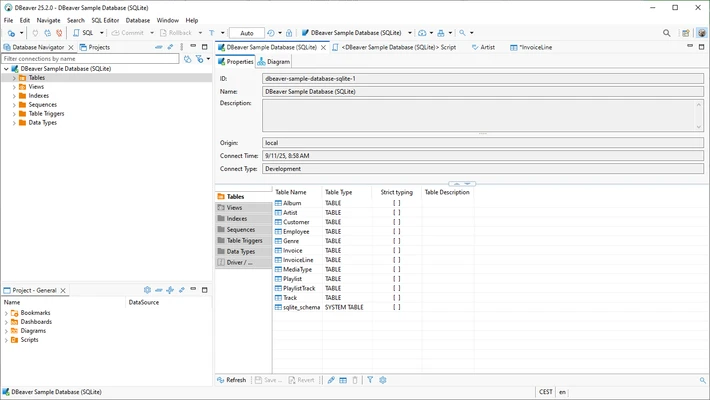
DBeaver is a powerful, open-source database management tool designed for developers, database administrators, and analysts. It supports an extensive range of database management systems, including MySQL, PostgreSQL, SQLite, Oracle, SQL Server, and many others, providing an efficient way to interact with databases both locally and in the cloud.
The application is distributed in both a free Community Edition and a premium Enterprise Edition. The free variant delivers all essential relational database management operations, while the enterprise version extends capabilities to include NoSQL storage engines, advanced cloud ecosystem integrations, and hardened security layers.
Overview and Key Features
-
Multi-Database Support: Connect to over 80 database architectures spanning traditional relational, NoSQL, and cloud platforms.
-
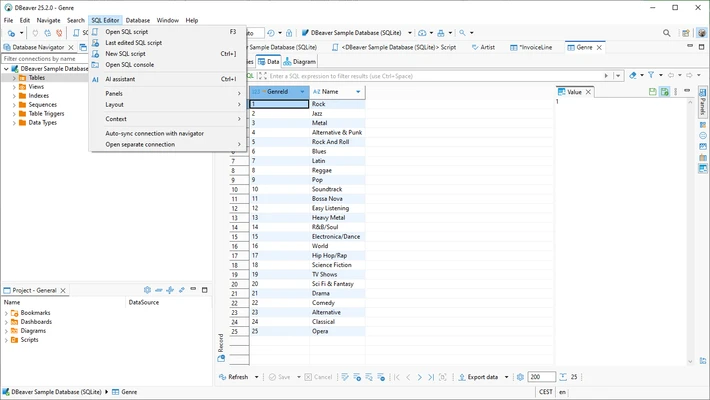
Advanced SQL Editor: Write and execute scripts using an intelligent code editor complete with syntax highlighting, automatic completion, and live error checking.
-
Entity-Relationship Diagrams: Generate visual ER diagrams automatically to inspect and analyze intricate database schemas and structural dependencies.
-
Data Migration Engines: Import and export data structures seamlessly across multiple file formats, including CSV, JSON, XML, and native SQL scripts.
-
Schema Comparison Utilities: Analyze differences in schemas, tables, and raw data structural configurations across separate deployments.
-
Enterprise-Grade Security: Establish secure connections to remote database architectures utilizing integrated SSH tunneling and SSL encryption protocols.
-
Customizable Workspace: Tailor the interface configuration to your workflow using built-in dark modes, UI themes, and modular panel layouts.
How to Use
-
Launch the installer stub and follow the standard setup prompts to complete installation.
-
Open the application and click on the New Database Connection icon to initiate a connection setup.
-
Select your target database engine from the comprehensive list of supported drivers.
-
Input your database host credentials, port configurations, and authentication details.
-
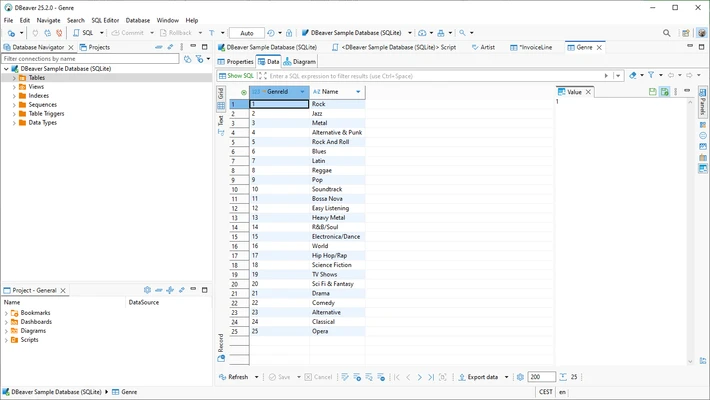
Utilize the database navigator panel to browse schemas, tables, views, and indexes.
-
Open a new SQL console tab to write queries, modify data, and execute administrative scripts.
-
Review raw query output, apply manual filters, or edit data directly via the interactive results grid.
Pros and Cons Pros
-
Comprehensive multi-platform support covering almost all major relational database engines.
-
Completely free and open-source Community Edition with no commercial evaluation restrictions.
-
Highly visual design tool featuring interactive ER diagrams and schema mapping tools.
-
Robust, performance-oriented SQL script editor built on top of the Eclipse framework.
-
Advanced data parsing capabilities with multi-format import and export wizards. Cons
-
Resource footprint can become heavy due to its underlying Java-based architecture.
-
Interface contains a vast density of administrative tools that can overwhelm beginner users.
-
Native NoSQL and Big Data drivers are locked exclusively behind the commercial tier.
Top Alternatives
-
Navicat Premium: A robust commercial multi-connection database development tool optimized for simultaneous database coordination.
-
DataGrip: JetBrains' premium, dedicated IDE tailored for professional SQL developers with heavy predictive text engines.
-
HeidiSQL: A lightweight, fast, freeware administrative interface optimized primarily for MySQL, MariaDB, and SQL Server systems.
-
pgAdmin: The industry-standard, open-source management platform built explicitly for deep optimization of PostgreSQL environments.