

Prey is a cross-platform device tracking and security application designed to help users locate, protect, and manage laptops, smartphones, and tablets.
It provides tools for tracking lost devices, protecting personal data, and managing multiple devices from a centralized online dashboard. Prey is suitable for both individual users and organizations that need remote device monitoring and security management.
Key Features
Device Tracking
- Track device locations using GPS, Wi-Fi positioning, and GeoIP.
- View device location history through an online dashboard.
- Receive alerts when device locations change.
Remote Security Actions
Protect lost or stolen devices with remote controls:
- Lock devices remotely.
- Display custom messages.
- Trigger alarms.
- Delete sensitive data when necessary.
Control Zones
- Create geofenced areas.
- Receive notifications when devices enter or leave specific locations.
- Monitor device movement easily.
Data Protection
- Secure important files and personal information.
- Retrieve device information remotely.
- Remove sensitive data to prevent unauthorized access.
Device Management
- Manage multiple computers and mobile devices.
- Organize devices with tags.
- Monitor device status from one dashboard.
User Interface
Prey features a simple web-based management dashboard that allows users to view registered devices, check locations, and perform security actions.
The interface is designed for quick access to important features without requiring advanced technical knowledge.
Installation and Setup
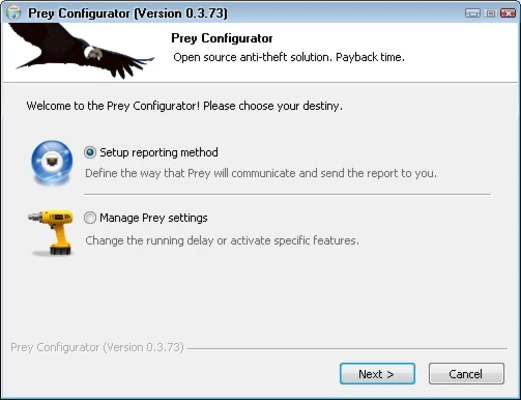
- Download and install Prey on your device.
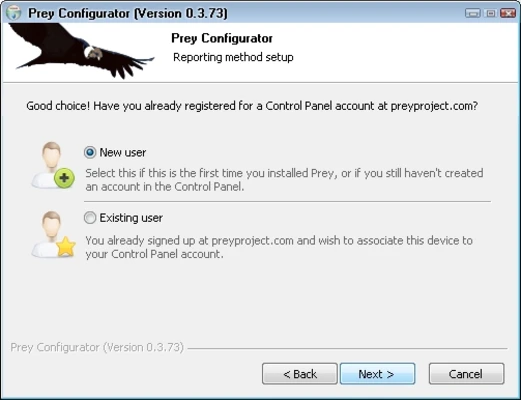
- Create a Prey account or sign in.
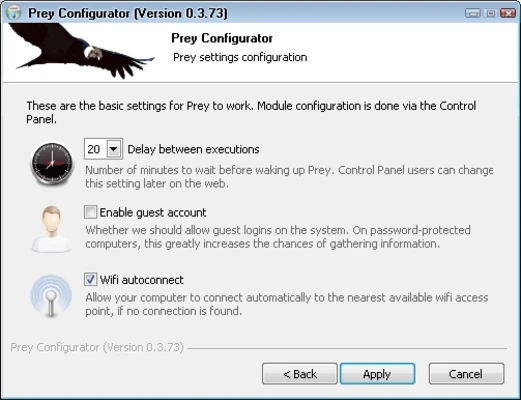
- Register the device with your account.
- Access the online dashboard to manage your device.
After setup, the application runs in the background and communicates with the Prey platform.
How to Use
Track a Device
- Log in to your Prey account.
- Select the registered device.
- View its current location and status.
Protect a Lost Device
- Mark the device as missing.
- Enable tracking reports.
- Use remote actions such as locking, alarms, or messages.
Manage Multiple Devices
- Add multiple devices to your account.
- Organize and monitor them from the dashboard.
Pricing
Prey offers a free plan with basic tracking features.
Paid plans provide additional security tools, advanced reporting, and support for more devices.
System Requirements
- OS: Windows 7, 8, 10, 11
- Processor: 1 GHz or faster
- RAM: 1 GB minimum
- Storage: 50 MB free disk space
- Internet: Required for tracking and remote management
PROS
- Cross-platform device tracking
- Remote security controls
- Easy-to-use dashboard
- Supports multiple devices
- Free plan available
- Suitable for personal and business use
CONS
- Advanced features require a paid plan
- Requires installation before a device is lost
- Tracking depends on device connectivity
Alternatives
- Find My Device – Google's device tracking service for Android devices.
- Find My – Apple's built-in tracking solution for Mac, iPhone, and iPad.
- Absolute Home & Office – Professional device security and tracking solution.
Conclusion
Prey is a reliable device tracking and security tool that helps users protect laptops, smartphones, and tablets from loss or theft.
With real-time tracking, remote security controls, and multi-device management features, it provides an effective solution for both personal users and organizations.
Note: Requires an account. Free and paid plans are available.