


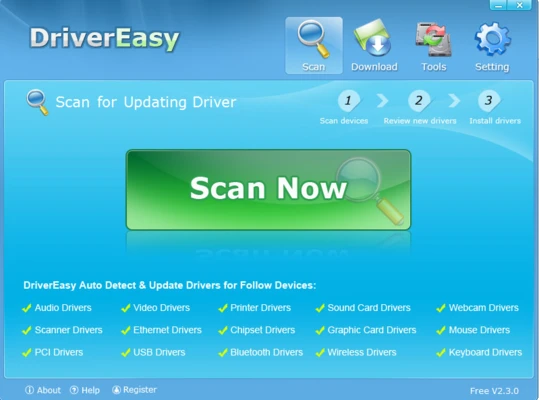
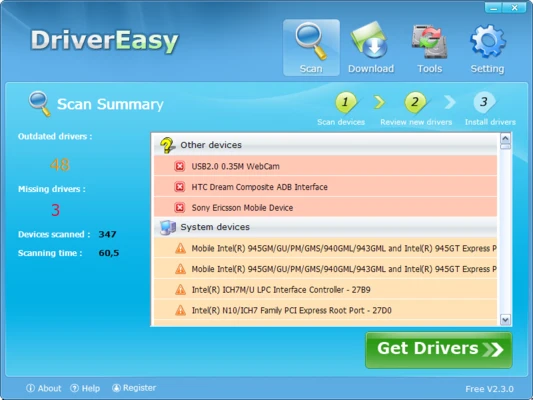
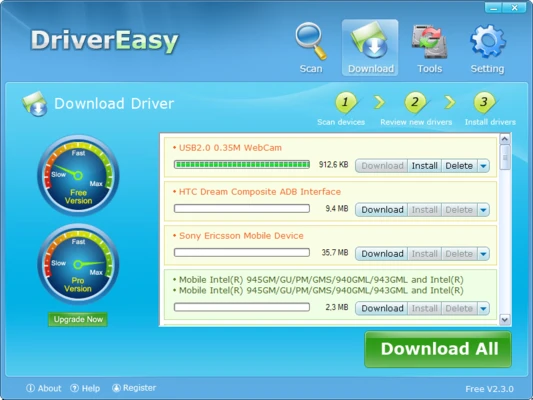
Driver Easy is a driver update and hardware management tool for Windows that helps users detect, download, and install missing, outdated, or incompatible drivers automatically.
Instead of manually searching for drivers online, Driver Easy scans your computer and identifies the correct driver updates for a wide range of hardware devices. It is designed to simplify driver maintenance and improve overall system stability and performance.
Key Features
Automatic Driver Scanning
Scan your computer to detect missing, outdated, corrupted, or incompatible drivers automatically.
One-Click Driver Updates
Download and install the latest recommended drivers for supported hardware devices with minimal effort.
Large Driver Database
Access a database containing millions of device drivers covering a wide range of computer hardware components.
Driver Backup and Restore
Create backups of existing drivers before updating, allowing easy restoration if compatibility issues occur.
Offline Driver Scan
Scan systems without an internet connection and transfer scan results to another PC for driver downloads.
Hardware Information
View detailed hardware specifications, driver versions, device manufacturers, and system information.
Driver Cleanup
Identify and remove unused or obsolete drivers to free storage space and reduce system clutter.
Faster Windows Updates
Optimized download technology helps improve the speed of downloading driver packages and related updates.
Supported Hardware
Driver Easy supports driver detection and updates for numerous device categories, including:
- Graphics cards (NVIDIA, AMD, Intel)
- Audio devices
- Network and Ethernet adapters
- Wi-Fi adapters
- Bluetooth devices
- Motherboard chipsets
- PCI and PCIe devices
- Printers and scanners
- USB controllers and peripherals
- Storage controllers
- CD/DVD drives
- Modems and communication devices
Main Features
- Automatic driver detection
- One-click driver updates
- Driver backup and restore
- Offline scan mode
- Hardware information tools
- Unused driver cleanup
- Large driver database
- Faster driver downloads
- System compatibility checks
- Windows driver management
Why Use Driver Easy
Driver Easy simplifies the process of maintaining device drivers by eliminating the need to search manufacturer websites manually. It helps keep hardware functioning properly while reducing compatibility issues, device errors, and performance problems caused by outdated drivers.
The software is suitable for both beginner and advanced users who want an easier way to manage drivers on Windows systems.
System Requirements
Windows 7, 8, 8.1, 10, or 11
32-bit and 64-bit versions supported
Internet connection required for downloading driver updates
Pros
- Easy-to-use interface
- Automatic driver detection
- Extensive driver database
- Driver backup and restore functionality
- Offline scanning support
Cons
- Some advanced features require a paid license
- Download speeds may be limited in the free version
- Driver installation often requires manual confirmation
Conclusion
Driver Easy is a reliable driver updater for Windows that helps users quickly identify and install missing or outdated drivers. With automatic scanning, backup tools, offline support, and a large driver database, it offers a convenient solution for maintaining hardware compatibility and system performance.