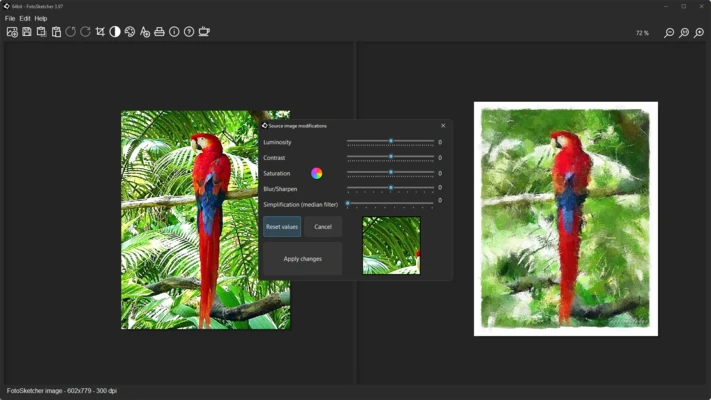
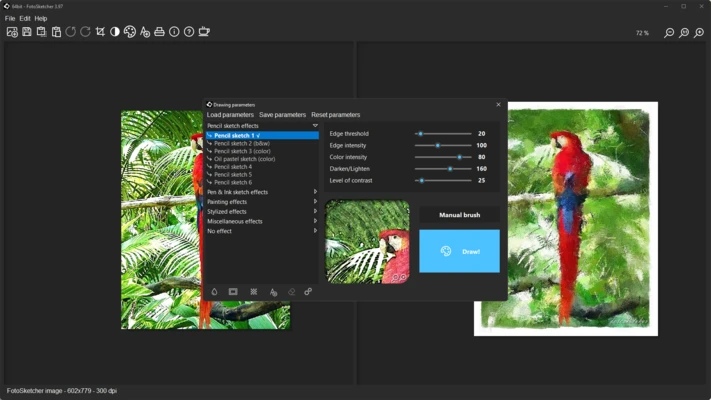
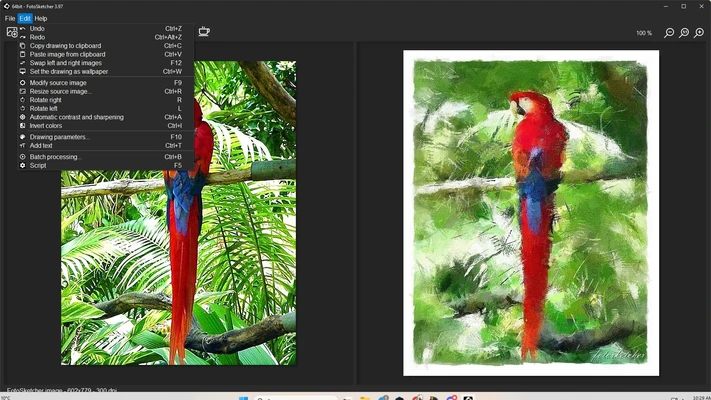
FotoSketcher is a free photo-to-art conversion software that allows users to transform ordinary digital images into realistic sketches, paintings, cartoons, and other artistic creations. Designed for simplicity and accessibility, it provides a wide range of creative filters and customization tools that help users produce professional-looking artwork with just a few clicks.
Whether you're a photographer, hobbyist, designer, or digital art enthusiast, FotoSketcher offers an easy way to turn photos into unique artistic masterpieces without requiring advanced editing skills.
Key Features
Artistic Effects
- Convert photos into pencil sketches, ink drawings, watercolor paintings, oil paintings, cartoons, and more
- Over 25 artistic styles available
- Create realistic hand-drawn and painted effects
Advanced Customization
- Adjust effect intensity and detail levels
- Control brightness, contrast, saturation, and color balance
- Fine-tune artistic output for personalized results
Batch Processing
- Apply effects to multiple images simultaneously
- Save time when processing large photo collections
- Ideal for photographers and content creators
User-Friendly Interface
- Simple and intuitive workflow
- Suitable for beginners and advanced users
- Real-time preview before saving
Multiple Export Formats
- Save artwork as JPEG, PNG, BMP, or TIFF
- High-quality image output
- Compatible with most image editing and publishing platforms
Photoshop Integration
- Can be used alongside Adobe Photoshop workflows
- Supports advanced editing after artistic conversion
Why Choose FotoSketcher?
FotoSketcher provides an easy and cost-effective way to create artistic images without the complexity of professional design software. Unlike traditional photo editors that require extensive manual work, it focuses on automated artistic transformations while still offering enough customization to achieve unique results.
Its lightweight design, extensive filter collection, and completely free availability make it a popular choice among photographers, hobbyists, and creative users.
Best For
- Photography enthusiasts
- Digital artists
- Social media content creators
- Graphic designers
- Hobbyists and beginners
- Creative photo editing projects
Pros
- Completely free to use
- Easy-to-use interface
- Large collection of artistic effects
- Batch image processing support
- Fast rendering performance
- Multiple export format options
- Portable version available
Cons
- Windows-only software
- No direct RAW image support
- Limited advanced editing features
- Fewer professional tools than Photoshop
- Some effects may require experimentation for best results
System Requirements
- Windows 7, 8, 10, or 11
- 1 GHz processor or faster
- 1 GB RAM or more
- 100 MB available disk space
- Display resolution of 1024×768 or higher
Alternatives
- Adobe Photoshop
- GIMP
- Corel Painter
- Krita
- Paint.NET
- Gravit Designer
Conclusion
FotoSketcher for Windows is an excellent free tool for converting photos into artistic creations. With its extensive collection of drawing and painting effects, intuitive interface, and flexible customization options, it offers a simple yet powerful solution for anyone looking to transform ordinary images into eye-catching artwork. Whether you're creating sketches, watercolor paintings, or cartoon-style illustrations, FotoSketcher delivers impressive results with minimal effort.