

Greenshot is an open-source screenshot tool for Windows that lets you quickly capture and manage screenshots. The lightweight application can be installed in just a few seconds and provides a simple interface for configuring screenshot options.
Keyboard shortcuts to optimize software use Greenshot
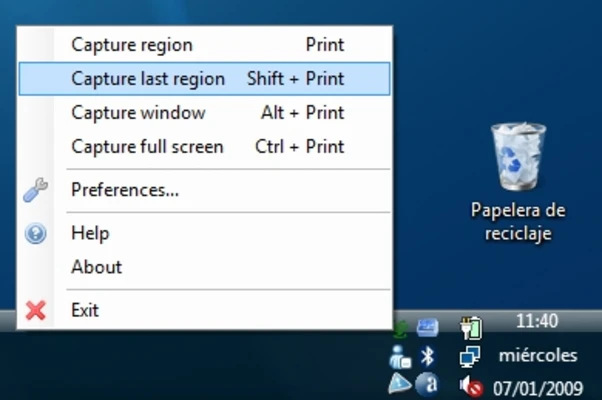
Greenshot lets you capture screenshots without complicated setup. You can also configure keyboard shortcuts for specific capture actions, allowing you to take screenshots quickly without opening the program's interface.
Manage all your screenshots
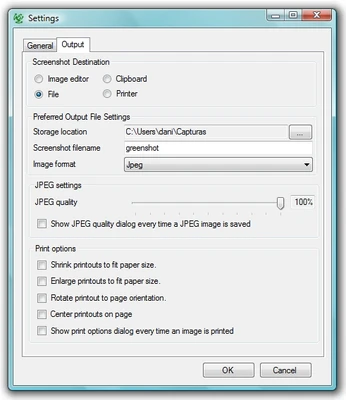
Greenshot provides several options for managing captured screenshots. From the Destination tab, you can choose whether to edit, copy, or save each image to a selected folder. The built-in editor lets you add text, arrows, and other annotations without using another program. You can also export screenshots directly to Imgur or open them in MS Paint.
Printing in Greenshot
When printing screenshots, Greenshot can automatically resize images to fit the paper and center them on the page. It also supports inverted colors and grayscale printing to help reduce ink consumption.