


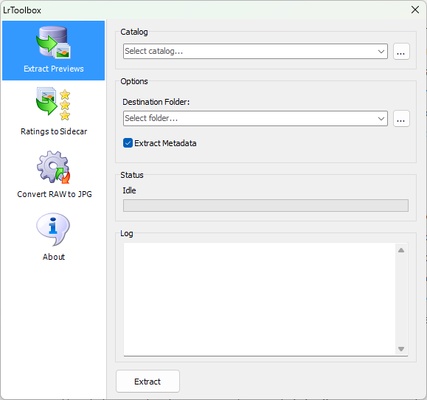
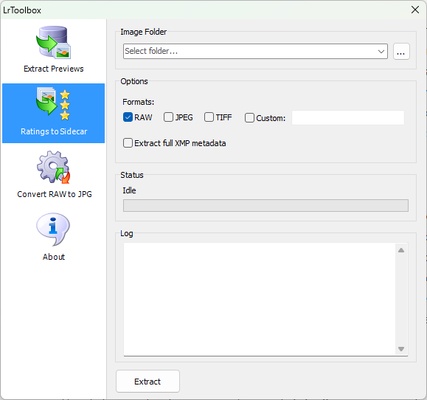
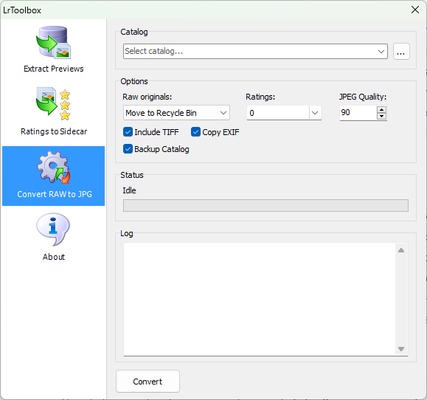
LrToolbox is an add-on for Adobe Lightroom that has been designed to streamline and enhance the photo editing experience. It provides additional features that complement those already offered by Lightroom, enabling photographers and editors to improve their workflow and increase productivity. LrToolbox offers a variety of tools to help with organization, batch processing and advanced photo editing, making it an attractive option for users looking to get the most out of their Lightroom experience. Download LrToolbox for free and improve your photo editing experience thanks to all the advanced features included in this tool.
Optimize your Lightroom workflow
LrToolbox is designed to improve your workflow within Adobe Lightroom by offering you tools that make photo management and editing more efficient. This includes the possibility of automating repetitive tasks, managing presets and custom settings, as well as the option of making overall adjustments to batches of photos. By integrating these additional features, you can spend less time on administrative tasks and more time concentrating on the creative side of editing, making LrToolbox a key addition for frequent Lightroom users.
Batch processing and automation
One of LrToolbox's most powerful features is its batch processing capability, allowing you to apply the same adjustments to multiple images at once. This is ideal for photographers who work with large volumes of images, as it avoids having to adjust each photo individually. You can also apply exposure, contrast, white balance and other settings to hundreds of photos at once through this tool. What's more, LrToolbox offers advanced automation options, meaning you can schedule certain actions to be carried out automatically on imported images, further optimizing your workflow.
Improved metadata management
Another of LrToolbox's key features is its ability to improve metadata management within Lightroom. This feature allows you to efficiently edit and organize data linked to each image, such as camera information, location tags or descriptions. LrToolbox makes it easier to add metadata to multiple images, which comes in handy for professional photographers who need to catalog large volumes of photos accurately. The tool also makes it easy to find and sort photos within the Lightroom library using detailed metadata.
Advanced color correction and fine tuning
LrToolbox also provides color correction and fine-tuning capabilities within Lightroom. By integrating additional color adjustment tools, more detailed and specific corrections can be applied to images, adjusting the hue, saturation and lightness, among other aspects, with greater precision. This advanced feature is especially useful if you want full control over color grading in your photos, ensuring professional results. There are also options to adjust the color profile as per the printing or online publishing requirements, enhancing versatility.