Go to Windows platform Display platforms icon
Go to Windows platform Go to Mac platform Go to Android platform
Adobe DNG Converter icon

Adobe DNG Converter

18.3.0
Adobe
3.2
1.68 GB size

Adobe DNG Converter for Windows is a free tool that converts raw image files to the universal DNG format for easier editing and storage.

Adobe DNG Converter for Windows Download – Efficient RAW Image File Conversion Tool

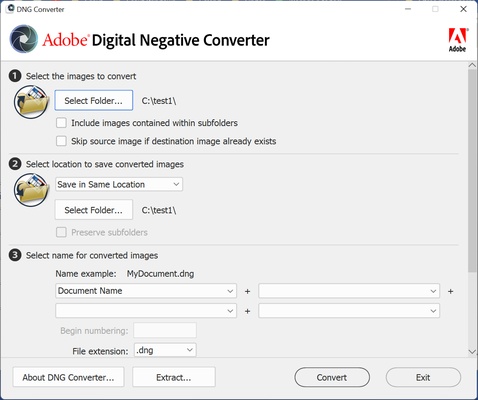
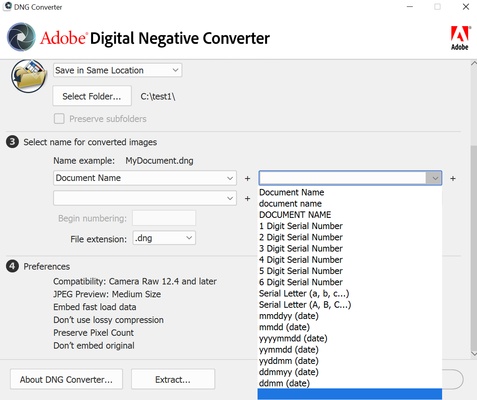
Adobe DNG Converter for Windows is a powerful tool designed for photographers who work with RAW image formats. It allows you to convert RAW files from various digital cameras into the universally supported Digital Negative (DNG) format. By converting to DNG, you can maintain image quality while ensuring long-term compatibility with Adobe’s image editing software, including Photoshop and Lightroom.

Whether you're a professional photographer or an enthusiast, Adobe DNG Converter simplifies the management of RAW files, making it easy to store and process images in a standardized format.


Seamless Conversion of RAW Files to DNG

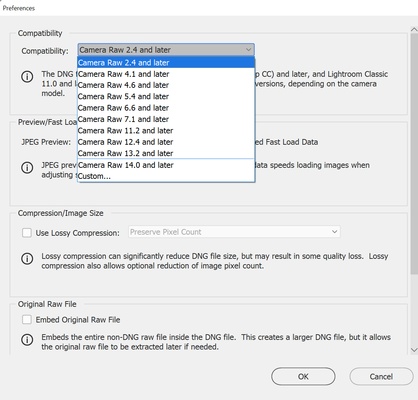
Adobe DNG Converter enables users to convert RAW images from over 600 camera models into the DNG format. This provides a universal, non-proprietary format that ensures future-proof compatibility with Adobe software, eliminating concerns about camera-specific file formats.


Preserve Image Quality

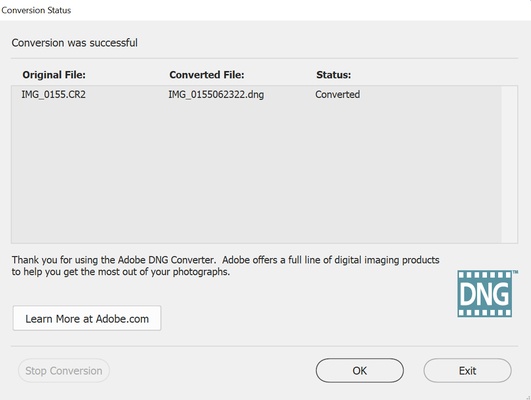
The conversion process preserves the original quality of your photos, ensuring that no data is lost during the transition to the DNG format. This is crucial for photographers who rely on maintaining the highest image quality for editing and processing.


Batch Processing for Efficiency

Adobe DNG Converter supports batch processing, allowing users to convert multiple RAW files at once. This saves time when working with large collections of images and improves the efficiency of your workflow.


Streamlined Integration with Adobe Software

As part of the Adobe Creative Cloud ecosystem, Adobe DNG Converter works seamlessly with other Adobe applications like Photoshop and Lightroom. The DNG format is optimized for efficient editing and organization within these tools, helping you get the most out of your images.


Final Overview

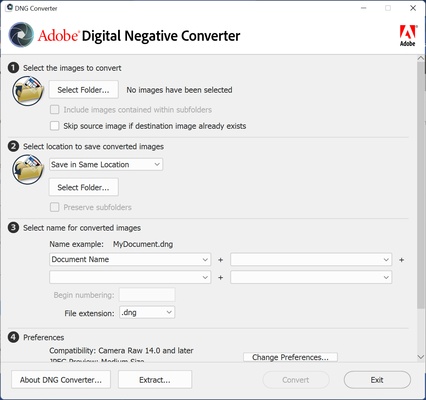
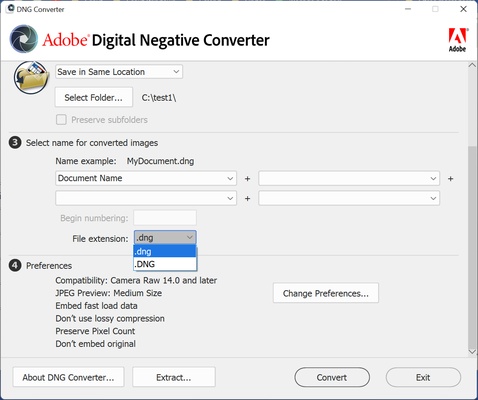
Adobe DNG Converter for Windows is an essential tool for photographers looking to streamline their workflow by converting RAW files into a widely supported format. With its simple interface, high-quality conversion process, and batch processing capabilities, Adobe DNG Converter makes managing your photo library easier and ensures long-term compatibility with Adobe’s image editing tools.

Information about Adobe DNG Converter

License Free
Op. System Windows
Category Photo & Design
Language English 47 more
Author Adobe
permission icon Permissions Not applicable
Date 2026-04-25
Size 1.68 GB
File type EXE

Apps recommended for you

Lunacy icon
Lunacy for Windows is a graphic design software that allows users to create and edit UI, web, and vector designs efficiently.
Extreme Picture Finder icon
Extreme Picture Finder for Windows is a tool that automatically downloads images, videos, and other media from websites for offline access.
LightBurn icon
LightBurn for Windows is a powerful design and engraving software for laser cutters, offering tools for editing, creating, and controlling laser projects.
Ashampoo Photo Optimizer Pro 26.0.4 icon
Handy, easy-to-use PC software to browse and optimize your photos
PicView icon
An easy and fast image viewer for Windows
Clip Studio Paint EX 5.1.2 icon
The artist`s Windows PC software for drawing and painting!
JPEG Lossless Rotator icon
JPEG Lossless Rotator Portable for Windows is a lightweight tool that rotates JPEG images without losing quality, ideal for quick photo adjustments.
BluffTitler icon
BluffTitler for Windows is a 3D animation software that lets users create professional titles and intros for videos easily.
Blockbench 5.2.0 icon
A modern, open source 3D model editor for Minecraft mods!
Canva 1.126.0 icon
Canva makes design simple for everyone. Create designs for Web or print!
PicPick 7.6.1 icon
User friendly all-in-one software for screen capture
Krita 5.3.4 icon
Open Source Software for Concept Artists, Digital Painters, and Illustrators
ActivePresenter 10.6.0 icon
All-in-One Screen Recorder, Video Editor & eLearning Authoring Software
FotoSketcher 4.60 icon
Create beautiful works of art from your digital photos, for Free!
Blender 5.2.2 (64-bit) icon
Create 3D animations, graphics, and even games with intuitive controls
ReaConverter Pro 8.245 icon
Makes batch conversion and oft-recurring image editing simple
XnView Portable icon
The portable edition of the image viewer and converter
Snipping Tool icon
Take screenshots with ease on Windows
Light Image Resizer icon
Light Image Resizer is a simple tool for quickly resizing and converting images in batch to optimize size and format.
Cavalry icon
Powerful 2D animation software
KLayout 0.30.11 (64-bit) icon
High Performance Layout Viewer and Editor for your Windows system
Krita 5.3.3 icon
Open Source Software for Concept Artists, Digital Painters, and Illustrators
Concepts icon
Concepts for Windows is a flexible sketching and design app that lets users create drawings, diagrams, and illustrations with precision and ease.
Capture One icon
Capture One for Windows is a professional photo editing software that offers advanced color grading, tethered shooting, and image management tools.