

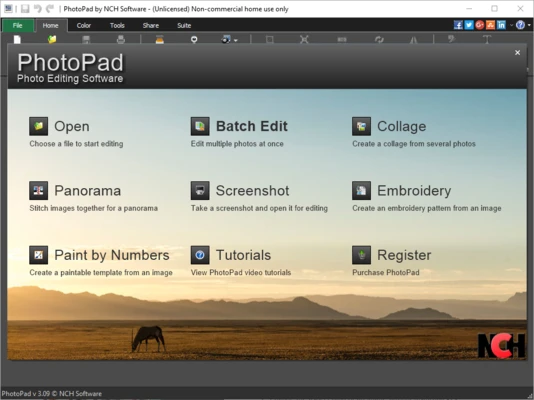
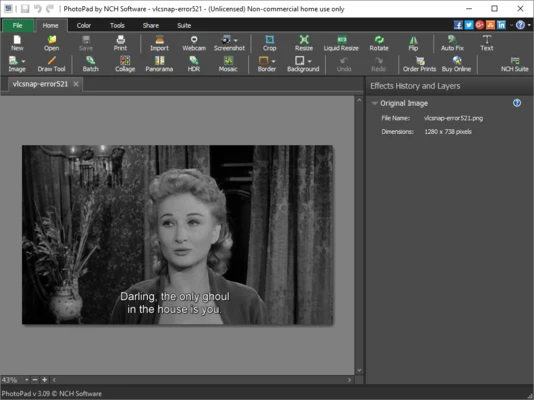
PhotoPad Photo and Image Editor is a lightweight image editing application for Windows that enables users to edit, enhance, and retouch photos with an easy-to-use interface. Designed for beginners and casual users, it includes essential editing tools along with AI-powered enhancements, creative effects, layer support, and collage creation.
The free edition is available for non-commercial use, while premium editions unlock additional professional features.
Key Features
- Supports JPG, PNG, GIF, TIFF, BMP, PSD, RAW, and many other image formats.
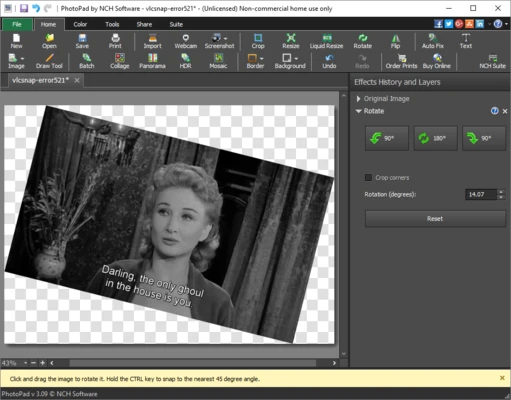
- Crop, rotate, resize, flip, and straighten images.
- Adjust brightness, contrast, saturation, exposure, levels, and white balance.
- AI-powered image upscaling and noise reduction.
- Remove unwanted objects with one-click object removal.
- Blur, sharpen, denoise, and apply HDR enhancements.
- Layer-based non-destructive editing.
- Green screen background replacement.
- AI colorization for black-and-white photos.
- Add text, captions, clipart, stickers, borders, and frames.
- Create photo collages, mosaics, calendars, and passport photos.
- Apply artistic effects including oil painting, sketch, cartoon, sepia, and vignette.
- Blur faces or sensitive information using censor tools.
- Capture and edit screenshots.
- Export images directly to cloud storage or social media services.
How to Use
- Launch PhotoPad after installation.
- Open an image or drag and drop it into the workspace.
- Use the toolbar to crop, resize, rotate, or adjust colors.
- Apply filters, AI enhancements, or artistic effects.
- Add text, shapes, stickers, or use layers for more advanced editing.
- Save the project or export it in your preferred image format.
System Requirements
- Operating System: Windows 11, 10, 8, or 7
- Processor: Intel or AMD 1.5 GHz or faster
- Memory: 2 GB RAM minimum
- Storage: 100 MB available disk space
- Display: 1024 × 768 resolution or higher
- Internet: Required for updates and selected online features
Pros
- Beginner-friendly interface
- Fast and lightweight
- Supports numerous image formats
- Layer-based editing
- AI enhancement tools
- Large collection of filters and creative effects
Cons
- Lacks some advanced professional editing tools
- Several premium features require a paid license
- Limited batch editing capabilities
Conclusion
PhotoPad Photo and Image Editor is an excellent choice for users looking for a simple yet capable photo editor. It combines essential editing tools with AI-powered enhancements, layer support, and creative effects while remaining lightweight and easy to learn. Although it doesn't offer the extensive professional toolset found in applications like Adobe Photoshop or Affinity Photo, it provides more than enough functionality for everyday photo editing, image enhancement, and creative projects.
Note: The free version is available for non-commercial use only.