FotoSketcher is a Windows image-editing application that transforms digital photos into sketches, paintings, and other artistic effects. It provides a collection of artistic filters along with adjustment tools for fine-tuning the appearance of the final image.
The program is designed for quick photo stylization and can be used by both beginners and users with more experience in image editing.
Key Features
-
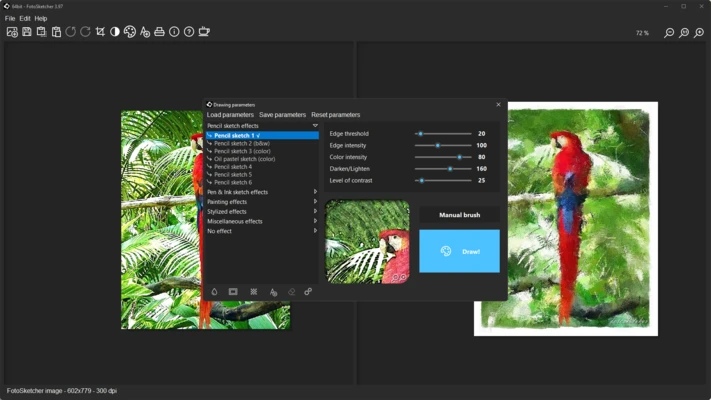
Artistic Effects: Apply a wide range of effects to create pencil sketches, watercolor paintings, oil paintings, and other artistic styles.
-
Effect Customization: Adjust effect intensity, brightness, contrast, colors, and other settings to refine the result.
-
Batch Processing: Apply selected effects to multiple images in one operation.
-
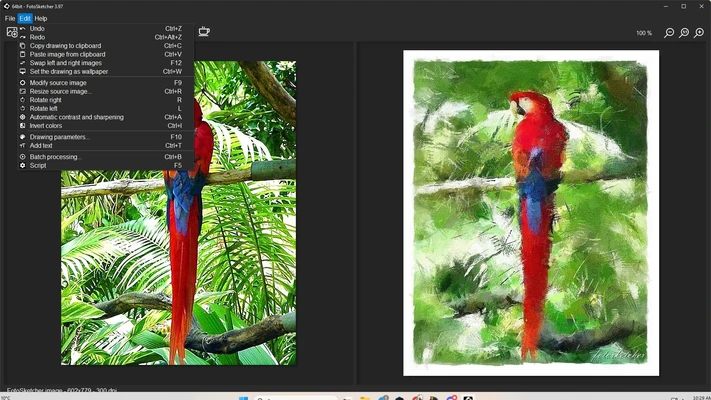
Image Editing Tools: Make basic adjustments before or after applying an artistic effect.
-
Multiple Output Formats: Save edited images in common formats such as JPEG, PNG, BMP, and TIFF.
-
Simple Interface: A straightforward layout makes it easy to open images, select effects, preview results, and save finished artwork.
-
Plugin Support: Can be used with compatible image-editing workflows through its plugin functionality.
User Interface
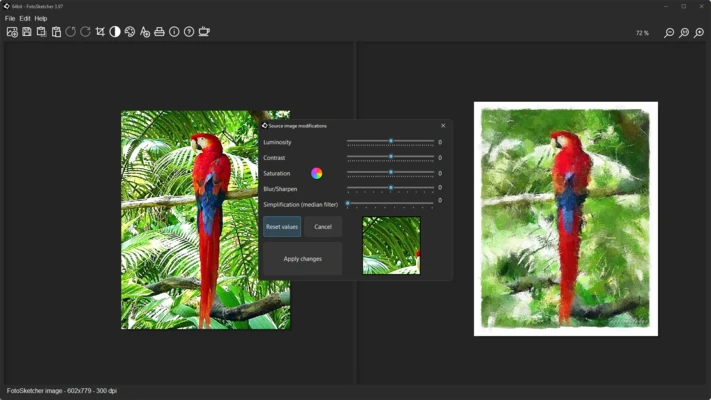
FotoSketcher uses a simple interface focused on photo preview and effect selection. Artistic styles and adjustment controls are easy to access, while the main preview area lets users see the effect applied to the image.
Installation and Setup
FotoSketcher is easy to install on Windows.
-
Run the installer.
-
Follow the on-screen installation instructions.
-
Launch FotoSketcher.
-
Open an image to begin editing.
A portable version is also available for users who prefer to run the application without a traditional installation.
How to Use
Open an Image: Launch FotoSketcher and load the photo you want to edit.
Choose an Effect: Select an artistic style from the available filters.
Adjust the Result: Fine-tune the effect and modify image settings such as brightness, contrast, and color.
Preview the Artwork: Review the processed image and make additional adjustments if necessary.
Save the Image: Export the finished artwork in your preferred image format.
Pros
-
Easy to use
-
Wide selection of artistic effects
-
Customizable filter settings
-
Supports batch processing
-
Lightweight compared with full-featured image editors
-
Portable version available
Cons
-
Windows-focused
-
Limited compared with professional image-editing applications
-
Primarily designed for artistic effects rather than advanced photo editing
Conclusion
FotoSketcher is a straightforward tool for turning ordinary photos into sketches, paintings, and other artistic images. Its selection of effects, customization controls, and batch processing features make it suitable for users who want a quick way to create stylized artwork without the complexity of a professional image editor.