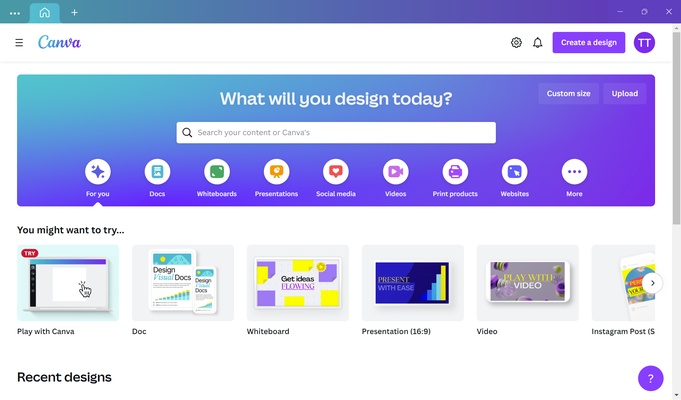
Canva for PC is an easy-to-use graphic design platform that lets users create social media graphics, presentations, posters, flyers, documents, and other visual content. Its drag-and-drop editor, templates, stock media, photo editing tools, and AI features make it suitable for both beginners and experienced creators.
Key Features
-
Drag-and-Drop Editor: Create designs by placing text, images, shapes, and other elements directly onto the canvas.
-
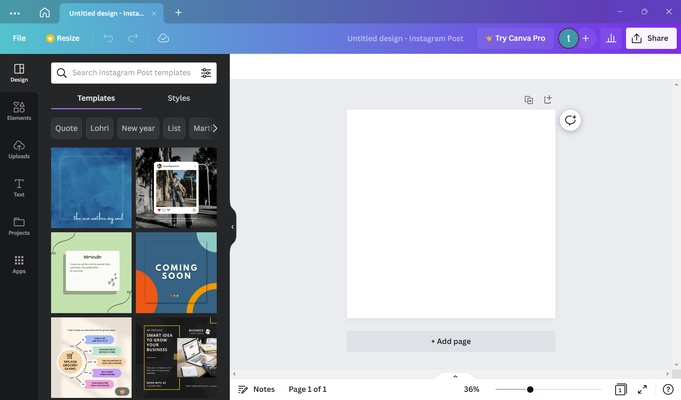
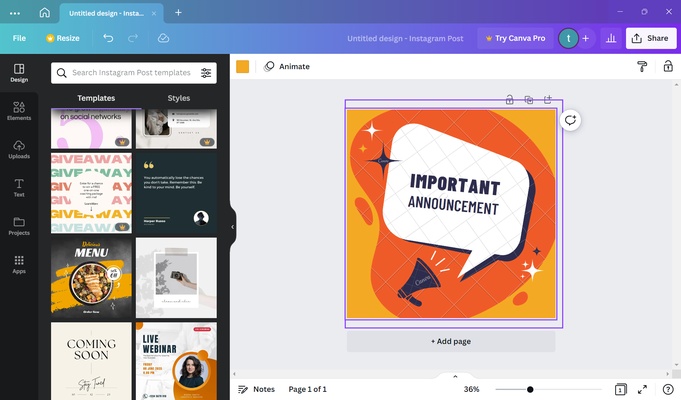
Design Templates: Provides ready-made templates for social media posts, presentations, posters, documents, marketing materials, and more.
-
Photo Editing: Crop, resize, adjust, and enhance images directly within the editor.
-
AI Design Tools: Generate designs, images, text, and other content using Canva's integrated AI features.
-
Stock Media Library: Access a large collection of photos, graphics, videos, audio, and other design elements.
-
Brand Tools: Store logos, colors, fonts, and other brand assets for consistent designs.
-
Collaboration: Share designs with other users and work together using comments and collaborative editing tools.
-
Resize Designs: Adapt existing designs to different dimensions and formats.
-
Background Removal: Remove image backgrounds with supported premium features.
-
Cloud Storage: Save designs online and access them from supported devices.
-
Print and Export: Export designs in common formats such as PNG, JPG, and PDF.
User Interface
Canva uses a visual drag-and-drop interface designed to keep common design tools easily accessible. The editor provides a central canvas with tool panels for templates, elements, text, uploads, images, and other resources.
The interface is relatively simple for beginners while still providing enough customization options for creating more detailed designs.
Installation and Setup
Canva is primarily a cloud-based design platform, with desktop access available for Windows. Install the Canva application and sign in with a Canva account.
After signing in, users can select a template or create a custom design, then begin adding images, text, graphics, and other elements.
How to Use
-
Launch Canva and sign in to your account.
-
Choose a template or create a custom design.
-
Add text, images, graphics, shapes, or other elements.
-
Customize colors, fonts, layouts, and other design settings.
-
Use photo editing or AI tools when needed.
-
Share the design for collaboration or review.
-
Export the finished design in the required format.
System Requirements
-
Operating System: Windows 10 or later
-
Internet Connection: Required for cloud-based features, templates, online media, and account synchronization
-
Account: Canva account required for using the platform
-
Storage: Sufficient space for the application and locally cached content
Pros
-
Easy drag-and-drop interface
-
Large selection of templates and design elements
-
Integrated photo editing tools
-
AI-powered design and content features
-
Supports real-time collaboration
-
Suitable for many types of visual content
-
Cloud-based project storage
Cons
-
Many advanced features require a paid plan
-
Internet access is important for most features
-
Less suitable for highly complex professional graphic design
-
Some stock assets and templates are restricted to paid users
Conclusion
Canva for PC is a versatile design tool for creating graphics without requiring extensive graphic design experience. Its templates, drag-and-drop editor, stock media, photo editing, AI tools, and collaboration features make it particularly useful for social media content, presentations, marketing materials, and everyday visual design.