

Gyazo for Windows is a lightweight screen capture and video recording tool that lets users instantly take screenshots, record GIFs, and capture short screen videos, then upload them to the cloud for fast sharing via a unique URL.
It is designed for speed and simplicity, making it easy to share visual content with teammates, clients, or online communities in just seconds.
Key Features
Instant Screen Capture
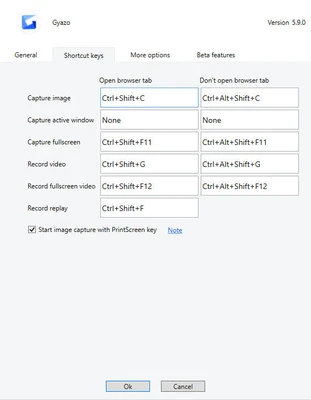
Capture screenshots instantly using hotkeys, with automatic upload and link generation.
GIF & Video Recording
Record animated GIFs or short videos directly from your desktop or applications.
Cloud-Based Sharing
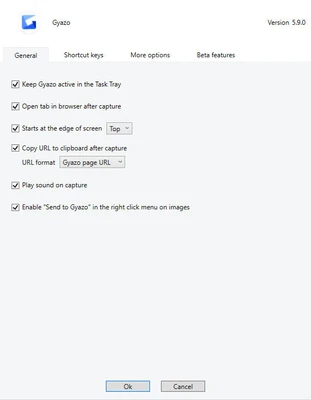
Every capture is uploaded automatically to the cloud and generates a shareable link instantly.
Game Capture Support
Record gameplay screenshots and video clips with minimal performance impact.
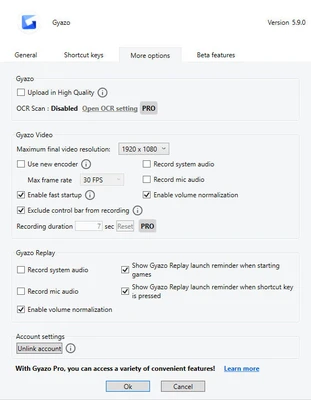
OCR Text Recognition (Pro)
Extract text from images for quick copying and reuse.
Capture History
Access and manage all previous uploads through a web-based dashboard.
Privacy Controls
Control visibility of each capture, including public, unlisted, or private links.
Integrations
Works with Slack, Discord, Trello, and other productivity tools for seamless sharing.
How to Use
- Install Gyazo for Windows
- Use hotkeys or system tray icon to capture screenshots or video
- Content is automatically uploaded to the cloud
- A unique URL is generated instantly
- Copy and share the link anywhere
- Manage all captures from the online dashboard
System Requirements
- Windows 10 or Windows 11
- Intel or AMD processor
- Minimum 2 GB RAM
- Stable internet connection required for cloud upload
Pros
- Extremely fast capture-to-share workflow
- Simple and lightweight interface
- Cloud storage with instant access
- Supports screenshots, GIFs, and video
- Works well with collaboration tools
Cons
- Free version displays ads on shared pages
- Limited editing features without Pro subscription
- Requires internet connection for full functionality
- Advanced features locked behind paid plan
Conclusion
Gyazo for Windows is a fast and efficient screen capture and sharing tool designed for instant visual communication. It is ideal for developers, support teams, and content creators who need a quick way to capture and share screen content online.