Blender 64-bit is a free and open-source 3D creation suite for modeling, sculpting, animation, rendering, visual effects, compositing, and video editing. It provides a complete set of tools for creating 3D content and is suitable for artists, animators, game developers, and other creative professionals.
Key Features
-
3D Modeling – Create and edit detailed 3D models using polygonal modeling, sculpting, and other tools.
-
Sculpting – Create detailed organic shapes and characters with customizable brushes.
-
Animation and Rigging – Animate objects and characters using keyframes, rigs, and timelines.
-
Rendering – Render scenes using the Cycles and Eevee rendering engines.
-
Materials and Textures – Create and apply materials, textures, lighting, and other visual effects.
-
Simulation – Create physics-based simulations for fluids, smoke, fire, cloth, and other effects.
-
VFX and Compositing – Combine 3D elements with video footage and process scenes using node-based compositing.
-
Video Editing – Edit video clips, audio, transitions, and effects directly within Blender.
-
UV Unwrapping – Prepare 3D models for texturing and painting.
-
Python Scripting – Extend and automate Blender using Python.
-
Add-ons – Add extra functionality through community-developed extensions.
-
File Format Support – Import and export a wide range of common 3D, image, and video formats.
User Interface
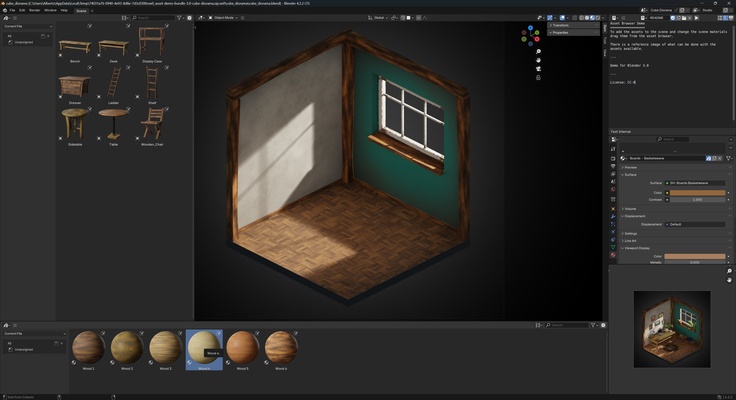
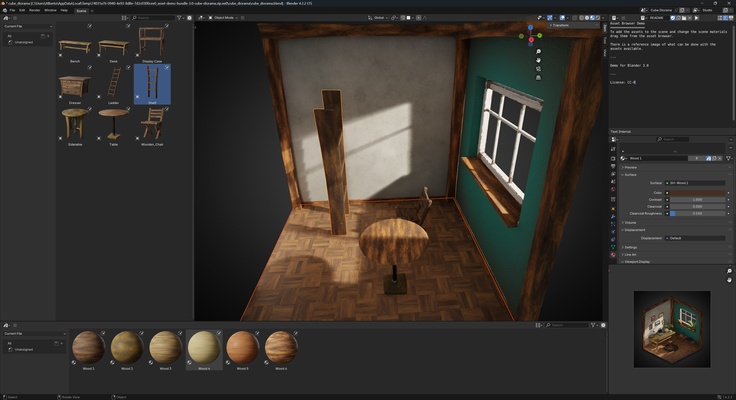
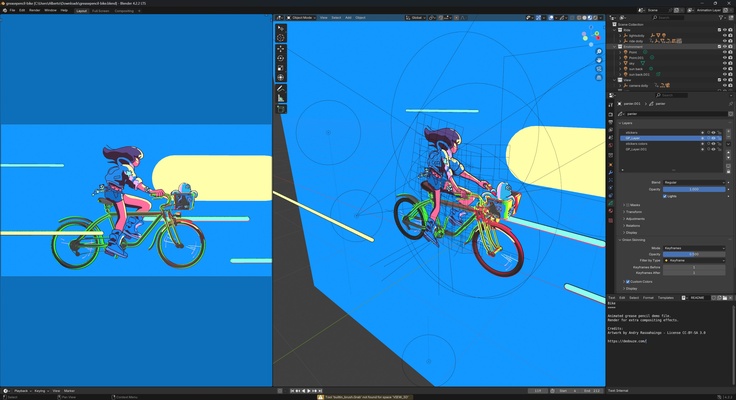
Blender provides a customizable workspace built around the 3D viewport, with dedicated editors for modeling, animation, rendering, compositing, and other tasks. Workspaces and panels can be rearranged to match different workflows.
The interface can appear complex to beginners, but it provides extensive control for users working on detailed 3D projects.
Installation and Setup
-
Download the Blender 64-bit installer.
-
Run the installer and follow the setup instructions.
-
Launch Blender after installation.
-
Choose the desired workspace and preferences.
-
Start a new project or open an existing Blender file.
How to Use
Start by learning basic navigation and viewport controls. Create or import a model, then use the modeling or sculpting tools to modify it.
For animation projects, add objects or characters, create keyframes, and adjust them using the timeline. When the scene is ready, configure materials, lighting, and render settings before producing the final output.
Blender also allows users to edit video, create visual effects, develop custom tools with Python, and extend the application with add-ons.
Pros
-
Free and open-source
-
Comprehensive 3D creation tools
-
Supports modeling, animation, rendering, and VFX
-
Built-in video editing and compositing
-
Highly customizable
-
Extensive add-on and scripting support
-
Cross-platform
Cons
-
Steep learning curve for beginners
-
Interface can be overwhelming at first
-
Advanced projects can require substantial hardware resources
Conclusion
Blender 64-bit is a comprehensive free 3D creation suite covering most stages of a modern 3D workflow. Its combination of modeling, sculpting, animation, rendering, simulation, compositing, video editing, scripting, and add-ons makes it a versatile tool for creating professional-quality 3D content.