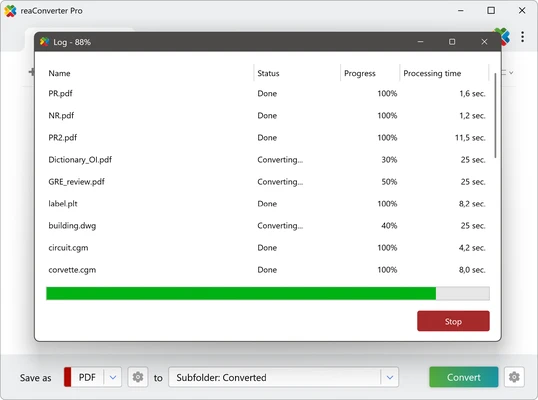
ReaConverter Pro is a Windows image conversion and processing tool designed for converting, resizing, and editing images in batches. It supports a wide range of image formats and includes tools for cropping, rotating, watermarking, color adjustment, effects, and file renaming.
Key Features
-
Batch Conversion – Process multiple images at once.
-
Wide Format Support – Supports hundreds of image formats for conversion.
-
Image Editing – Crop, resize, rotate, mirror, sharpen, blur, and adjust images.
-
Watermarks – Add text or image watermarks to multiple files.
-
Color Adjustments – Modify brightness, contrast, gamma, RGB, and other color settings.
-
Image Effects – Apply effects such as blur, mosaic, and other filters.
-
Metadata Support – Preserve or copy EXIF, IPTC, and alpha channel information.
-
Batch Renaming – Rename processed files using customizable rules.
-
Command-Line Support – Automate image conversion and processing from the command line.
-
Scheduler – Schedule image conversion tasks.
User Interface
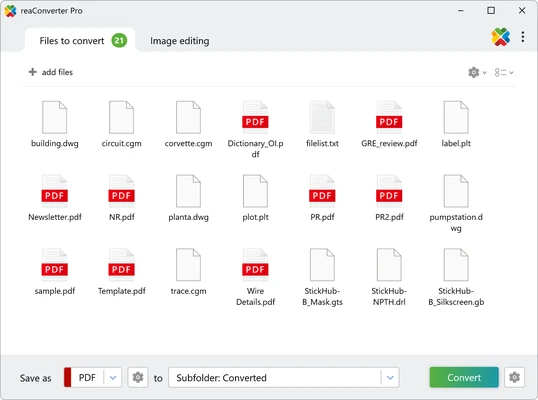
ReaConverter Pro uses a traditional Windows interface with file browsing, image preview, conversion settings, and processing controls. The main workflow is straightforward, while advanced editing and output options may require some time to learn.
Installation and Setup
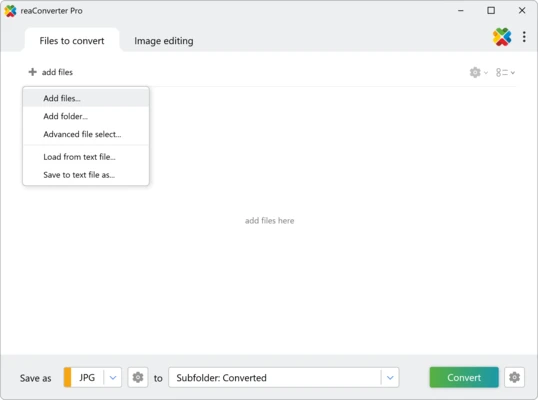
Install ReaConverter Pro using the standard Windows installer and launch the program. Add the images you want to process, select an output format and destination folder, then configure any required editing or conversion options.
The software provides a trial version with limitations before a paid license is required.
How to Use
-
Launch ReaConverter Pro.
-
Add images or drag and drop them into the program.
-
Select the desired output format.
-
Apply resizing, editing, watermarking, or other options if needed.
-
Choose an output folder.
-
Click Start to process the images.
-
Check the converted files in the destination folder.
Pros
-
Supports a large number of image formats
-
Batch conversion and processing
-
Includes useful image editing tools
-
Supports watermarks and metadata
-
Command-line and scheduling features
Cons
-
Paid software
-
Interface feels somewhat dated
-
Advanced options can be complicated
-
Large batch jobs may require more system resources
Conclusion
ReaConverter Pro is a capable image conversion tool for users who regularly need to process large numbers of images. Its combination of batch conversion, resizing, editing, watermarking, metadata handling, and automation features makes it suitable for everyday image processing as well as more advanced workflows.