Go to Windows platform Display platforms icon
Go to Windows platform Go to Mac platform Go to Android platform
PicPick icon

PicPick

7.3.4
Wiziple.NET
5
74.77 MB size

Capture and edit pictures from the same interface

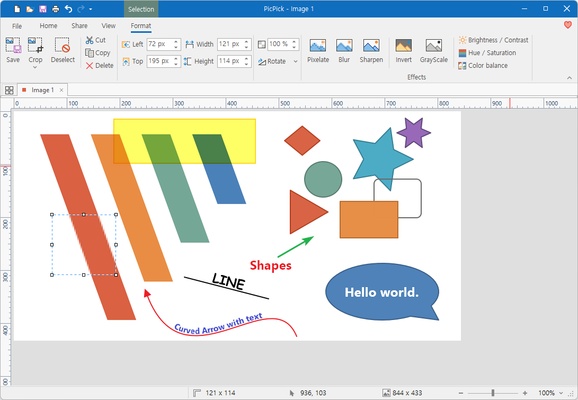
PicPick is a picture edition program specially designed for designers and editors who usually have to take screenshots and edit them in a snap.

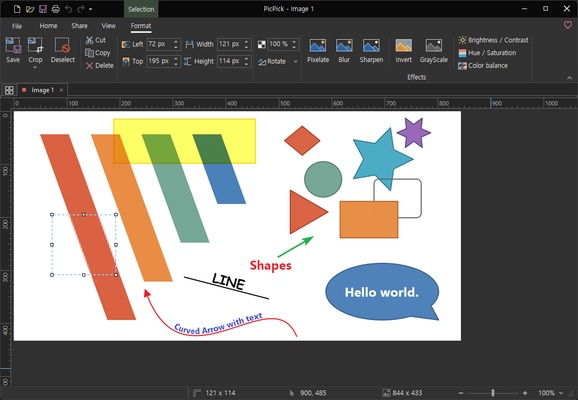
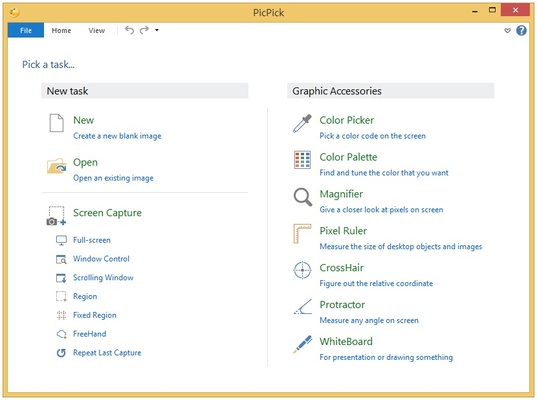
Choose the capture mode: full screen or full window, then, if you are going to capture the active window, a rectangular area or maybe the Internet Explorer window .

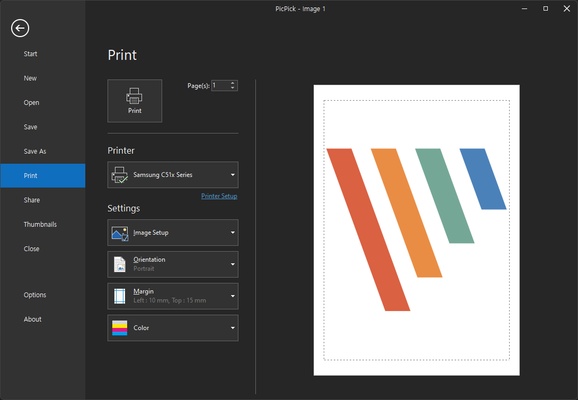
Once you'll have captured the shot you desired, you can apply some effects or retouch them from the PiPick's interface. Use some basic edition tools and power up your screenshots, erase the data you don't want to show, give a bit of color, resize it, insert text,...

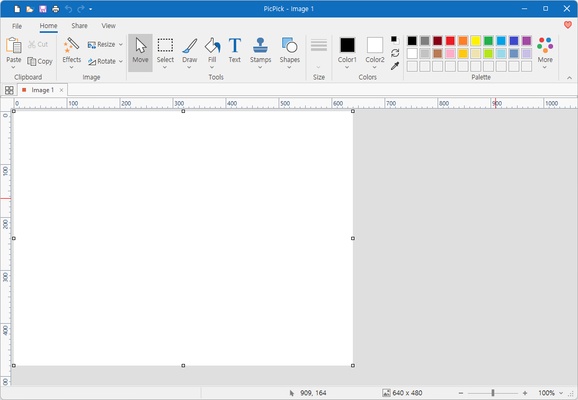
Finally, if you need to work with several pictures at the same time, don't worry, PicPick supports them and organize them in tabs, so it will be easy.

Frequent questions

Is PicPick free?

Yes, PicPick is free for personal use. For professional use, you'll have to purchase a monthly license from the developer's website, which includes automatic updates and access to technical support.

Is PicPick safe?

Yes, PicPick is safe. The program shows zero positives in VirusTotal and has never been involved in security problems, so it should be completely safe.

Is there a portable version of PicPick?

Yes, PicPick has a portable version that's identical in features to the standard one. This version does not require installation. Instead, you'll have to unzip the compressed file in a folder on your hard drive.

What operating systems does PicPick run on?

PicPick runs on Windows XP, Windows Vista, Windows 7, Windows 8, Windows 8.1, Windows 10, and Windows 11. In all cases, both 32-bit and 64-bit versions are included.

Information about PicPick

License Free
Op. System Windows
Category Photo & Design
Language English 8 more
Author Wiziple.NET
permission icon Permissions Not applicable
Date 2026-06-02
Size 74.77 MB
File type EXE

Apps recommended for you

Blender Portable icon
Efficient 3D modeling program, now in a portable version
Pandoc icon
Convert files from one format to another via command line
Ray icon
Ray
Ray for Windows is a modern web browser that focuses on speed, security, and a clean, user-friendly interface.
ImageConverter icon
Stefan Trost Media
PhoXoSee icon
A blazing fast and lightweight image viewer
Topaz Photo AI icon
Topaz Photo AI for Windows is an AI-powered photo enhancement software that improves image quality, sharpness, and resolution automatically.
WinSnap icon
Capture screens and edit them from the same interface
Rocrail icon
Design your own model railroad tracks for model railroading
TexturePacker 8.0.2 icon
The best sprite sheet generation desktop tool on the market!
Gyazo 6.0.1 icon
Capture screenshots, gifs, and replay videos that are ready to share instantly!
FotoSketcher 4.30 icon
Create beautiful works of art from your digital photos, for Free!
Framer icon
Design and build modern responsive websites easily with Framer for Windows, the powerful no-code web design and prototyping tool for creators and teams.
Honeycam icon
Honeycam for Windows is a user-friendly GIF maker that allows users to create, edit, and enhance animated GIFs with simple tools and features.
PDF-XChange Editor icon
View, edit, and annotate PDF files easily with PDF-XChange Editor for Windows, the feature-rich PDF software for productivity and document management.
FireAlpaca icon
Create digital artwork easily with FireAlpaca for Windows, the lightweight and user-friendly painting software for artists and illustrators.
digiKam icon
Organize, manage, and edit your photo collection with digiKam for Windows, the powerful open-source photo management and image editing software.
GMIC icon
GMIC for Windows is a versatile image processing tool that offers a wide range of filters and effects for editing and enhancing photos.
JPEG Lossless Rotator icon
JPEG Lossless Rotator Portable for Windows is a lightweight tool that rotates JPEG images without losing quality, ideal for quick photo adjustments.
Ray icon
Ray
Ray for Windows is a modern web browser that focuses on speed, security, and a clean, user-friendly interface.
Blender Portable icon
Efficient 3D modeling program, now in a portable version
Screenpresso icon
Take screen captures and edit them on the fly
qView icon
A lightweight image viewer for Windows
ImageGlass icon
ImageGlass (Windows) – A lightweight and fast image viewer supporting multiple formats.
Meitu icon
Powerful photo editor for Windows