

FireAlpaca Free Download for Windows – Lightweight Digital Painting & Illustration Software
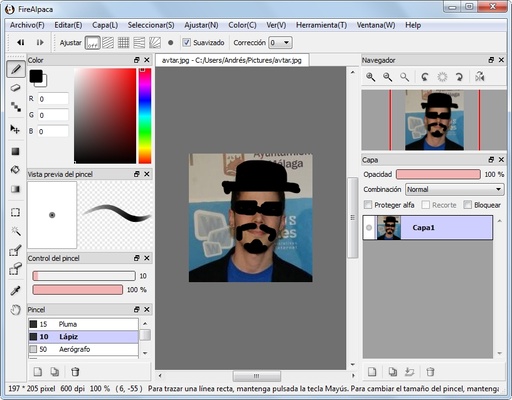
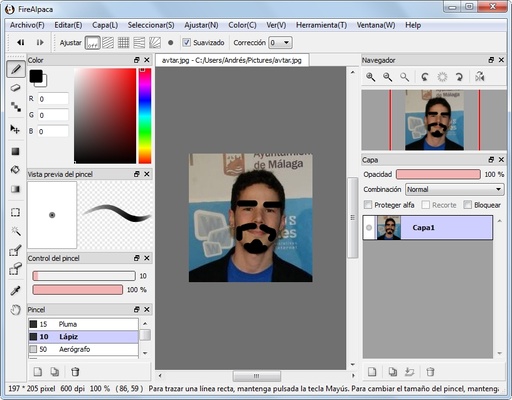
FireAlpaca is a completely free and professional digital painting software for Windows and Mac. Designed for both beginners and experienced artists, it offers an intuitive interface, smooth performance, and a wide range of tools to create stunning illustrations, comics, and digital artwork.
With FireAlpaca, artists can focus on creativity without distractions, thanks to its lightweight and user-friendly design. It is available in multiple languages, making it accessible for users worldwide.
Key Features
Easy Digital Painting
- Variety of built-in brushes: Pen, Pencil, AirBrush, and Watercolor.
- Watercolor brushes provide smooth blending effects; Pen and Pencil brushes offer crisp, clean lines.
- Create custom brushes tailored to your style and workflow.
Lightweight & Fast
- Optimized for speed, FireAlpaca runs smoothly even on older computers.
- Minimal system requirements ensure lag-free drawing experiences.
Layer-Based Editing
- Full support for layers for flexible artwork management.
- Allows grouping, opacity adjustments, and blending for advanced compositions.
Comic & Illustration Tools
- Built-in comic templates to start projects quickly.
- Perspective tools including 3D shapes and vanishing lines for accurate drawings.
- Concentration line tools perfect for manga and comic effects.
Animation Support
- Use AlpacaDouga to create animated GIFs from PNG, JPG, or GIF frames.
- Simple workflow for basic animation creation.
Cross-Platform Compatibility
- Fully compatible with Windows and macOS.
- Files can be shared seamlessly between platforms without losing data.
Free Forever
- 100% free to download and use.
- No subscriptions, no hidden costs—ideal for hobbyists and professional artists alike.
How to Use FireAlpaca
- Download the FireAlpaca installer from the official website.
- Run the setup and follow on-screen instructions.
- Launch the application and choose a canvas size or open an existing file.
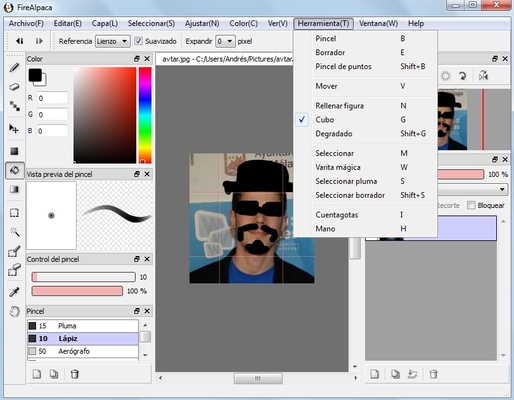
- Select brushes, tools, and effects from the toolbar.
- Use layers to manage different elements of your artwork.
- Customize brushes and apply perspective, symmetry, or animation tools.
- Save projects in
.mdpformat or export as PNG, JPG, or GIF files.
System Requirements
- OS: Windows 7, 8, 10, 11 / macOS 10.12 or later
- CPU: Intel Pentium 4 or later
- RAM: 2 GB minimum
- Storage: 100 MB of free space
- Graphics: OpenGL 2.0 compatible
Pros & Cons
PROS
✔ Free and lightweight digital painting software
✔ Intuitive and user-friendly interface
✔ Layer-based editing for professional results
✔ Cross-platform compatibility (Windows & Mac)
✔ Ideal for beginners, hobbyists, and comic artists
CONS
❌ Limited advanced features compared to professional software
❌ No native vector support
❌ Animation tools are basic
❌ Occasional brush lag on high-resolution canvases
❌ Limited brush customization compared to premium tools
Conclusion
FireAlpaca Free Download for Windows and Mac is an excellent choice for anyone looking for free digital painting software. It balances simplicity with functionality, making it perfect for beginners, hobbyists, and even advanced artists who need a lightweight, distraction-free drawing tool.
With built-in comic templates, perspective tools, and layer-based editing, FireAlpaca allows you to create high-quality illustrations and comics efficiently. Its lightweight performance and cross-platform support make it a top pick among free art software.