ActivePresenter is a screen recording, video editing, and eLearning authoring tool for Windows. It can record desktop activity, capture webcam and audio, edit screencasts, add annotations and effects, and create interactive tutorials, software demonstrations, simulations, and quizzes.
The software combines screen recording with presentation and eLearning tools, making it suitable for educators, trainers, software instructors, and content creators who need to produce instructional videos or interactive HTML5 learning materials.
Key Features
-
Screen Recording – Capture the full screen, selected areas, or software activity.
-
Smart Capture – Automatically capture screen actions such as mouse clicks and keyboard input for software simulations.
-
Webcam Recording – Record webcam footage together with screen content or separately.
-
Audio Recording – Capture microphone and system audio during screen recording.
-
Video Editing – Cut, split, crop, join, blur, resize, adjust playback speed, and modify audio volume.
-
Annotations and Shapes – Add text, lines, arrows, shapes, drawings, and other visual elements.
-
Green Screen – Apply chroma key effects to combine video footage with other backgrounds.
-
Video Export – Export projects to formats such as MP4, AVI, WMV, WebM, and MKV.
-
Interactive Content – Add events, actions, and interactive elements to training materials.
-
Quizzes – Create different types of questions, assessments, and surveys.
-
Slide Pools and Randomization – Build randomized quizzes and assessments.
-
Responsive eLearning – Create content designed to adapt to different screen sizes.
-
HTML5 Export – Publish interactive projects as browser-based HTML5 content.
-
SCORM and xAPI – Export eLearning content for use with compatible learning management systems.
User Interface
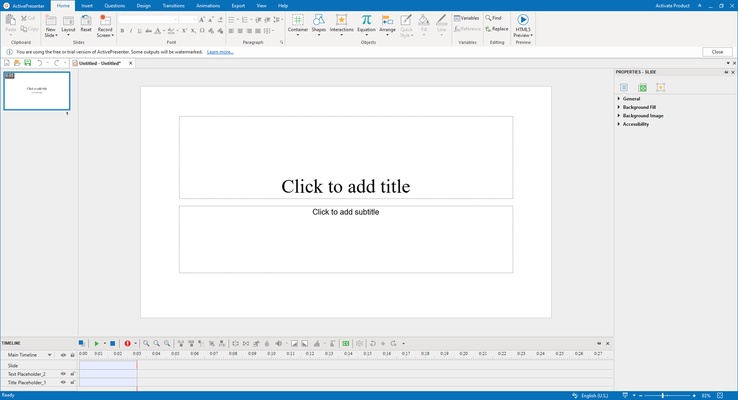
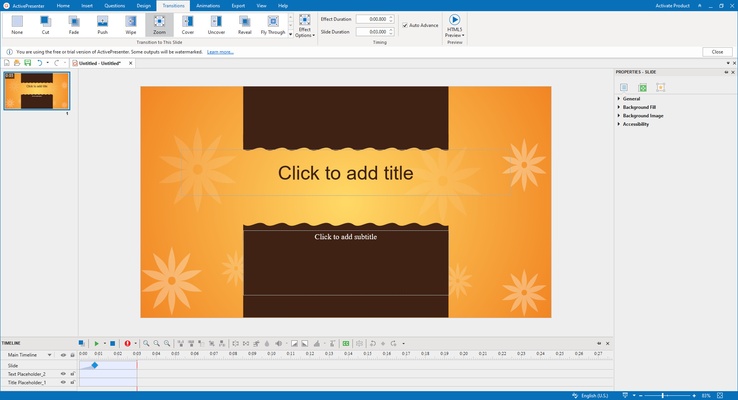
ActivePresenter uses a ribbon-style interface with the main editing workspace, canvas, timeline, and properties panels arranged for quick access. Recording, editing, annotation, animation, and interactive elements can be managed from the same application.
The timeline provides control over video, audio, objects, and effects, while the preview area makes it easy to review projects before export.
Installation and Setup
-
Download and install ActivePresenter.
-
Follow the installation wizard to complete the setup.
-
Launch the application and create a new project or open an existing one.
-
Configure recording, audio, and project preferences as needed.
-
Select the appropriate tools for screen recording, video editing, or eLearning creation.
The available features depend on the edition being used.
How to Use
Screen Recording: Open ActivePresenter and select a recording mode. Choose the recording area, microphone, system audio, and other options, then start capturing the screen.
Video Editing: Import recorded or existing media into a project. Use the timeline to trim, split, crop, join, blur, and adjust clips, then add annotations, transitions, and other effects.
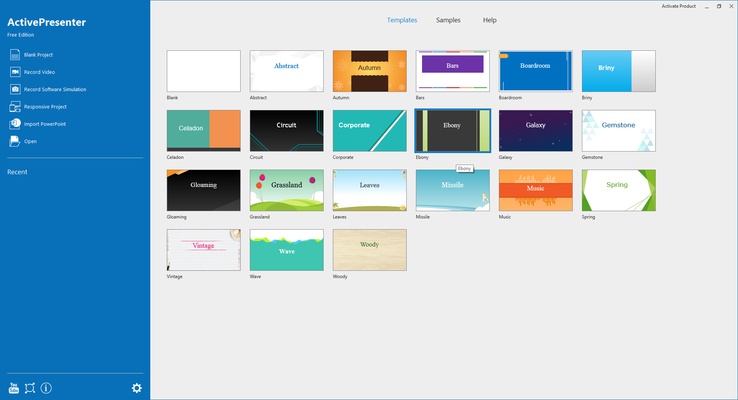
eLearning Creation: Create a new project and add slides, interactive objects, events, actions, and quizzes. Preview the project and publish it as a video, HTML5 content, or an eLearning package compatible with supported LMS platforms.
Pros
-
Combines screen recording, video editing, and eLearning authoring.
-
Supports interactive tutorials and software simulations.
-
Built-in annotation and multimedia editing tools.
-
Supports HTML5, SCORM, and xAPI.
-
Free edition available for basic use.
-
Supports multiple video export formats.
Cons
-
Advanced interactive features can take time to learn.
-
The interface may feel complex for users who only need basic screen recording.
-
Some advanced features are limited to paid editions.
Conclusion
ActivePresenter provides a complete set of tools for creating screen recordings, instructional videos, software demonstrations, and interactive eLearning content. Its combination of recording, editing, annotation, quiz creation, HTML5 publishing, and LMS support makes it particularly useful for training and educational projects.