

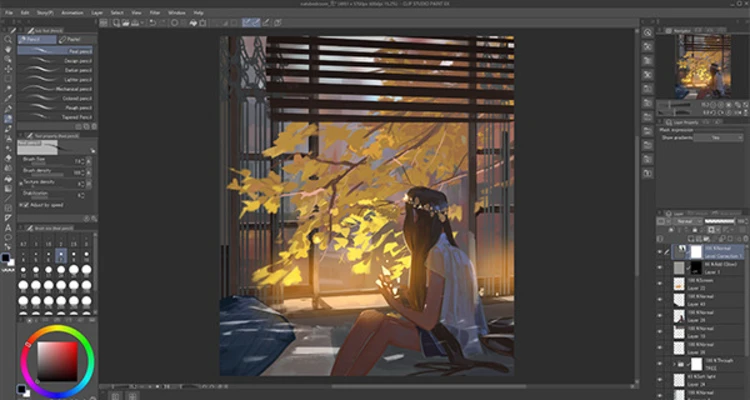
Clip Studio Paint is a professional digital drawing and illustration software designed for manga artists, comic creators, illustrators, and animators.
It provides powerful tools for sketching, inking, coloring, painting, and creating comics. With customizable brushes, vector layers, 3D models, and advanced coloring tools, it helps artists create detailed illustrations efficiently.
The software supports graphics tablets, including Wacom devices with pressure sensitivity, and is available for Windows, macOS, iPad, iPhone, and Android.
Features
- Professional tools for manga, comics, and digital illustration
- Thousands of customizable brushes and drawing tools
- Support for raster and vector layers
- Advanced coloring and shading tools
- Comic panel creation and speech balloon tools
- 3D character models and pose references
- Perspective rulers for background drawing
- Animation tools with timeline support
- PSD file import and export
- Supports Wacom tablets and pen pressure
- Customizable workspace and shortcuts
How to Use
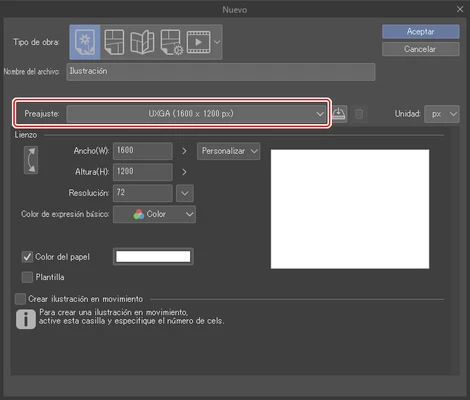
- Create a new project and select canvas settings.
- Choose brushes and drawing tools for sketching.
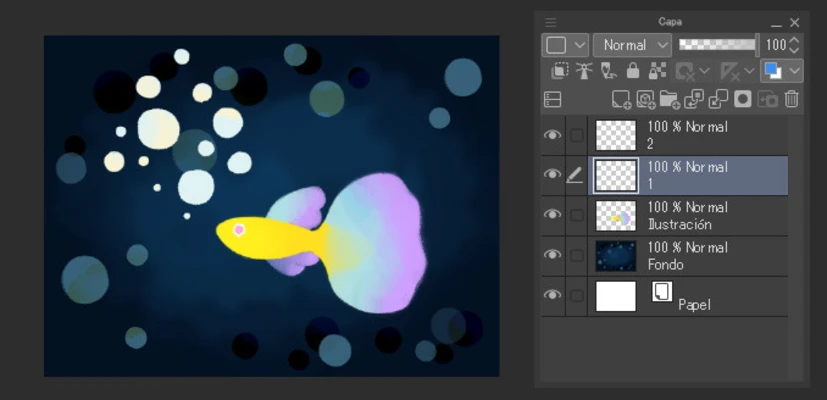
- Use layers for inking, coloring, and effects.
- Add text, comic panels, or 3D references if needed.
- Export artwork in formats such as PSD, PNG, or WebP.
Pricing
- Clip Studio Paint Pro: One-time purchase available
- Clip Studio Paint EX: Includes advanced comic and animation features
A free trial version is available.
System Requirements
- OS: Windows 7/8/10/11
- Processor: Intel Core i3 or higher
- Memory: 2GB RAM or more
- Storage: 2GB free disk space
- Graphics: OpenGL 2.1 compatible GPU
PROS
- Excellent drawing and painting tools
- Designed specifically for manga and comic creation
- Powerful brush customization
- Supports 3D models and animation
- Works with graphics tablets
CONS
- Advanced features require EX version
- Learning curve for beginners
- Large projects may require powerful hardware
Note: A free trial version is available. Supports Windows, macOS, iPad, iPhone, and Android.