


Adobe Camera Raw (ACR) is a professional RAW image processing plugin developed by Adobe that allows photographers and designers to import, edit, and enhance RAW photos directly inside Adobe Photoshop, Lightroom, Bridge, and After Effects.
Released in 2003, Camera Raw has become an essential tool for professional photographers who need maximum control over image quality, color, exposure, and details.
It uses the same RAW processing technology found in Adobe Lightroom, providing powerful non-destructive editing tools while preserving the original image data.
Key Features
RAW Image Processing
- Supports a wide range of RAW camera formats.
- Extracts maximum detail and quality from digital camera files.
- Provides advanced control over image adjustments.
Non-Destructive Editing
- Original RAW files remain unchanged.
- All edits are stored as adjustment data.
- Easily revert or modify previous changes.
Image Adjustment Tools
Includes professional editing controls:
- Exposure adjustment
- White balance correction
- Highlights and shadows control
- Contrast and clarity enhancement
- Color temperature and tint adjustment
- HSL color editing
Lens Correction
- Fix lens distortion.
- Remove chromatic aberration.
- Correct vignetting issues.
- Apply automatic lens profiles.
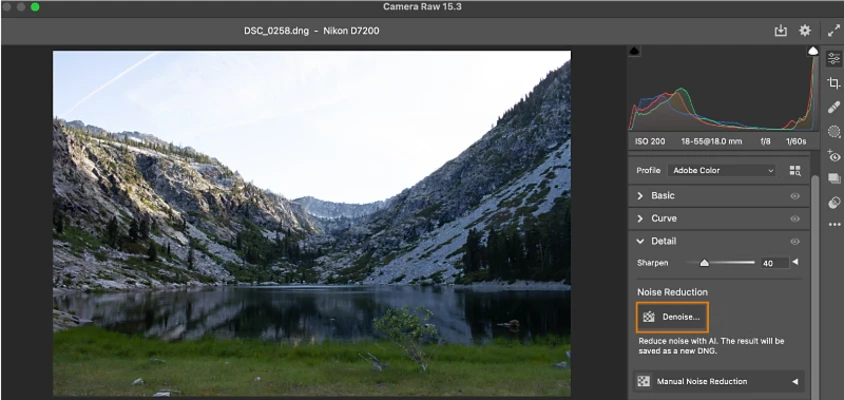
Noise Reduction
- Reduce image noise from high ISO photographs.
- Improve low-light image quality.
- Preserve fine details during processing.
Batch Processing
- Apply the same adjustments to multiple photos.
- Create and use custom presets.
- Speed up professional photography workflows.
Adobe Integration
Works seamlessly with:
- Adobe Photoshop
- Adobe Lightroom
- Adobe Bridge
- Adobe After Effects
User Interface
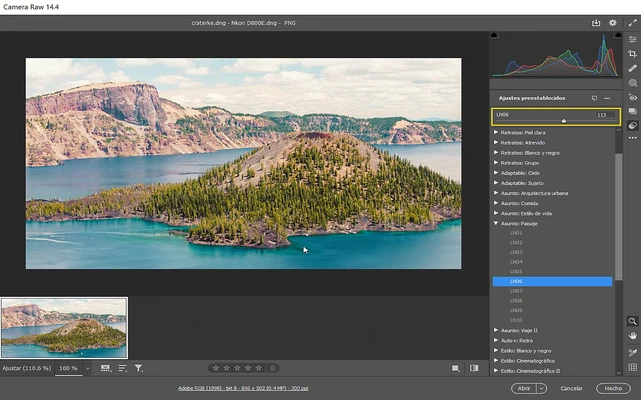
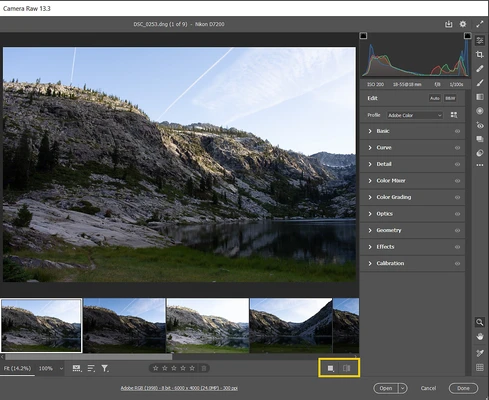
Adobe Camera Raw features a clean interface with organized panels and adjustment sliders.
The layout allows users to quickly modify exposure, colors, details, and image effects while maintaining a smooth workflow with Adobe applications.
Installation and Setup
Adobe Camera Raw does not require a separate installation.
It is included automatically with supported Adobe applications such as Photoshop and Lightroom.
To use Camera Raw:
- Install Adobe Photoshop or Lightroom.
- Open a supported RAW image file.
- Camera Raw will launch automatically.
- Adjust image settings and apply changes.
Supported File Formats
Adobe Camera Raw supports many RAW formats from major camera manufacturers, including:
- Canon
- Nikon
- Sony
- Fujifilm
- Panasonic
- Leica
- Hasselblad
- Olympus
- Pentax
- DJI
- GoPro
- Samsung
- Other professional camera brands
How to Use Adobe Camera Raw
- Open Photoshop or Lightroom.
- Import a RAW image.
- Adjust exposure, colors, and details using Camera Raw tools.
- Apply presets or create custom adjustments.
- Export the final image or continue editing in Photoshop.
System Requirements
Requirements depend on the installed Adobe application.
Generally:
- Operating System: Windows 10/11 or macOS
- Processor: Modern Intel or Apple Silicon processor recommended
- RAM: 8 GB or more recommended
- Storage: Required space depends on Adobe Photoshop or Lightroom installation
PROS
- Professional RAW photo processing
- Non-destructive editing workflow
- Excellent Photoshop and Lightroom integration
- Supports many camera formats
- Powerful color and exposure controls
- Batch processing support
CONS
- Requires Adobe Photoshop or Lightroom
- Adobe Creative Cloud subscription required
- Can be difficult for beginners
- Uses more system resources with large RAW files
Conclusion
Adobe Camera Raw is one of the most powerful RAW image processing tools available for photographers and creative professionals.
With advanced color correction, exposure controls, lens corrections, and seamless integration with Adobe Photoshop and Lightroom, it provides everything needed to transform RAW photographs into high-quality final images.
Note: Requires Adobe Photoshop or Adobe Lightroom.