

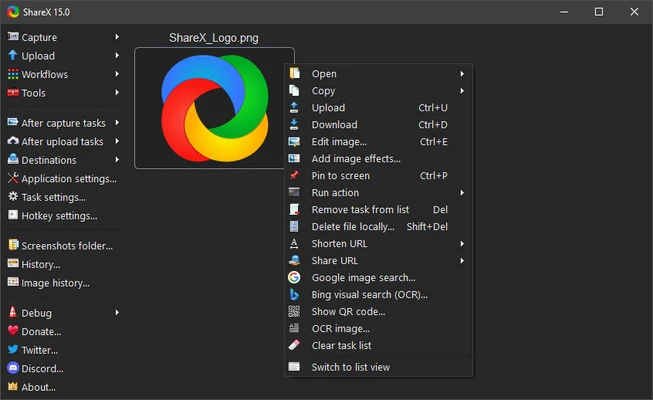
ShareX is a free and open-source screenshot and screen recording tool for Windows. It offers much more than basic screen capture, with features like scrolling screenshots, OCR, GIF recording, image editing, automation, and support for uploading files to dozens of online services.
Designed for power users, developers, and content creators, ShareX combines screen capture, file sharing, and productivity tools in a lightweight application.
Key Features
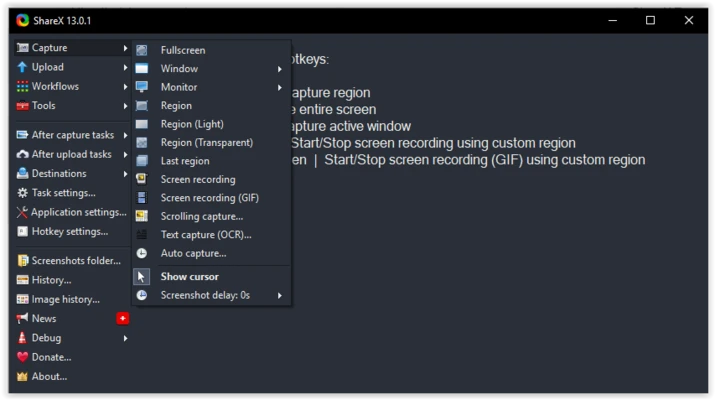
- Capture fullscreen, active window, region, or scrolling pages.
- Record screen as video or animated GIF.
- Built-in image editor with annotation and blur tools.
- OCR to extract text from images.
- Automatic upload to 80+ online services.
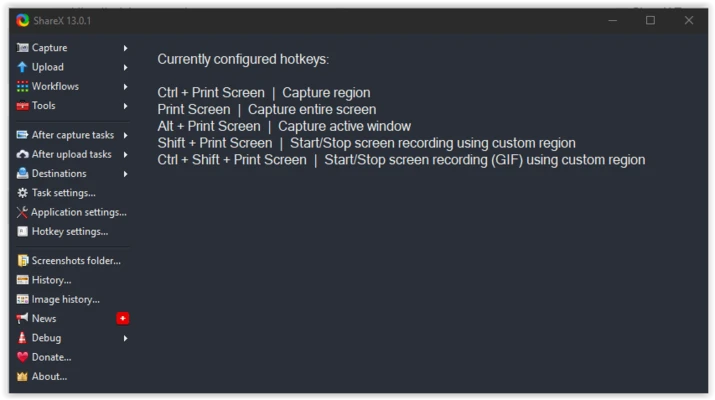
- Custom workflows, hotkeys, and automation.
- Scrolling capture for webpages and long documents.
- Color picker, ruler, image splitter, and image combiner.
- Supports custom upload destinations via FTP and cloud services.
How to Use
- Launch ShareX and select a capture mode.
- Capture your screen using a hotkey or the main menu.
- Edit the screenshot if needed.
- Save locally or upload automatically.
- Use the screen recorder to create videos or GIFs.
System Requirements
- Windows 11, 10, 8, or 7
- 1 GB RAM or higher
- 100 MB available disk space
- Modern dual-core processor
Pros
- Completely free and open source
- Powerful screenshot and screen recording tools
- Built-in OCR and image editor
- Highly customizable workflows
- Supports automatic uploads to many services
Cons
- Interface can be confusing for new users
- No official macOS or Linux version
Conclusion
ShareX is one of the most powerful free screen capture tools available for Windows. It combines screenshot capture, screen recording, image editing, OCR, and automation in a single application, making it an excellent choice for developers, content creators, and anyone who needs an advanced screenshot utility.