


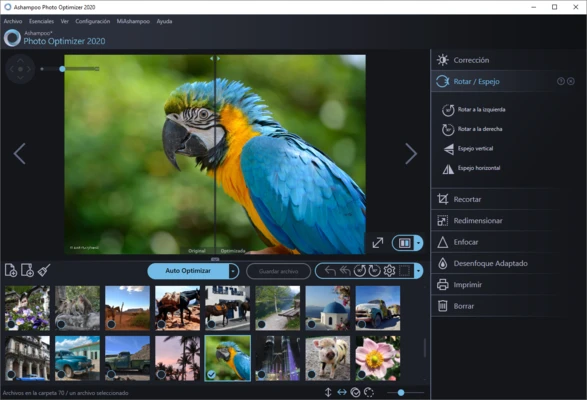
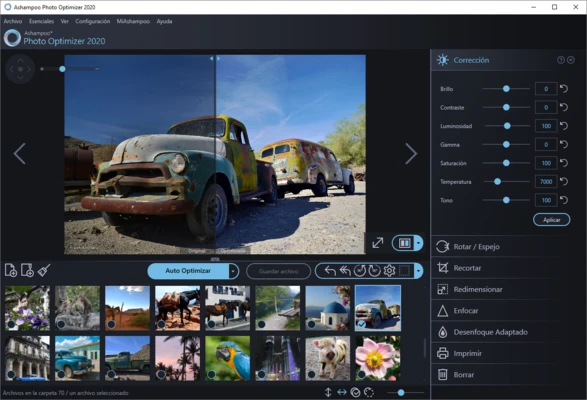
Ashampoo Photo Optimizer Pro is an easy-to-use photo editing and enhancement software for Windows that helps users improve image quality with minimal effort. Designed for both beginners and casual photographers, the software combines automatic optimization tools with manual editing features, allowing users to quickly enhance photos, apply effects, and organize image collections.
With support for batch processing, RAW image formats, LUT filters, and various correction tools, Ashampoo Photo Optimizer Pro provides a practical solution for everyday photo editing without the complexity of professional design software.
Key Features
One-Click Photo Optimization
Automatically analyze and improve brightness, contrast, color balance, and sharpness with a single click.
Batch Processing
Enhance multiple images simultaneously, making it ideal for large photo collections.
LUT Filter Support
Apply professional color grading effects using built-in LUT presets for cinematic, vintage, and creative styles.
RAW Image Support
Import and edit RAW photos from supported digital cameras while preserving image quality.
Color Correction Tools
Adjust brightness, contrast, saturation, gamma, and white balance for precise image enhancement.
Crop and Straighten
Correct image composition, fix tilted horizons, and improve framing with simple editing tools.
Noise Reduction
Reduce unwanted image noise and improve overall photo clarity.
Watermark and Text Tools
Add watermarks, logos, captions, or custom text to images for branding and copyright protection.
Creative Effects
Apply artistic filters, image aging effects, oil painting styles, frames, and other visual enhancements.
Before-and-After Comparison
Compare original and edited versions side-by-side to evaluate changes instantly.
Why Choose Ashampoo Photo Optimizer Pro
Ashampoo Photo Optimizer Pro focuses on simplicity and speed, making photo editing accessible for users who do not require the complexity of professional image editing suites. Its automated optimization technology, combined with useful manual controls, helps users achieve noticeable improvements in image quality within seconds.
Best For
- Casual photo editing
- Family and vacation photos
- Social media image enhancement
- Batch photo optimization
- Beginner photographers
- Quick image corrections and improvements
Pros
- Easy-to-use interface
- One-click automatic optimization
- Supports batch image processing
- Includes LUT color grading effects
- RAW image compatibility
- Wide range of correction and enhancement tools
Cons
- Lacks advanced layer-based editing
- Not intended for professional graphic design workflows
- Fewer advanced tools than high-end photo editors
- Some features require the paid version
System Requirements
- Operating System: Windows 10 (64-bit) or Windows 11
- Processor: Dual-Core CPU or higher
- Memory: 4 GB RAM minimum
- Storage: Approximately 500 MB available disk space
- Additional Requirements: Microsoft Visual C++ 2015 x64 Redistributable
- Internet connection required for activation and license verification
Conclusion
Ashampoo Photo Optimizer Pro is a beginner-friendly photo enhancement solution that delivers fast and effective image improvements through automated optimization and straightforward editing tools. Its combination of batch processing, RAW support, creative effects, and simple controls makes it an excellent choice for users seeking quick photo enhancements without the learning curve of professional editing software.