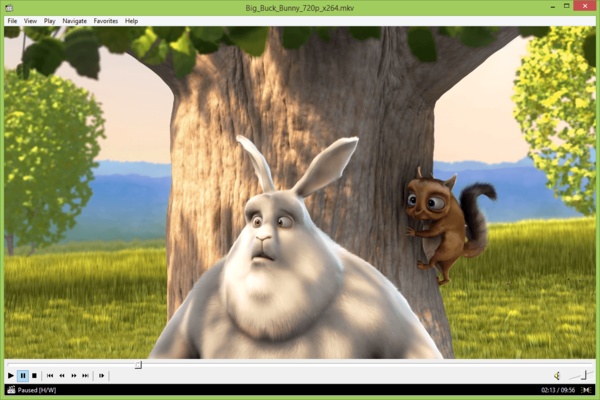
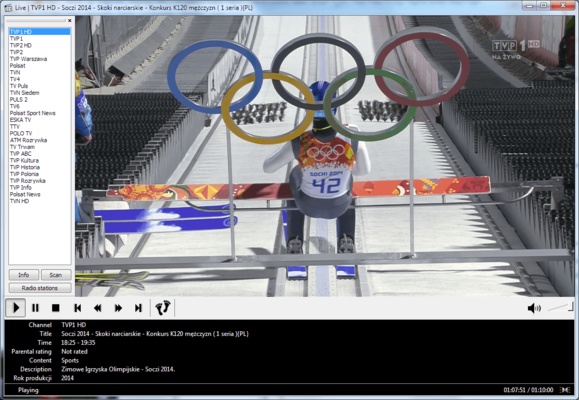
Media Player Classic Home Cinema (MPC-HC) is a lightweight, free, and open-source media player for Windows. It retains the familiar appearance of the classic Media Player Classic while adding modern playback features, extensive format support, subtitle tools, and advanced audio and video controls.
MPC-HC is designed to provide smooth multimedia playback while using relatively few system resources, making it suitable for both modern and older Windows PCs.
Key Features
-
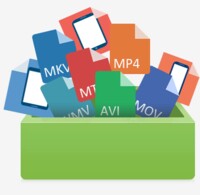
Wide Format Support – Supports popular audio and video formats including MP4, MKV, AVI, FLV, MP3, FLAC, and more.
-
Lightweight Performance – Starts quickly and uses relatively few system resources.
-
Subtitle Support – Supports external subtitles with options for adjusting appearance and synchronization.
-
Hardware Acceleration – Supports hardware-accelerated video decoding on compatible systems.
-
Adjustable Playback Speed – Change playback speed and customize speed increments.
-
Playback Resume – Remembers the last playback position so you can continue watching later.
-
A-B Repeat – Loop a specific section of a video.
-
Video Controls – Rotate, flip, mirror, stretch, zoom, and reposition video.
-
Customizable Controls – Configure keyboard shortcuts and mouse actions.
-
HDR Support – Supports HDR playback with compatible video renderers and hardware.
-
Audio and Video Filters – Provides additional options for adjusting playback quality.
-
Dark Theme – Includes a dark interface option.
-
Seekbar Preview – Displays video previews while seeking through supported files.
User Interface
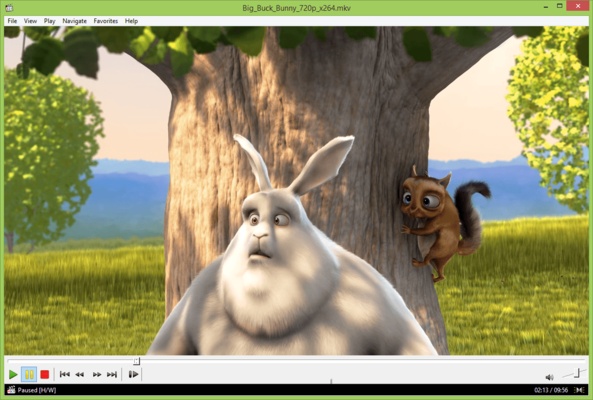
MPC-HC features a simple interface based on the classic Media Player Classic design. The main window provides quick access to playback controls, audio tracks, subtitles, video settings, and other commonly used functions.
Advanced users can customize keyboard shortcuts, toolbar settings, playback behavior, rendering options, and other aspects of the player.
Installation and Setup
-
Download Media Player Classic Home Cinema (MPC-HC) for Windows.
-
Run the installer and follow the on-screen instructions.
-
Select the installation location and required components.
-
Complete the installation and launch MPC-HC.
-
Open the Options menu to configure playback, audio, video, subtitles, and controls.
How to Use
Open Media Files – Drag and drop audio or video files into the player window, or use the File menu to open them.
Control Playback – Use the toolbar or keyboard shortcuts to play, pause, seek, change volume, and adjust playback speed.
Manage Subtitles – Load external subtitle files and adjust their appearance and synchronization.
Adjust Video – Use Pan & Scan controls to zoom, rotate, mirror, stretch, or reposition video.
Customize Controls – Open the Options menu to configure keyboard shortcuts, mouse actions, playback settings, and interface options.
Resume Playback – Enable playback history to automatically remember your previous playback position.
FAQ
Is Media Player Classic Home Cinema free?
Yes. MPC-HC is completely free and open-source.
Does MPC-HC work on Windows 11?
Yes. MPC-HC supports modern Windows versions, including Windows 10 and Windows 11.
Can MPC-HC play 4K videos?
Yes. 4K playback is supported when your hardware and the video codec are compatible.
Does MPC-HC support subtitles?
Yes. MPC-HC supports external subtitle files and provides options for adjusting subtitle appearance and synchronization.
Does MPC-HC support hardware acceleration?
Yes. Compatible hardware and video renderers can be used for hardware-accelerated playback.
Can MPC-HC take screenshots?
Yes. The player includes a screenshot function that allows users to capture frames during video playback.
Alternatives
VLC Media Player – A popular cross-platform player with extensive audio and video format support.
PotPlayer – A feature-rich Windows media player with extensive playback and customization options.
KMPlayer – A versatile multimedia player with broad format and subtitle support.
GOM Player – A Windows media player with subtitle tools and support for various multimedia formats.
Pricing
MPC-HC is completely free and open-source.
System Requirements
-
Operating System: Windows 7, 8, 8.1, 10, or 11
-
Processor: 1.5 GHz or faster
-
Memory: 512 MB RAM or more
-
Storage: Approximately 50 MB of free disk space
Actual requirements may vary depending on video resolution, codec, and hardware acceleration settings.
PROS
-
Lightweight and resource-friendly
-
Extensive format support
-
Free and open-source
-
Customizable interface
-
Advanced playback controls
-
Subtitle support
-
Hardware acceleration
-
Extensive keyboard shortcuts
-
Low storage requirements
CONS
-
Windows-only
-
Interface looks dated compared with some modern players
-
Advanced settings may be confusing for beginners
-
Fewer built-in online features than some competitors
Conclusion
Media Player Classic Home Cinema (MPC-HC) is a lightweight and reliable media player for Windows. Its broad format support, low resource usage, subtitle support, hardware acceleration, and extensive customization options make it a practical choice for everyday multimedia playback.
For users who want a simple, fast, and highly configurable media player without unnecessary features, MPC-HC remains a strong free option.
Note: Free and open-source software.