

Navicat Premium is a database development and management tool that allows users to connect to multiple database systems from a single application. It supports MySQL, MariaDB, MongoDB, SQL Server, Oracle, PostgreSQL, SQLite, and other database platforms.
It provides tools for database administration, SQL development, data migration, synchronization, modeling, backup, and data management, making it suitable for developers, database administrators, and data professionals.
Key Features
-
Multi-Database Support
-
MySQL, MariaDB, MongoDB, SQL Server, Oracle, PostgreSQL, and SQLite
-
SQL Editor and Query Tools
-
Visual Query Builder
-
Code Completion and Code Snippets
-
Data and Structure Synchronization
-
Database Migration
-
Data Import and Export
-
Database Modeling and Design
-
Data Editing
-
Backup and Restore
-
Task Scheduling and Automation
-
MongoDB Schema Analysis
-
Database Reports
-
SSH and SSL Secure Connections
-
Cloud Database Support
-
Navicat Cloud Collaboration
User Interface
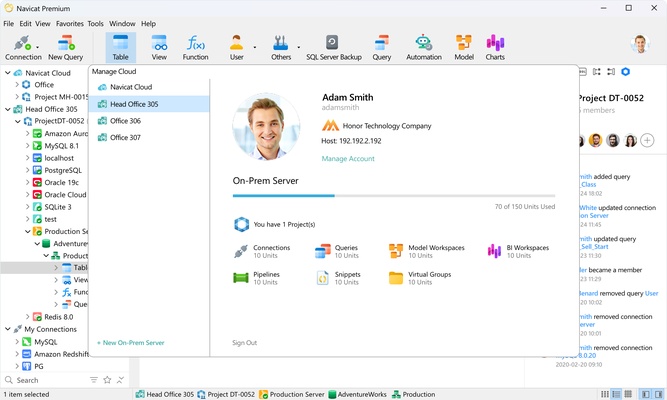
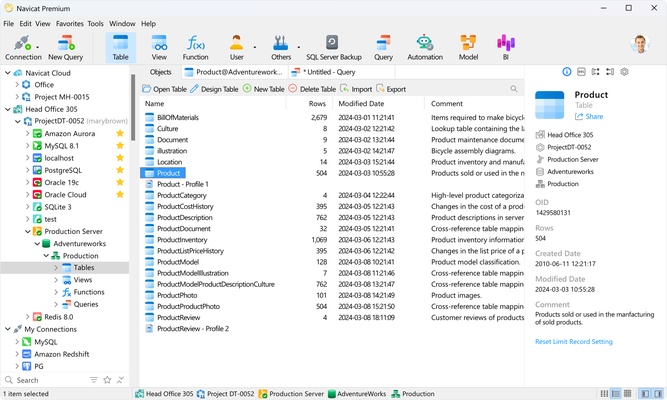
Navicat Premium provides a centralized workspace for managing database connections, objects, queries, and data. Database objects are organized in a navigation panel, while editors and data views provide access to SQL queries, tables, collections, and other database resources.
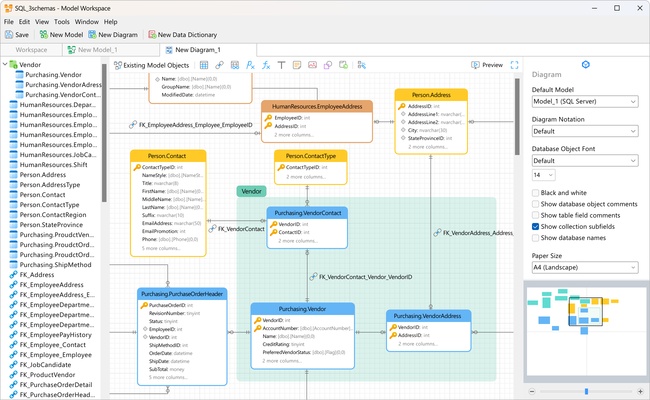
The interface also includes visual tools for database modeling, query construction, data editing, and synchronization.
Installation and Setup
Install Navicat Premium on a compatible Windows PC and launch the application. Create a new database connection and enter the required server address, port, username, password, and authentication settings.
Once connected, the database and its objects can be accessed from the main workspace.
How to Use
Create a connection for the database you want to manage, then browse its tables, views, collections, and other objects.
Use the SQL editor or Visual Query Builder to create and execute queries. Data can be edited directly through the built-in data viewer and transferred between supported formats using the import and export tools.
For database migration, use the data and structure synchronization features to compare databases and apply the required changes. Backup, restore, and scheduled tasks can also be configured from the management tools.
Pros
-
Supports multiple database platforms
-
Comprehensive database management tools
-
Powerful SQL and query features
-
Data migration and synchronization tools
-
Database modeling capabilities
-
Supports secure database connections
-
Useful automation and scheduling features
Cons
-
Commercial software with a relatively high license cost
-
Advanced features can require a learning curve
-
May be more complex than necessary for basic database tasks
-
Some features vary between supported database platforms
Conclusion
Navicat Premium combines database management, SQL development, data migration, synchronization, modeling, and backup tools in a single application. Its broad database compatibility makes it useful for developers and database administrators who need to work with multiple database systems from one interface.