Go to Windows platform Display platforms icon
Go to Windows platform Go to Mac platform Go to Android platform
Ocenaudio 3.20.1 icon

Ocenaudio 3.20.1

3.20.1
Ocenaudio Team
5.0
47.8 MB size

Easy, fast and free powerful audio editor for your Windows OS

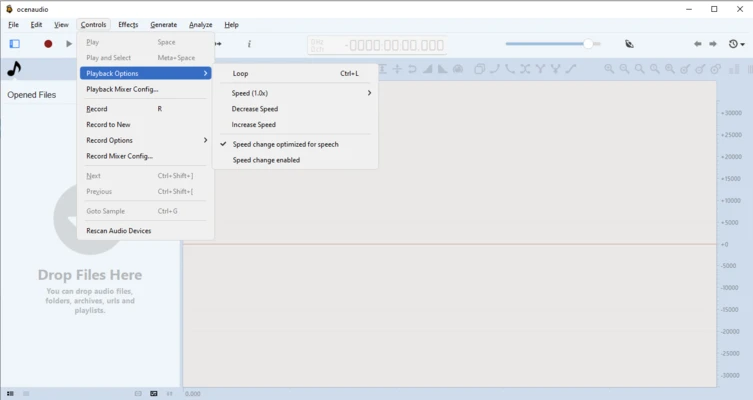
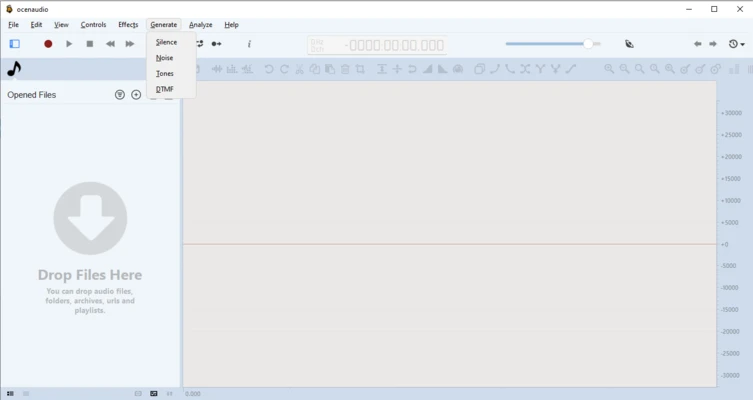
Ocenaudio is a free and cross-platform audio editing software designed for users who need a simple yet powerful tool for editing and processing audio files.

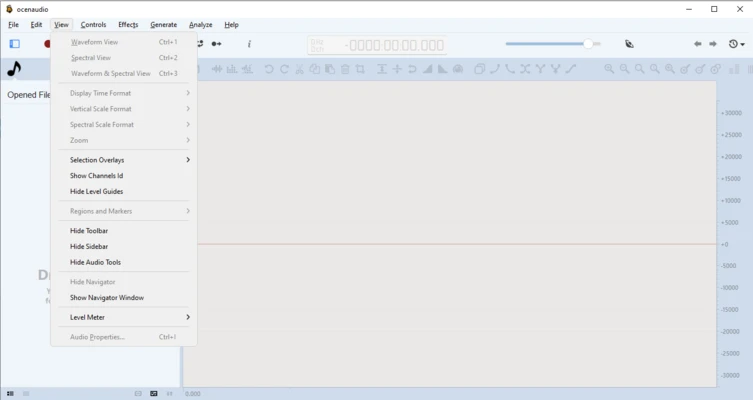
It provides an intuitive interface with professional audio editing features, including real-time effects preview, spectral analysis, noise reduction, and VST plugin support.

Ocenaudio is suitable for editing podcasts, recordings, music files, sound effects, and other audio projects. It supports Windows, macOS, and Linux, providing a lightweight alternative for both beginners and advanced users.

Features of Ocenaudio

Easy Audio Editing

Ocenaudio provides essential audio editing tools for cutting, copying, trimming, and adjusting audio files.

Its clean interface makes it easy to perform common editing tasks without complicated workflows.

Real-Time Effects Preview

The software allows users to preview audio effects instantly without waiting for long rendering processes.

Users can adjust effects and hear changes immediately during editing.

Multi-Selection Editing

Ocenaudio supports selecting multiple sections of an audio file at the same time.

This allows users to apply changes to different parts of a recording more efficiently.

Spectrogram and Waveform Analysis

The built-in spectrogram view provides detailed frequency analysis of audio files.

Users can visually analyze sound frequencies and perform precise audio adjustments.

Audio Effects and Plugin Support

Ocenaudio includes various built-in effects and supports VST plugins for additional audio processing capabilities.

Supported effects include:

  • Equalization
  • Reverb
  • Noise reduction
  • Audio filtering
  • Sound enhancement

Large File Processing

Ocenaudio is optimized for handling large audio files efficiently.

Users can edit long recordings and high-quality audio files with stable performance.

Non-Destructive Editing

The software uses non-destructive editing, allowing users to undo and redo changes without permanently modifying the original audio file.

Multiple Audio Format Support

Ocenaudio supports many popular audio formats, including:

  • MP3
  • WAV
  • FLAC
  • AAC
  • OGG
  • Other common audio formats

Audio Recording Support

Ocenaudio allows users to record audio through connected microphones and other input devices.

It can be used for voice recordings, podcasts, and basic audio production tasks.

Cross-Platform Support

Ocenaudio is available for multiple operating systems, including:

  • Windows
  • macOS
  • Linux

Users can enjoy a consistent audio editing experience across different platforms.

Information about Ocenaudio 3.20.1

License Open Source
Op. System Windows
Category Video
Language English
Author Ocenaudio Team
permission icon Permissions Not applicable
Date 2026-07-26
Size 47.8 MB
File type Official Website

Apps recommended for you

Wondershare Filmora 15.6.4 icon
Easy video editor everyone can use, support 800+ effects & 50+ formats!
Emby Server icon
The Emby Theater server
WonderFox DVD Ripper Pro icon
WonderFox Soft, Inc
Subtitle Workshop 6.3.6 icon
Free software for creating, editing and converting text-based subtitle files
bilibili icon
The official PC app for this Asian streaming platform
MP4 Player 6.4.15 icon
Play MP4, FLV, and WebM video files that downloaded from video sites!
Subtitle Workshop icon
Add subtitles to your movies
Wondershare Filmora icon
Create and edit impressive videos in the easiest way possible
K-Lite Codec Pack Full 20.0.0 icon
Free package of media player codecs that can improve audio/video playback
VideoScribe 1.20.1 icon
Easy drag and drop animated video maker for beginners to professionals!
All My Movies 10.1 icon
Your Personal Movie Collection Cataloger and Organizer With IMDb Lookup!
Media Player Classic Home Cinema 2.8.2 (64-bit) icon
An extremely light-weight, open source media player for Windows
MP4 Player 6.4.21 icon
Play MP4, FLV, and WebM video files that downloaded from video sites!
MKVToolNix 102.0.0 (64-bit) icon
Create, modify and inspect Matroska (MKV) files for Windows PC
Subtitle Workshop 6.3.6 icon
Free software for creating, editing and converting text-based subtitle files
Blue Iris 6.1.1.3 icon
Video Management Software (VMS) for your Windows PC
UkeySoft Music Converter icon
Best Tool to Convert Spotify Music to MP3/WAV/M4A/AAC
MX_FFmpeg (Codecs for MX Player) icon
Codecs for playing AC3, E-AC3, and DTS on MX Player
MP4 Player 6.4.17 icon
Play MP4, FLV, and WebM video files that downloaded from video sites!
Camtasia Studio icon
Camtasia Studio for Windows is a powerful screen recording and video editing software that allows users to create professional videos with ease.
Apple TV Preview icon
Enjoy streaming on Apple TV
MP4 Player 6.4.11 icon
Play MP4, FLV, and WebM video files that downloaded from video sites!
DispCam icon
Trial for Windows is a software tool that provides users with a temporary, limited-time version of a program to evaluate its features before purchase.
SameMovie DisneyPlus Video Downloader icon
SameMovie DisneyPlus Video Downloader for Windows allows users to download Disney+ videos in high quality and save them for offline viewing.