

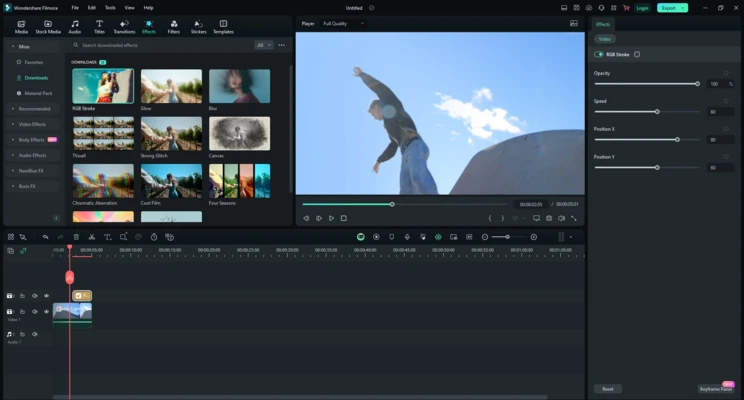
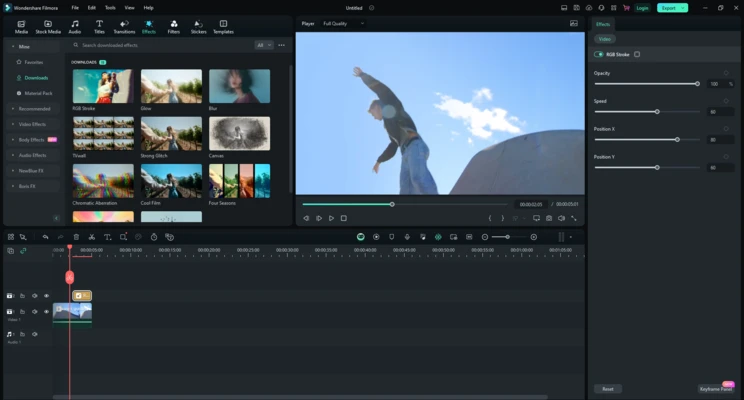
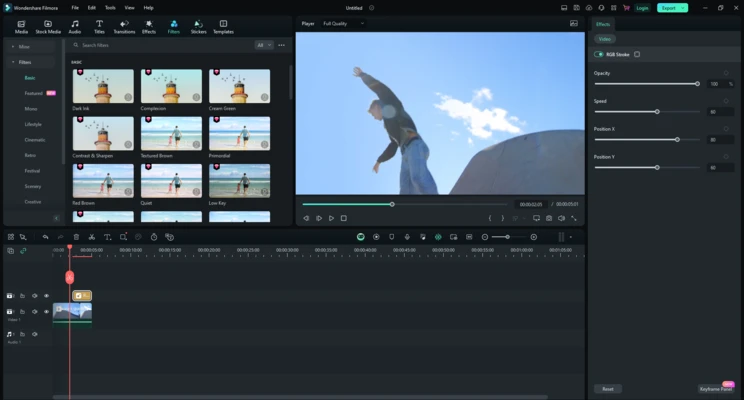
Wondershare Filmora is a powerful yet beginner-friendly video editing software for Windows that combines traditional editing tools with modern AI-powered features. It enables users to create professional-looking videos for YouTube, TikTok, Instagram, business marketing, online courses, and personal projects without the steep learning curve of professional editing suites.
With its intuitive drag-and-drop workflow, extensive effects library, stock media integration, and advanced AI tools, Filmora helps users produce high-quality content quickly and efficiently.
Key Features
AI-Powered Video Editing
Filmora 15 introduces a growing collection of AI tools designed to simplify video production, including:
- AI Video Enhancer
- AI Voice Enhancer
- AI Sound Effect Generator
- AI Face Mosaic
- AI Translation & Lip Sync
- Smart Short Clips Generator
- AI Image Creation
Multi-Camera Editing
Edit footage captured from multiple cameras within a single timeline and switch between angles seamlessly.
Advanced Motion Graphics
Create dynamic animations using:
- Keyframe Animation
- Bezier Curve Editing
- Motion Tracking
- Planar Tracking
Extensive Creative Resources
Gain access to:
- Billions of stock media assets
- Hundreds of templates
- Transitions
- Titles
- Stickers
- Visual effects
Professional Color Tools
Enhance video appearance using:
- AI Color Palette
- 3D LUT Support
- Color Correction Tools
- Cinematic Presets
Audio Enhancement
Improve sound quality with:
- Noise Reduction
- Audio Ducking
- Voice Enhancement
- Keyframe Audio Controls
4K Video Support
Import, edit, and export high-resolution 4K content while maintaining visual quality.
Why Choose Filmora?
Unlike professional editors such as Adobe Premiere Pro or DaVinci Resolve, Filmora focuses on simplicity without sacrificing essential editing capabilities.
Key advantages include:
- Easy learning curve
- Modern AI-powered workflow
- Large template ecosystem
- Fast rendering performance
- Suitable for creators of all experience levels
It is particularly attractive for content creators who need professional-looking results without spending weeks learning advanced editing software.
Best For
Filmora is ideal for:
- YouTube creators
- TikTok and Instagram content creators
- Online educators
- Small businesses
- Marketing teams
- Freelancers
- Beginner and intermediate video editors
Pros
- Easy-to-use interface
- Powerful AI editing features
- Large library of templates and effects
- Supports 4K video editing
- Fast rendering and export performance
- Multi-camera editing support
- Regular feature updates
Cons
- Some advanced features require paid plans
- Export watermark in free version
- Less suitable for large-scale professional film production
- Subscription pricing may not appeal to occasional users
System Requirements
Operating System
- Windows 10 or Windows 11 (64-bit)
Processor
- Intel Core i5 or newer
- AMD Ryzen equivalent
Memory
- 8 GB RAM minimum
- 16 GB RAM recommended for 4K editing
Storage
- 10 GB available disk space
Graphics
- DirectX 12 compatible GPU recommended
Conclusion
Wondershare Filmora 15 successfully balances ease of use and powerful functionality. Its growing collection of AI-assisted editing tools, combined with a clean interface and extensive creative resources, makes it one of the best video editors for content creators, educators, marketers, and casual users looking to produce high-quality videos quickly.
For users who want a modern video editor that requires minimal training while still offering advanced creative capabilities, Filmora remains one of the strongest choices available in 2026.