Go to Windows platform Display platforms icon
Go to Windows platform Go to Mac platform Go to Android platform
OpenAudible icon

OpenAudible

4.5.3
OpenAudible
5
94.44 MB size

An open source client for Audible

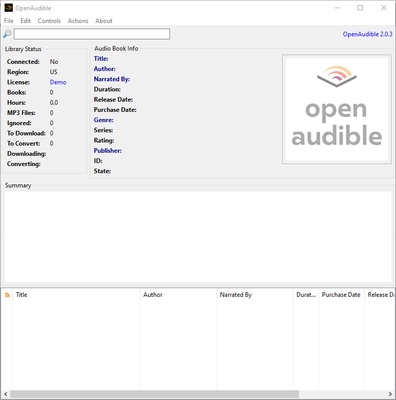
OpenAudible is an open source application that lets you access and use Audible, a popular platform for Amazon audiobooks, from your computer's desktop. This way, you can listen to any audiobook on your computer whenever you want.

The first thing you have to do in order to use OpenAudible is link your Audible account, otherwise many useful features are restricted. If you don't have an account, you can create one for free. Once you've linked your account, you can download all your audiobooks to your computer and start listening.

It's important to keep in mind that some features aren't available with the application's free version. For example, you can't import audiobooks from another client. Some previous versions of the application include all these features, but they aren't officially supported, so you may encounter some problems.

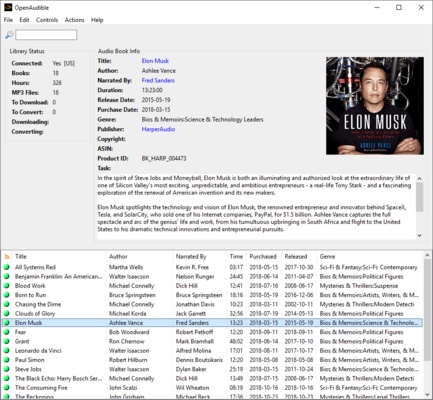
OpenAudible is a useful application for regular Audible users, designed to help you manage and listen to your audiobooks on your computer. The application also displays relevant information on all your audiobooks: author, length, release date, and more.

Information about OpenAudible

License Free
Op. System Windows
Category Audio
Language English
Author OpenAudible
permission icon Permissions Not applicable
Date 2026-06-02
Size 94.44 MB
File type EXE

Apps recommended for you

Audacity icon
Record and edit all types of audio files
iZotope RX Standard icon
iZotope RX Standard for Windows is a professional audio repair software that removes noise, restores sound quality, and fixes audio recordings.
Groove Music icon
Play all your music on Windows
EZ CD Audio Converter icon
Convert your music into any format
SoundTap Free Streaming Audio Recorder icon
Record audio while you stream
Wave Editor icon
Wave Editor
FamiStudio icon
Create NES-style music
Ocenaudio icon
Ocenaudio is a user-friendly audio editing software that offers powerful features for recording, editing, and analyzing audio files with ease.
TIDAL Desktop icon
Listen to high-fidelity music and manage your playlists with TIDAL Desktop for Windows, the premium streaming service offering lossless audio and exclusive content.
MP4 Player icon
MP4 Player is a simple media player that allows users to play MP4 video files with ease and high-quality playback.
ProgDVB icon
ProgDVB for Windows is a versatile software that allows users to watch and record satellite, cable, and IPTV broadcasts on their PC.
ASIO4ALL icon
ASIO4ALL for Windows is a universal audio driver that improves sound quality and reduces latency for audio applications on systems without native ASIO support.
Pianoteq icon
Create realistic piano sounds and virtual instruments with Pianoteq for Windows, the advanced physically modeled piano software for musicians and producers.
Balabolka Portable icon
Convert text to speech effortlessly with Balabolka Portable for Windows, the lightweight text-to-speech software with support for multiple voice engines and audio formats.
Deezer Desktop icon
Deezer Desktop for Windows is a music streaming app that lets users listen to millions of tracks, create playlists, and enjoy personalized music recommendations.
Dopamine icon
Listen to music with this minimalist player
Neovim icon
Enhanced text editor based on Vim
Apple Devices icon
Manage and update your Apple devices
Ableton Live icon
Professional and easy-to-use music production software
Free MP3 Cutter Joiner icon
Edit and trim audio in Windows
Dolby Access icon
Dolby Access for Windows is an app that enables Dolby Atmos audio for immersive, high-quality sound in games, movies, and music.
Balabolka Portable icon
Convert text to speech effortlessly with Balabolka Portable for Windows, the lightweight text-to-speech software with support for multiple voice engines and audio formats.
Audacity Portable icon
Take your Audacity with you and edit audio wherever you are