

Softros LAN Messenger is a local network messaging application designed for communication between computers connected to the same LAN. It uses a peer-to-peer architecture and does not require cloud-based servers or an internet connection for local messaging.
The software supports text and group messaging, file transfers, message history, user status, desktop sharing, and network-based communication. It can be used in homes, offices, and organizations where communication within a private LAN, WAN, VPN, or VLAN is required.
Key Features
LAN Messaging – Send instant text messages between computers connected to the same network.
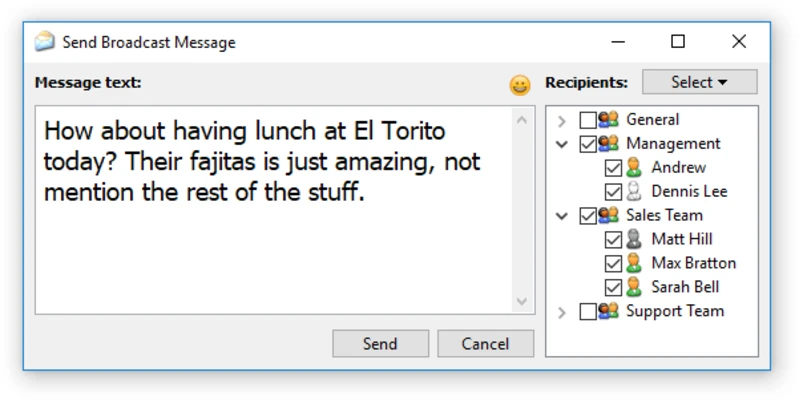
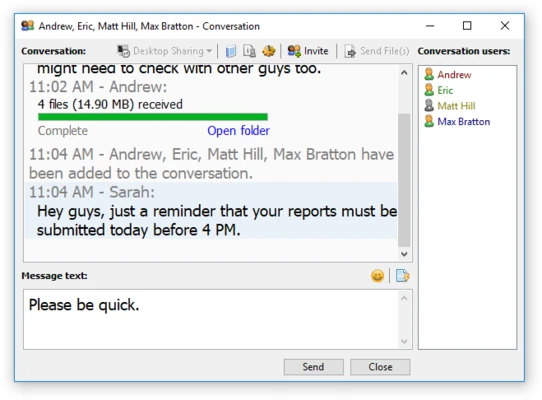
Group Chat – Communicate with multiple users and create group conversations for team communication.
File Transfer – Send files directly between network users without relying on external cloud storage.
Peer-to-Peer Architecture – Enables local communication without requiring a dedicated messaging server.
Offline LAN Communication – Continue communicating over a local network even when there is no internet connection.
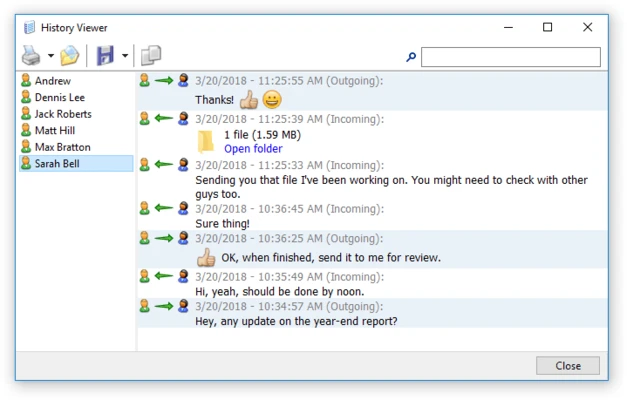
Message History – Store and review previous conversations and file transfer activity.
Desktop Sharing – Allow users to share their desktop during remote assistance or collaboration.
User Status – Set availability states such as Available, Away, or Busy.
LAN, WAN, and VPN Support – Supports communication across different network configurations.
Security – Provides encrypted communication and security controls for protecting messages and transferred data.
Administrative Controls – Includes options for managing users and restricting access in organizational deployments.
User Interface
Softros LAN Messenger uses a simple interface centered around a list of available network users and individual chat windows. Users can quickly start conversations, send files, view message history, and access desktop-sharing features.
The settings area provides controls for messaging, notifications, file transfers, network configuration, logging, and keyboard shortcuts.
Installation and Setup
-
Install Softros LAN Messenger on the computers that will use it.
-
Launch the application after installation.
-
Allow the application to communicate through the local network if prompted by Windows.
-
The software detects other available users on the network.
-
Configure messaging, file transfer, and notification preferences as needed.
For larger deployments, administrators can use the available deployment options to install the software across multiple Windows computers.
How to Use
-
Launch Softros LAN Messenger on your computer.
-
Select a user from the detected network user list.
-
Double-click the user to open a chat window.
-
Send text messages or files as required.
-
Create group conversations for communication with multiple users.
-
Use desktop sharing when remote assistance or collaboration is needed.
-
Check message history to review previous conversations.
-
Adjust status, notifications, and other preferences from the settings menu.
Pros
-
Does not require a dedicated messaging server
-
Works without an internet connection on a local network
-
Supports group messaging and file transfers
-
Includes message history and desktop sharing
-
Simple interface and straightforward deployment
-
Supports multiple network configurations
Cons
-
Primarily des