

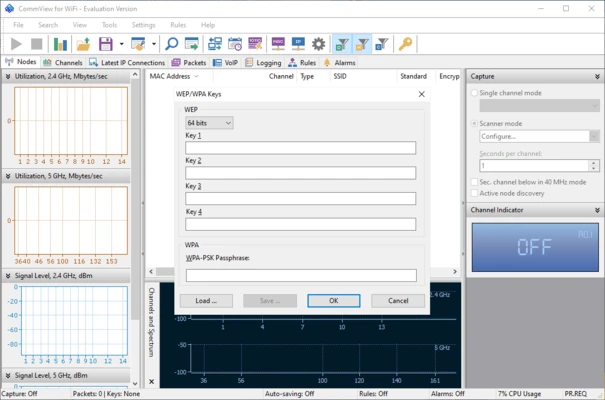
CommView for WiFi is a professional wireless network monitoring and packet analysis tool for Windows. It allows users to capture, analyze, and troubleshoot Wi-Fi traffic across 802.11a/b/g/n/ac wireless networks in real time.
Designed for network administrators, security professionals, IT engineers, and wireless network analysts, the software provides detailed visibility into wireless communications, helping identify performance issues, security threats, and network misconfigurations.
Key Features
Wireless Packet Capture
Capture and analyze Wi-Fi traffic from 802.11a, 802.11b, 802.11g, 802.11n, and 802.11ac wireless networks.
Real-Time Network Monitoring
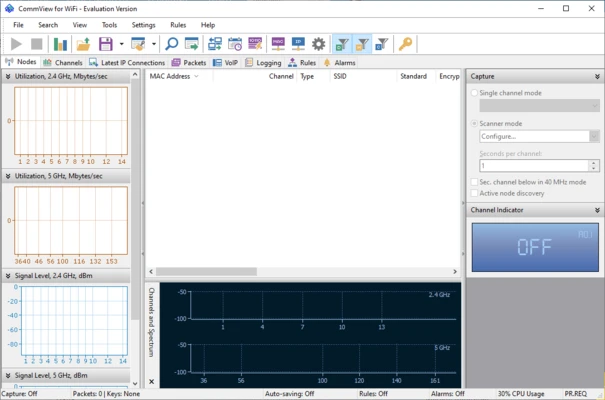
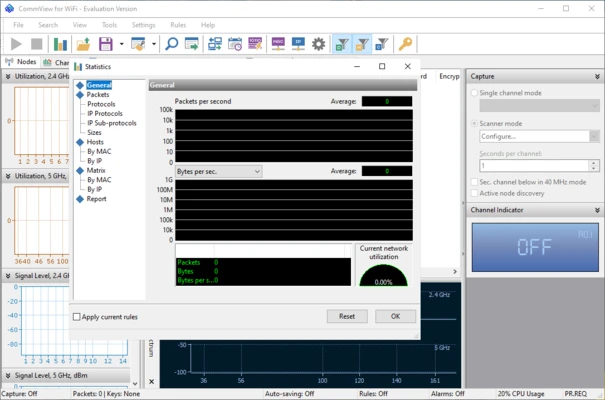
Monitor wireless activity in real time, including connected devices, access points, signal strength, bandwidth usage, and protocol statistics.
Packet Decoding and Analysis
Decode captured packets down to the lowest protocol layer and inspect detailed packet information through an intuitive hierarchical view.
WEP and WPA/WPA2 Decryption
Decrypt wireless traffic using user-supplied WEP and WPA/WPA2-PSK keys for deeper traffic analysis.
Wi-Fi Network Discovery
Scan nearby wireless networks and display detailed information about access points, clients, channels, and signal quality.
VoIP Analysis
Includes VoIP monitoring capabilities for analyzing, recording, and playing back SIP and H.323 voice communications.
TCP Session Reconstruction
Rebuild TCP sessions to examine complete network conversations and application-level communications.
Advanced Alerts and Notifications
Create alerts for suspicious activity, rogue access points, unknown devices, bandwidth spikes, and other important network events.
Main Features
- Wireless packet capture and analysis
- Wi-Fi network discovery and monitoring
- Real-time traffic inspection
- WEP and WPA/WPA2 packet decryption
- Protocol decoding and analysis
- TCP session reconstruction
- VoIP monitoring and playback
- Bandwidth utilization monitoring
- Channel and node statistics
- Advanced packet filtering
- Packet search functionality
- Capture file import and export
- Multi-channel monitoring support
- Access point simulation
Supported Formats
CommView for WiFi supports importing and exporting packet captures in multiple industry-standard formats, including:
- Wireshark / PCAP
- PCAPNG
- Tcpdump
- NetMon
- Observer
- EtherPeek
- AiroPeek
- Sniffer
Use Cases
Wireless Network Troubleshooting
Identify connectivity issues, signal problems, and performance bottlenecks within Wi-Fi networks.
Security Auditing
Detect unauthorized devices, rogue access points, unusual traffic patterns, and potential security risks.
Network Analysis
Examine packet-level communications to diagnose application, hardware, and protocol-related issues.
Wireless Performance Monitoring
Track bandwidth consumption, channel utilization, and device activity across wireless environments.
Why Use CommView for WiFi
CommView for WiFi provides deep visibility into wireless network traffic that standard monitoring tools often cannot offer. Its combination of packet capture, protocol analysis, decryption support, and real-time monitoring makes it a valuable tool for professionals responsible for managing and securing Wi-Fi networks.