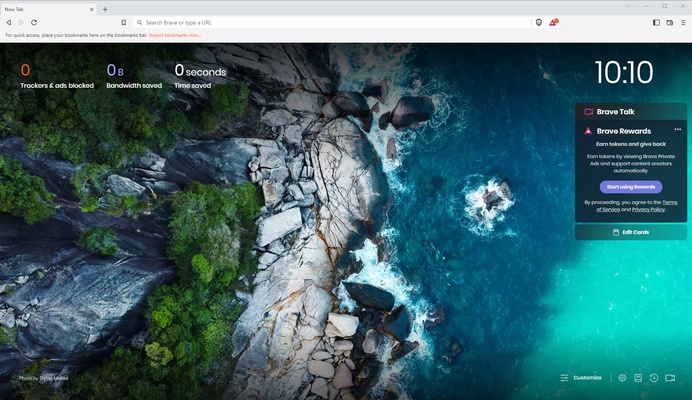
Brave Browser is a free and open-source web browser focused on speed, security, and user privacy. Developed by Brave Software, it is based on the Chromium engine and provides compatibility with Chrome extensions while adding built-in privacy protection features.
Brave blocks ads and trackers by default, helping pages load faster while reducing online tracking. It is available for Windows, macOS, Linux, Android, and iOS.
Features
- Built-in ad and tracker blocking
- Privacy-focused browsing protection
- Chromium-based performance and compatibility
- Support for Chrome extensions
- Private browsing with Tor integration
- Built-in cryptocurrency wallet
- Brave Rewards system
- AI assistant integration
- Sync across multiple devices
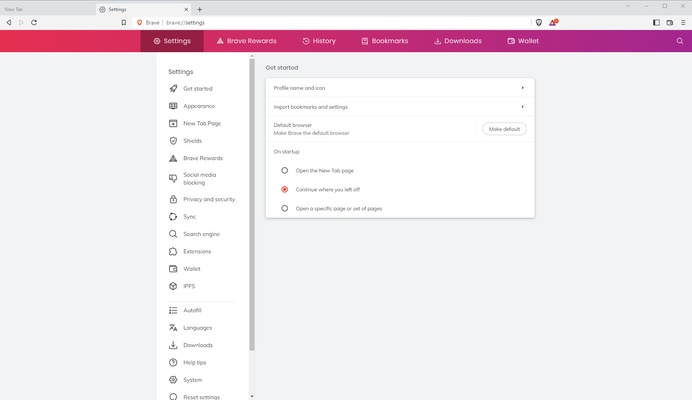
- Custom themes and browser settings
Key Features
Brave Shields
The built-in Shields feature blocks ads, trackers, cookies, and fingerprinting attempts to improve privacy and browsing speed.
Privacy Protection
Brave includes advanced privacy features such as HTTPS upgrades, fingerprint protection, and private browsing tools.
Brave Rewards
Users can optionally earn Basic Attention Token (BAT) by viewing privacy-friendly advertisements and support content creators.
Brave Leo AI
The integrated AI assistant can summarize webpages, answer questions, translate content, and assist with writing and coding tasks.
Tor Private Browsing
Brave includes a private window with Tor support for enhanced online anonymity.
Crypto Wallet
The built-in wallet allows users to manage digital assets without installing additional browser extensions.
Chrome Extension Support
Since Brave is based on Chromium, it supports most extensions available from the Chrome Web Store.
How to Use
- Download and install Brave Browser.
- Launch the browser and import bookmarks from other browsers if needed.
- Browse websites normally with automatic privacy protection enabled.
- Adjust Shields settings for individual websites.
- Install extensions from the Chrome Web Store.
- Enable Brave Rewards if you want to earn BAT tokens.
- Sync bookmarks, settings, and browsing data across devices.
System Requirements
- Operating System: Windows 10/11, macOS, Linux, Android, iOS
- Processor: Modern Intel or AMD processor
- Memory: 2GB RAM or more recommended
- Storage: Minimum 200MB free space
PROS
- Fast browsing performance
- Strong privacy and security features
- Built-in ad and tracker blocking
- Supports Chrome extensions
- Free and open-source
- Available on multiple platforms
CONS
- Some websites may not work correctly with strict blocking enabled
- Brave Rewards may not appeal to all users
- Higher resource usage compared with lightweight browsers
Alternatives
- Google Chrome
- Mozilla Firefox
- Microsoft Edge
- Opera
Conclusion
Brave Browser is an excellent choice for users who want a faster and more private browsing experience. With built-in ad blocking, tracker protection, Tor support, and Chrome extension compatibility, it provides a strong alternative to traditional browsers.
Its privacy-focused design and extensive features make Brave a reliable browser for everyday browsing, security-conscious users, and anyone looking for more control over their online activity.